Solution showcase: Learn how to use Nintex CE Platform
Stay informed with community announcements, updates, and participation tips to get the most out of the Nintex Community.
Recently active
New Developer-Focused Course on Nintex University: Enhance Your Views in Nintex Automation K2! Are you ready to take your K2 applications to the next level with custom styling and interactivity?We're excited to introduce a new course on Nintex University: Enhance your views in Nintex Automation K2!This hands-on course will teach you how to customize K2 views using Data Label controls and expressions while leveraging HTML, CSS, jQuery, and JavaScript to refine layouts, enhance styling, and add interactive elements. 🔥 What You'll Learn:Dynamic Customization: Use Data Label controls and expressions to enhance K2 views. Improved List Views: Add unique icons for a more intuitive user experience. Bulk Actions: Enable bulk deletion in list views with checkboxes. Multi-Step Forms: Utilize CSS to create multi-step form experiences. Editable List Views: Design an interactive list view with a static toolbar for streamlined user interactions. 🎯 Who Should Take This Course?This course is designed
🎓 📢 Nintex University Updates 📢 🎓 Hello Nintex Automation Cloud users, exciting news!The Customer Enablement team is thrilled to announce the release and retirement of the following Nintex University certifications. As we evolve our learning experience, these role-based certification exams are designed to cater to different roles within your organization. They will become your gateway to unlocking the full potential of being Nintex Automation Cloud certified! New contentNintex Automation Cloud New Certifications Automation Specialist I Certification for Nintex Automation Cloud The certification exam is a fantastic chance for Automation Specialists to showcase their expertise. It's tailored for those who have finished the Automation Specialist for Nintex Automation Cloud - Level I learning path, and it's perfect for individuals keen on excelling in using Nintex Automation Cloud to craft innovative automation solutions. The exam delves into various topics such as workflow-building
To accommodate rapid Nintex customer growth, we are scaling out our FedRAMP data centers to ensure maximum performance, for Nintex DocGen for Salesforce GE customers. Get ReadyThe data center expansion will begin on March 17th, but you will need to get ready ahead of time. If you are a customer that uses Salesforce IP Restrictions in your Salesforce Orgs, check out the new DocGen IP Allow List to update your IP allow lists in your network and Salesforce settings. Once the data center expansion is complete, we will be applying enhancements in a gradual rollout.For future maintenance updates, consider subscribing to https://nintex.status.io/. The Nintex team looks forward to delivering continued strong cloud performance, whatever your document automation need!
🎓📣 Nintex University Updates 🎓📣 The Customer Enablement team is thrilled to announce the release of a new Learning Path for Nintex DocGen for Salesforce. Jumpstart your document generation journey with this dynamic course! Unlock new possibilities and discover how Nintex DocGen for Salesforce can transform your organization’s workflow.Explore new content on custom buttons, lookup and child relationships, and filters—plus, follow a real-world scenario to navigate the document-building process with confidence!New Content:Nintex DocGen for Salesforce Learning Path DocGen for Salesforce Basics Courses Introduction to Nintex DocGen for Salesforce Install Nintex DocGen for Salesforce Navigate Nintex DocGen for Salesforce Plan a DocGen Package Understand data relationships Build and edit document templates Configure delivery methods Deployment and access Retired Content:Nintex DocGen for Salesforce Courses Navigate DocGen for Salesforce Install DocGen for Salesfor
Exciting News! The Nintex Automation Cloud API Course is Now Live on Nintex University!We’re thrilled to announce the release of our Nintex Automation Cloud API Training Course, which is now available at Nintex University! This course will help you master the API, from authentication to workflow automation, with real-world applications and hands-on exercises.Whether you're a developer or just starting, this course will enhance your skills and streamline your automation processes.👉 Start learning today: https://learn.nintex.com/app/courses/a4dcd6cc-0691-45cd-be87-2cfaf6df79ecHave you spotted a gap or have a cool idea? Your feedback matters to us, and we’d love to hear it. Click here to leave feedback, as your input helps us continuously improve Nintex University, Nintex Community, and the Nintex How-To Center.
Hi,I’m a system administrator in my organisation and are struggling to identify through Nintex University the e-learning module for one of my users who will become process group champion for their area.Is anyone able to provide direct links to these modules and sequence to complete as I find the search option hard to navigate in order to review what each course has to offer.Please note we’re not after certification is just to equip internal user with capability to do and lead others within their own team. thanks.U
We are excited to announce a new beta feature on Nintex Community: on-the-fly translation for forum topics and replies! This functionality is designed to make it easier than ever to connect, collaborate, and share insights with fellow community members worldwide, regardless of their language.Key highlights of the beta featureInstantly translate forum topics and replies into your preferred language. Enable seamless communication and collaboration with a global audience. Supported languages include Arabic, Chinese, English, French, French-Canadian, German, Italian, Japanese, Spanish, and Thai. More languages will be available at a later date. See the Feeback and improvement section below to let us know which languages you’d like to see! This feature uses AI-based translation technology, so translations may not always be perfect or capture the full context. While we strive for accuracy, the translations are generated by algorithms and might occasionally miss nuanced meanings or provide in
In this month’s user spotlight blog, we’re talking to Brent Read (brent_read), Solutions Architect for the Modernization team here at Nintex. “How my puppy watches my kids Hockey games!”What is your current role and some career background?I’m the Solutions Architect for the Modernization team and I’ve been at Nintex for 9 years in May. I started here as a support Engineer and held several titles between then and now. Before that I was an Infantryman in the US Army for 8 years. While I was in College, I worked in a heart disease research lab.Which Nintex Product are you most passionate about and why?Right now, Nintex Automation Cloud since it’s the biggest part of what I do, but I’m leaning heavily into Nintex Apps to be able to work with both together since I think it provides a ton of capability that Automation Cloud needed. The ability to build custom pages for automation is a huge addition to the product stack.What do you enjoy most about answering Community questions? Community qu
Build a leave request application with this new Nintex Automation K2 video tutorial! Want to learn the essentials of building business applications with Nintex Automation K2? We've just released a new video tutorial that walks you through creating a basic leave request application from start to finish.This beginner-friendly tutorial shows you how to combine K2's core components:SmartObjects: Learn how to build a SmartObject to store your leave request data. SmartForms: Create user-friendly forms and views to interact with the application. Workflows: Design a workflow to automate the approval process, including user tasks, decision steps, and system updates. In this step-by-step video, you'll learn how to:Set up application categories Design your data structure Build intuitive forms Create a workflow with approvals Deploy and test your application Whether you're brand new to K2 or need a refresher, this video is a great way to level up your skills. Check out the tutorial now and start b
The choice Single control now has an Insert tab for the choice options in the control’s configuration. This allows for a Data Source Variable to be selected.Inserting a flattened collection from a data source into this field gives you a dynamically generated list of choices.An array of objects can also be selected. When an object is select, two new fields will appear in the control’s configuration. The fields are “Option label” and “Option value”.Option label will display the text for the choices. Option value is the value that can be used elsewhere in the form or passed to the workflow. For example, the option label may show a list of states of the United States of America. When the user selects California the Option value can store the value Sacramento which is the capital city. This value is obtained from the Data Source Variable. For more information please see the Nintex Automation Cloud help files.https://help.nintex.com/en-US/nwc/Content/Designer/FormControls/ChoiceSingle.htm
Welcome to December’s Nintex Community Connect!We have an exciting roundup of updates, innovations, and insights to share with you. Whether you're a developer, engineer, or tech enthusiast, there's something for everyone. From the latest breakthroughs in technology to upcoming events and key highlights, we’ve packed this issue with valuable content to keep you informed and inspired. (Re)introducing Nintex: The possibility engine Today, Nintex begins telling a new story: One that aligns with our go-forward business strategy, focused on serving line-of-business leaders and IT teams at midsized organizations. Read More Introducing Nintex Apps!Nintex released its groundbreaking application development product, Nintex Apps, in November. Interested in learning more? Read More Review Nintex on G2We'd love to hear from you about your experience with Nintex and have you share it with others. Leave us a short review on G2 – we appreciate any and all feedback! Mapping processes without autom
Want to tap into the power of your SQL databases within Nintex Automation K2?We're excited to introduce a new course on Nintex University: Create a stored procedure and use it as a SmartObject.This course provides a hands-on approach to integrating SQL stored procedures with your K2 environment. You'll learn how to leverage existing database logic and build more efficient, data-driven automation.What you'll learn: Harness stored procedures: Understand the advantages of using stored procedures in K2, including improved performance and simplified maintenance. Build a stored procedure: Step-by-step guidance on creating a stored procedure within your SQL database. SmartObject integration: Generate a SmartObject from your stored procedure, enabling seamless integration with K2. Data visualization: Display the results of your stored procedure in a K2 SmartForm, bringing your data to life within your applications. Who should take this course?This course is ideal for K2 users who want to
In this month’s user spotlight blog, we’re talking to Adolph J. Torres (LandsEnd), Senior Programmer Analyst at Baycare. What is your current role and some career background?My current job title is Senior Programmer Analyst. Career background: Eight years working with Nintex products. I’m on the Software Engineering team responsible for the intranet at BayCare, including 16 hospitals and 32,000 team members. Previously, I was a senior .NET programmer for fifteen years.Which Nintex Product are you most passionate about and why?Nintex Forms and Workflow products. Microsoft chose well to have Nintex as a BayCare vendor for our SharePoint Cloud Platform. Both Form and Workflow products are exclusively what my team uses for BayCare’s intranet. These Nintex products are extremely versatile, have really good training material associated with them, and a user community that is very active.What do you enjoy most about answering Community questions? I really like that the responses to my questio
In today’s fast-paced digital landscape, companies are increasingly adopting application development to remove friction from their critical business processes. With a large pipeline of applications designed to drive competitive differentiation, application development teams must tackle these projects quickly and effectively. However, these organizations face a dilemma from an application development approach perspective:Build custom-coded solutions and navigate long development cycles; or Settle for low-code solutions that fail to fully meet their needs for automating complex business processes.The result?A high percentage of projects fail to deliver the intended value because they lack the capability to handle intricate use cases. Equally damaging is the heavy reliance on professional coders or complex tooling, which often limits the number of projects that can be delivered—further exacerbated by project overruns that slow progress even more.With the launch of Nintex Apps, we are clos
Nintex is thrilled to announce new AI-powered improvements across the Nintex Process Platform that are either available now or coming soon. These capabilities significantly reduce the time required to document, manage, and automate business processes.Start process documentation quicker and save time in automation programs with AI Historically, getting started with process mapping required businesses to manually document processes. The newest process intelligence features of the Nintex Process Platform allow businesses to automate an often cumbersome first step in the process automation process by integrating and automating the creation and tooling of process maps. New capabilities include:Process Capture (coming soon): Automate the creation of process maps leveraging the output of AI-powered text prompts and activity recordings captured from end users. This feature within Nintex Process Manager removes the need to manually document processes, while aligning processes across roles and e
Great news, Nintex Apps has offically launched! 🚀 And with it, so has the ability to use Nintex Apps alongside Nintex Automation Cloud when your subscription includes both. Check out the video below to learn more about using these as a connected experience. Have you spotted a gap or have a cool idea? Your feedback matters to us, and we’d love to hear it. Click here to leave feedback, as your input helps us continuously improve Nintex University, Nintex Community, and the Nintex How-To Center.
📢 Great news! 🎉 We’ve just published a new video tutorial that dives into using text and input fields in bubbles in Nintex RPA. This video covers how to enhance your bubbles with formatted text, images, hyperlinks, and dynamic variables, as well as how to set up various input field types—like text, dropdowns, checkboxes, and more—to collect essential user data. 💡Whether you’re new to customizing bubbles or looking to optimize data entry in your wizards, this tutorial provides a step-by-step guide to creating more interactive and user-friendly workflows.
Good morningWhat is the cost of doing the Nintex Certification examination?Thanks
📢 Hi! Great news! 💃🏽🕺🏾I just updated a comprehensive article that guides organizations through switching to OAuth Admin Consent for DocuSign Legacy Integrations. It also includes the requirements and a step-by-step process to make the switch. 🚀Switching to OAuth Admin Consent for DocuSign Legacy Integrations This article includes:Upgrade process for Nintex DocGen for Salesforce.Review of needed DocuSign settings.Integration setup in Nintex DocGen for Salesforce Have you spotted a gap or have a cool idea? Your feedback matters to us, and we’d love to hear it. Click here to leave feedback, as your input helps us continuously improve Nintex University, Nintex Community, and the Nintex How-To Center.
Many Nintex customers have been asking about Nintex for SharePoint Subscription Edition (SPSE). Nintex is pleased to announce that support for SPSE is now available. Please reply to this post and we will look to answer additional questions. FAQQ: Will both Nintex Workflow and Nintex Forms be supported in SPSE?A: Yes, both will be fully supported.Q: Will all the existing functionalities / features in Nintex Workflow and Forms be available in Nintex for SPSE?A: Yes, all existing features will be available and there are no additional features or deprecation of existing features in Nintex for SPSE.Q: What workflow engine will Nintex Workflow for SPSE be using?A: It will still be using the SharePoint 2010 workflow engine. While SharePoint 2010 workflow engine is deprecated, this only means there is no longer active development, and it will still be supported by Microsoft. For more details on SharePoint 2010 workflow support, please refer here. We will evaluate and advice future options for
In this month’s user spotlight blog, we’re talking to Evgenios Efthymiou (EvgeniosE), Product Manager at Nintex.Evgenios EfthymiouWhat is your current role, how long have you worked at Nintex, and your career background?I am one of the Product Managers for Process Manager. I joined Nintex in February 2024 (~8 months ago). Background wise I studied Mechanical Engineering and worked as a Production Engineer and a Business Process Analyst within the Automotive Industry around Product Data Management, before moving to developing digital solutions as a Product Manager.Which Nintex Product are you most passionate about and why?Process Manager, because it's something I would have loved to have in my Business Process Analyst days. Maybe though I am biased because our Product team is responsible for it.What do you enjoy most about answering Community questions?As a Product Manager I have many ways to drive change in my product, but primarily that comes from enabling your team delivering the bes
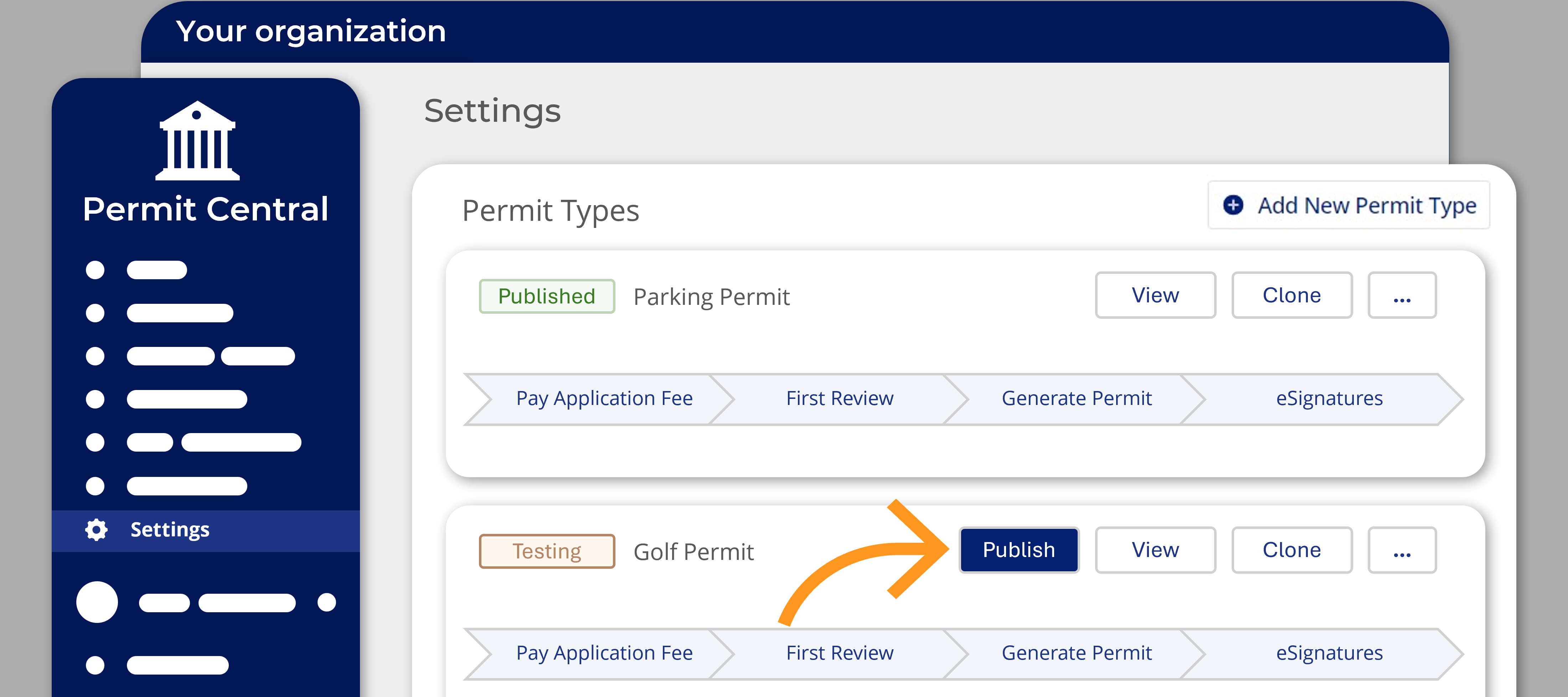
💁📢A new course is available on Nintex University!💡🏆Enrol now: Introduction to the Nintex Licensing and Permitting SolutionThis course is intended for first-time users of the Nintex Licensing and Permitting Solution.In 30 minutes, this beginner-friendly course will take you through:essential platform set-up and customization steps an overview of the permit management platform and applicant portal steps to set up, configure, and test new permit typesHave you spotted a gap or have a cool idea? Your feedback matters to us, and we’d love to hear it. Click here to leave feedback, as your input helps us continuously improve Nintex University, Nintex Community, and the Nintex How-To Center.
Hello, Process Manager Users! We’re thrilled to announce a new feature in Nintex Process Manager: localization! This exciting update means that Process Manager now supports multiple languages, starting with French, French Canadian, German, and Spanish. What is Localization?Localization in Process Manager provides a more personalized experience by supporting languages other than English. This enhancement will make it easier for our existing customers to navigate and utilize Process Manager in their preferred language. Plus, it sets the stage for us to rapidly add more language options in the future based on your feedback and needs. The initial localization work will cover the user interface elements created and managed by Nintex. While this update does not yet include translations for user-generated process content, we are exploring options to support process content-level translation in the future. In the meantime, this can be facilitated through process variations. Here’s a sneak peek
📢 Hi! Great news! 💃🏽🕺🏾I just published a comprehensive article that guides admin users through switching to OAuth Individual Consent for DocuSign Legacy Integrations. It also includes the requirements, as well as a step-by-step process to make the switch. Plus, you’ll see exactly what the process looks like for end users once the integration is live! 🚀Switching to OAuth Individual Consent for DocuSign Legacy Integrations Have you spotted a gap or have a cool idea? Your feedback matters to us, and we’d love to hear it. Click here to leave feedback, as your input helps us continuously improve Nintex University, Nintex Community, and the Nintex How-To Center.
📢 Great news! 🎉 I’ve just published a new video tutorial that guides users through adding and positioning bubbles in Nintex RPA. The video covers different bubble types—Standard, Anchored, Tooltip, and Help Button—and explains how to use them effectively in creating intuitive, engaging wizards that guide users through your processes. 💡Whether you're new to bubbles or looking to optimize your existing wizards, this tutorial provides a step-by-step walkthrough for achieving the best results.
Already have an account? Login
Enter your E-mail address. We'll send you an e-mail with instructions to reset your password.