



Question
What are the differences between the email page Lightning Salesforce vs Classic Salesforce?
Answer
Lightning email experience:
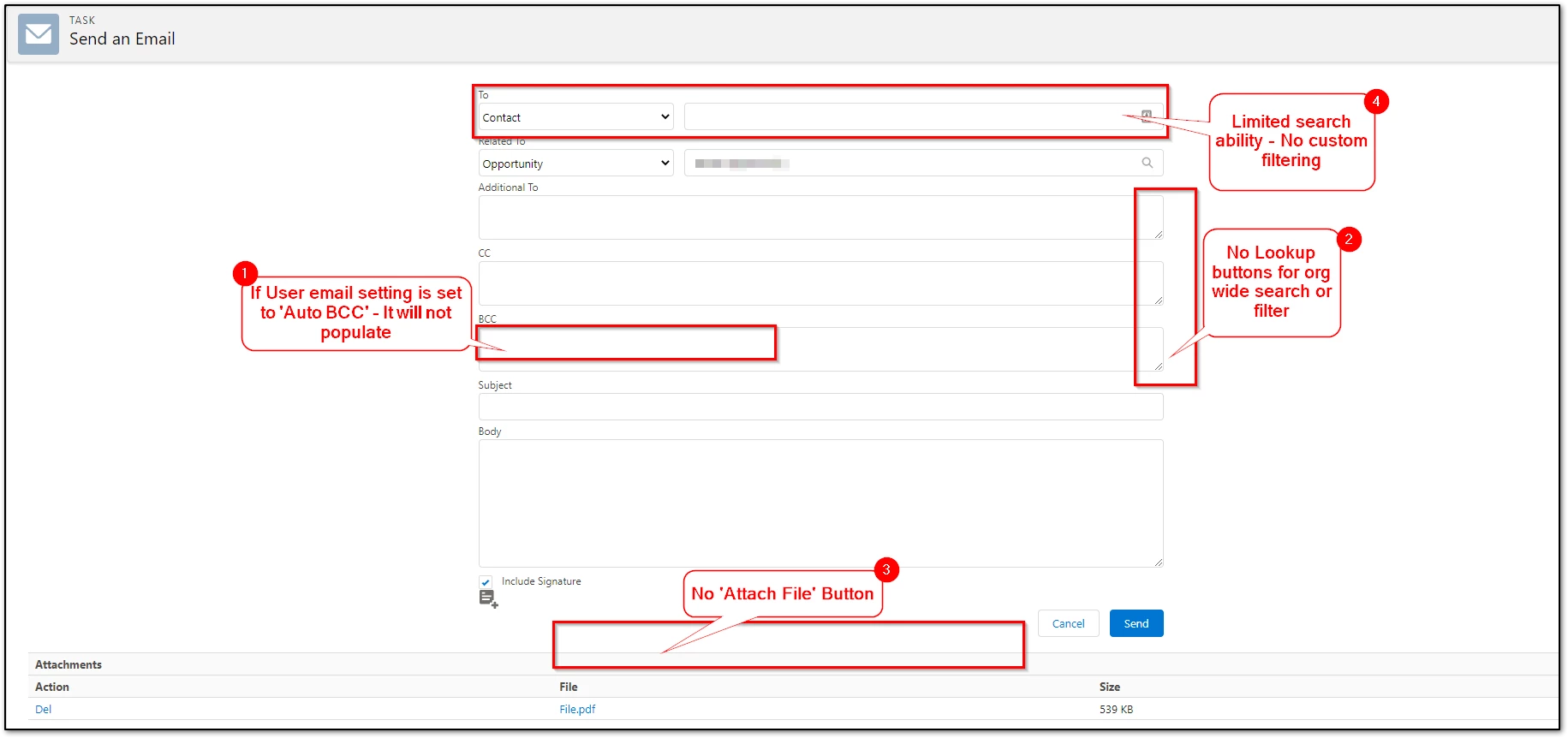
The Lightning email experience contains the following differences from the Classic experience:
1. If User email setting is set to 'Auto BCC' this will not pull through.
2. No 'Lookup' buttons for the org-wide search for (Additional To, CC, and BCC).
3. No 'Attach File' Button for uploading from Salesforce Folders or Desktop.
The Lightning email experience contains the following differences from the Classic experience:
1. If User email setting is set to 'Auto BCC' this will not pull through.
2. No 'Lookup' buttons for the org-wide search for (Additional To, CC, and BCC).
3. No 'Attach File' Button for uploading from Salesforce Folders or Desktop.
4. Limited search ability - No custom filtering beyond a name.
5. Attachments from Salesforce Email Templates
Additional Information
Workarounds and UserVoice links below:
1. If the User email setting is set to 'Auto BCC' this will not pull through.
1. If the User email setting is set to 'Auto BCC' this will not pull through.
- This behavior can be achieved through Excel as middleware with a Dynamic Tag in the Delivery Option: https://community.nintex.com/t5/How-To/Drawloop-Lightning-Email-Page-Bcc-User-s-email-preference/ta-p/207296
- Nintex Ideas Page: https://ideas.nintex.com/ideas/IDEA-I-4329
- Nintex Ideas Page: https://ideas.nintex.com/ideas/IDEA-I-4416
- Upload the desired file to the record then select it as an attachment on the run page.
- Add an Optional Template file that uses 'Pause to Edit', and replace the document with the desired attachment from the desktop.
4. Limited search ability - No custom filtering beyond a name.
- Pass the URL a Contact ID from a custom interface selection. Button Parameters
5. Attachments from Salesforce Email Templates
Related Links:
Nintex Ideas Page : https://ideas.nintex.com/