



Microsoft has retired the SharePoint Add‑In app model on April 2, 2026. After this global rollout, customers will lose access to the Nintex Workflow and Nintex Forms Add‑In apps.
What to Expect During the Rollout:
Clicking the Nintex Workflow or Nintex Forms Add‑In will show a generic Microsoft message indicating the service is no longer available.
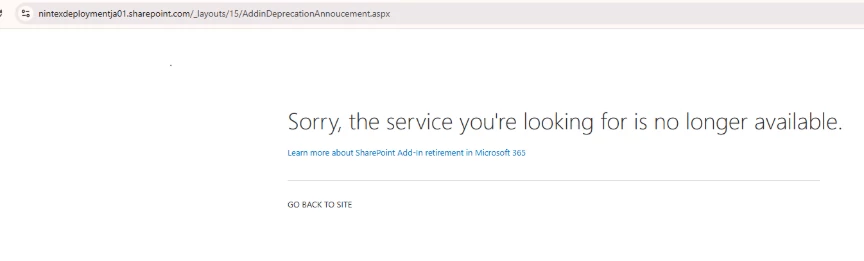
This behaviour is expected and not specific to Nintex.
Customers Who No Longer Have Access:
To migrate from a classic/responsive form to SPFx following the deprecation of the Add-In app, first retrieve the XML form definition from the NintexFormXML hidden library and import it into the SPFx designer. The form will automatically be converted to the new format during import. Once completed, publish the form to finalize the migration. Please refer to the steps below:
Steps (Manual)
-
Navigate to https://[tenantname].sharepoint.com/sites/[sitename]/NintexFormXML.
-
Locate the file whose name ends with the list ID you want to migrate, and download it. The file may have a .txt extension or no extension at all. Its naming format follows this pattern: {contenttype_id}_{list_id}.
For example: 33d325a67fdbac0c64f689f9082bb26e_4366b58a-881c-4265-9e8a-cf3e84f0c04e
-
Navigate back to the list and open SPFx designer
-
Import the downloaded text file, (if it did not have .txt extension update to use .txt) and publish the form.
-
Repeat step 1 to 4 for each form.
Steps (Script)
-
Run Script to export Form Definitions (https://download.nintex.com/sl/supportfiles/Nintex%20SPFx%20Migration%20Export%20Legacy%20Forms.zip)
-
Import the file from script export directory.
New Responsive
To migrate from a new responsive form (UFO) to SPFx following the deprecation of the Add-In app, simply republish the form in SPFx designer. Please refer to the steps below:
Steps (Manual Way)
-
Open SPFx designer on the list and republish the form.
-
For multiple forms, kindly repeat for each form.
Workflows: Please reach out to Nintex Support
Additional Resources