



Prior to upgrading workflows you must activate the migration tooling for your Nintex Workflow Tenant. See this article for instructions on how to do so.
Upgrading Nintex for On Prem workflows
The first step in upgrading workflows from On Prem into Nintex Workflow is to acquire the Nintex Extraction Scripts. These can be found by clicking the word script on the Upgrade Center page in your Nintex Workflow tenant. If you don’t see the Upgrade Center in your tenant, please refer to the above article for how to activate the tooling in the tenant.
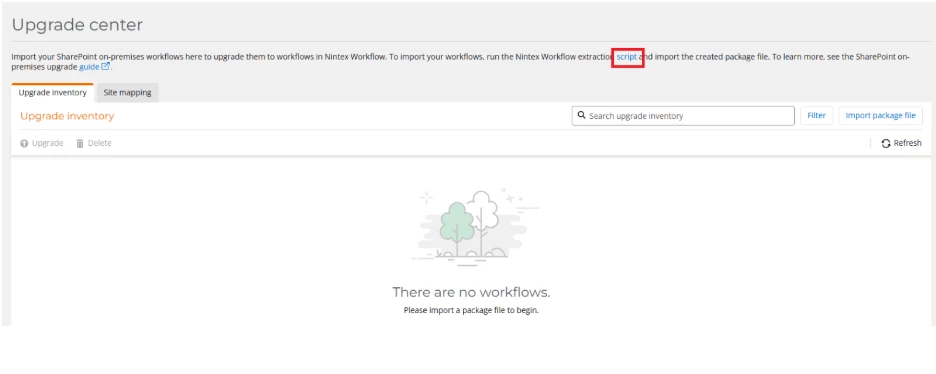
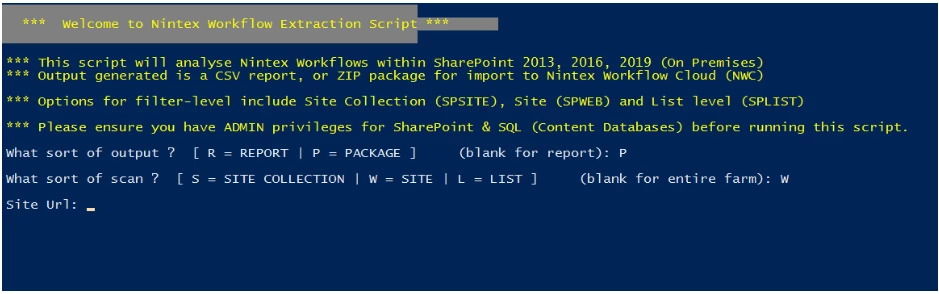
The downloaded script should be run on a Web Front End server in your SharePoint farm. Be prepared to specify the Scope to extract, the URL for that scope, and Output directory when running the strict. Make sure the scope includes fewer than 500 workflows as this is the limit allowed for a single extraction package. Also make sure when specifying the scope URL to exclude trailing slashes.
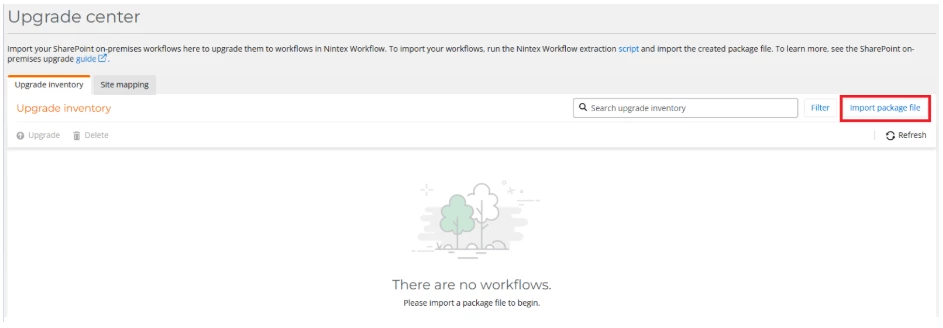
After generating the extraction package, upload it into the upgrade center page in your Nintex Workflow tenant by selecting the import package file button, selecting the export package, specifying your SharePoint Online tenant URL and clicking import.
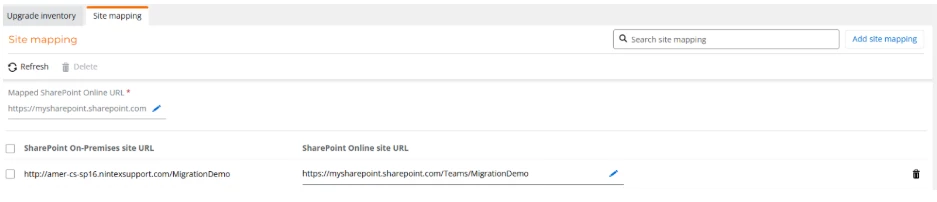
The tooling will attempt to automatically map On Prem URL’s to match SharePoint Online. It is recommended that you verify the mappings by navigating to the Site Mapping tab and updating any URLs that need to be fixed prior to upgrading.
To initiate the upgrade of the workflow (once it is populated in the Upgrade Center), click the ellipses to the right of the workflow and select Upgrade Workflow. Workflows can also be upgraded in bulk by clicking the toggle box to the left of the workflow names and selecting upgrade from the ribbon.

After clicking to upgrade the workflow, a draft version should be created and be ready for remediation in the Nintex tenant. Workflows imported from SharePoint On Prem will be tagged with the SharePoint On Premises tag to indicate where they originated.
