




Topic
If Foxtrot RPA (aka RPA LE) is not working correctly, you may need to run a repair.
You can run repairs on any software or Foxtrot RPA itself.
Generally we run them on Microsoft Access Database Engine, Microsoft Office and then Foxtrot RPA.
Instructions
To run a repair click:
- Control Panel
- Programs
- Program and Features
- Right click the software you want to run the repair on and choose repair.
- For repairing Foxtrot RPA - A repair can be run on any version of Foxtrot RPA version15.1.13 or below but for version 16.x and higher, you need to uninstall and reinstall the program.
- For Microsoft Office:
- Choose Office 365 -red icon - says Microsoft 365 Apps for Enterprise

- Or Microsoft 365 - en-us

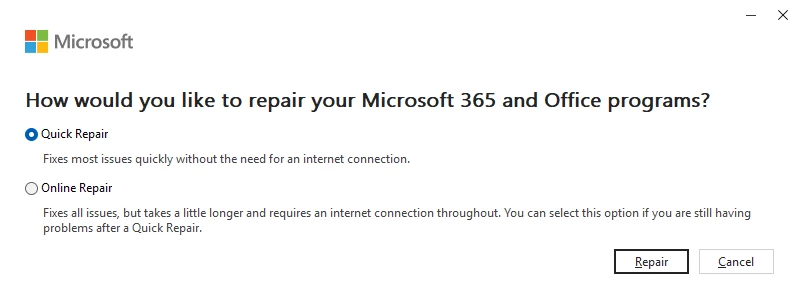
- Click the ellipsis (three horizontal dots on the right) and choose Modify and then choose Quick Repair.
Additional Information
If the Admin gets this error while running a Foxtrot RPA Repair:
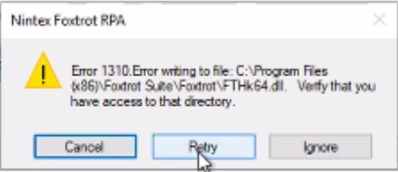
This is a .dll that is used by the Bot. The repair must be trying to overwrite it but it is being used. Try restarting the machine to release this .dll.
Related Links
Access Database Error:
https://community.nintex.com/t5/Technical-Issues/Access-Database-Error/ta-p/202281