




Topic
After upgrading to Chicago (Skuid 14), Forms don’t render correctly and creating a new Form is not working like it used to.
Resolution
First and foremost update the design systems within Skuid. 2nd, we’ve made changes to the Form component fields added to a section are now added vertically by default, so building horizontal Forms now requires additional steps.
Resolution Process
Make sure you update your out of date themes and design systems. Here is a great resource detailing the process: https://docs.skuid.com/v14.0.5/v2/en/skuid/design-system-studio/#update-out-of-date-design-systems.
This will usually fix any initial visual issues you are seeing on your Forms and other components. It’s also a best practice to take this step whenever you upgrade your version of Skuid.
In previous versions of Skuid, Form fields were added horizontally:

However, in the Chicago release the fields are added vertically by default:
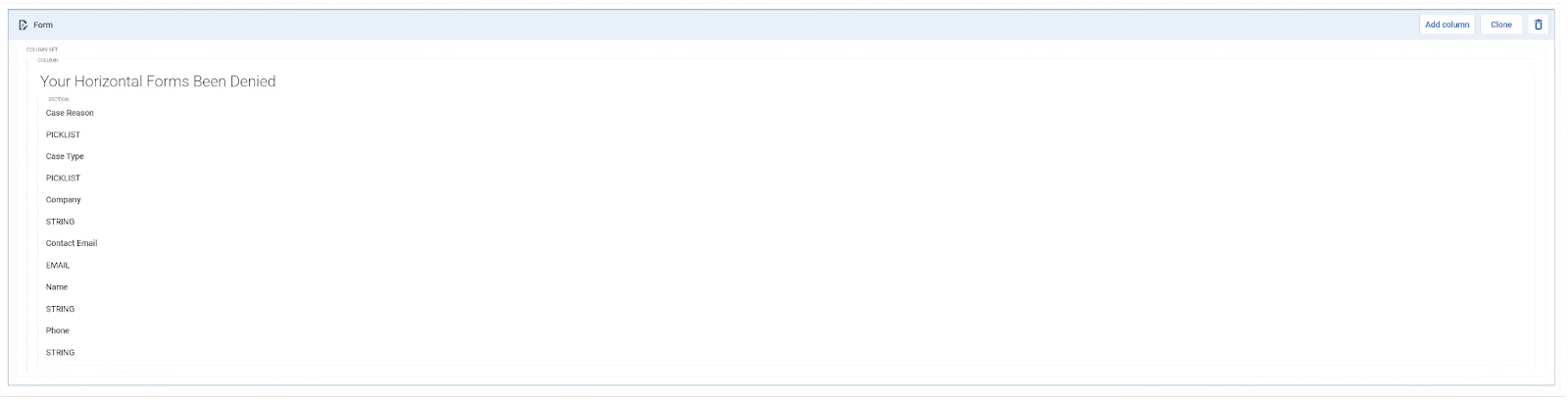
To build your Forms in a horizontal manner you now will need to take advantage of a new feature called Form columns using the following steps:
- Add a Form component to the page, you’ll see that the Form contains a Section within a column inside of a column set.

- On the Form component press the Add column button to add the required number of horizontal fields.

- Within each section; add the necessary fields to create your Form.

- If additional rows are needed in the Form, add a new section.
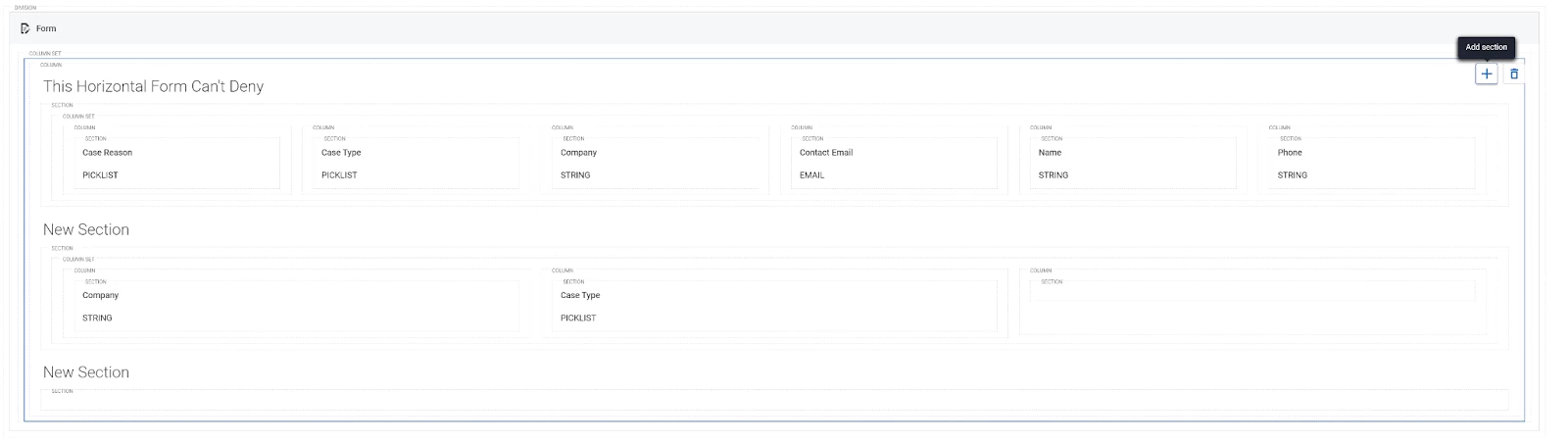
- Add a column set to the section then follow the initial steps by using the Add column button to create horizontal fields.

Outcome
Building our Form out in this way allows us to create horizontal Forms that mimic the functionality in previous versions of Skuid.
Additional Information
Update the design systems
Form columns were initially added to Skuid to remove an obstacle for customers wanting to migrate their pages with v1 Field Editors that use columns and column sets. Though you will need to adjust the way you had previously been creating Forms, you can use Form columns to create horizontal Forms and take advantage of the fact that you can add columns to a Form without splitting the Form into multiple components, allowing for easier adherence to design specs.
Get help with an issue
- Ask in the Skuid question forum.
- If you have a support entitlement, ask your question in Nintex Customer Central.