Nintex Community Menu Bar
Solved

Office 365 Update Items action

  • Jun 24, 2019 10:40 PM UTC
  • 2 replies
  • 74 views
  • Translate All

Forum|alt.badge.img+3

Hi,

I need to update list columns after updating Item Permission (very basic requirement: view only for initiator and controbute for approvers, which is working correctly).


I usually use "Update List Item" action, but I found this does not work well with "O365 Update Item Permission", possibly because I already removed permission inheritence in this.


Now I am trying "O365 Update Items" to substitue "Update List Item".

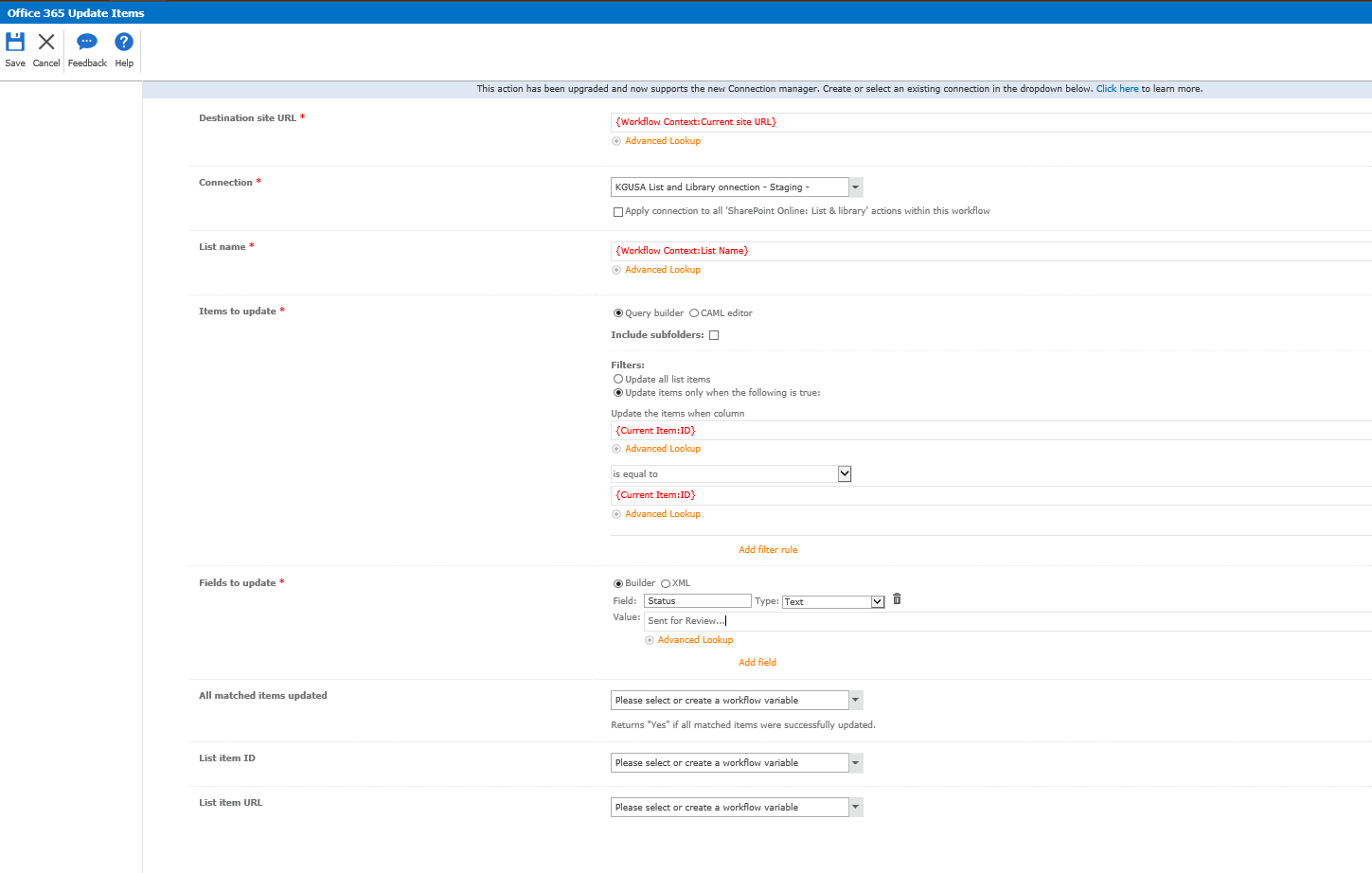
Is this a correct approch to update list item? What should I configure for mandatory input "Fields to Update" on "O365 Update Items" action?


For screenshot purpose, I left original action "Update List Item" and inserted a new "O365 Update Items" to show comparison.
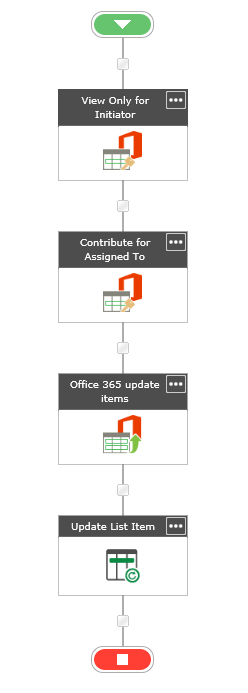
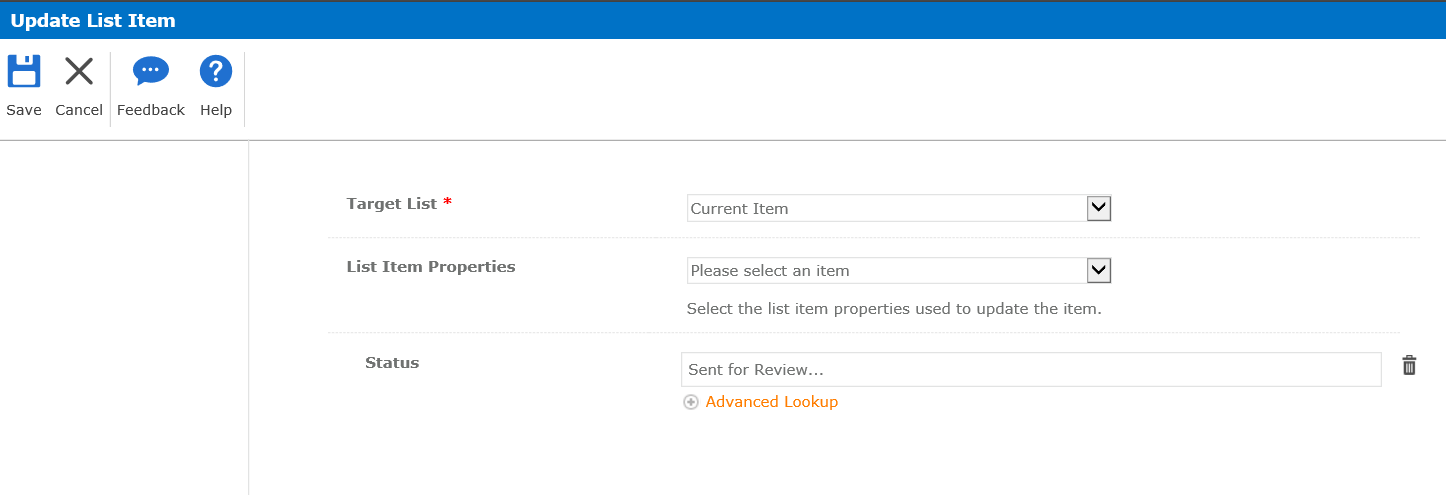
 

2820iFC15529C459D15F7.png2821i6FAE50179E600CE6.png2822i2E164A2ECFC2DE38.png

Thank you for your support in advance,

-Naoko
Best answer by leighburke

Hi @nsaiki,


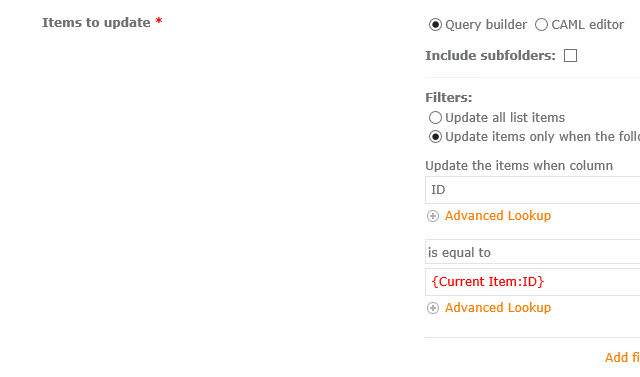
The 'Update the items when column' field should have the name of the column and not the value.


View original

2 replies

Forum|alt.badge.img+14
  • Nintex Employee
  • Answer
  • Jun 25, 2019 2:23 AM UTC

Hi @nsaiki,


The 'Update the items when column' field should have the name of the column and not the value.


Translate

Forum|alt.badge.img+3
  • Author
  • Jun 25, 2019 1:38 PM UTC

leighburke,


Thank you for a quick response. Now it's working!


Kind regaards,

-Naoko

Translate