



What Are They and Why Are They Needed?
When using DEV sites for migrating to Nintex Automation Cloud, switching over to Production from Dev can be tedious as you may have to go through each SharePoint action to update the Dev Site URL to your Production Site. This is time consuming and can be avoided for a more seamless transition by using site references.
How to implement
Disclaimer: Always test after making this change*
When you have a Start Event configured within the Variables Tab -> Start event -> Start variable object -> Site Context
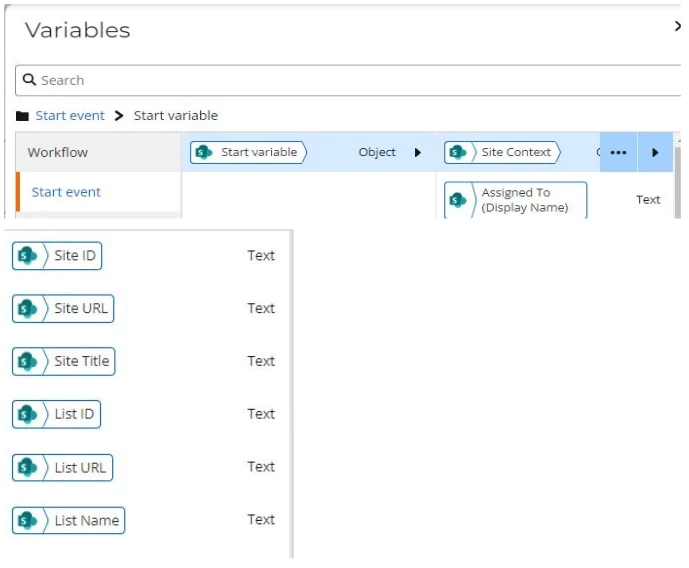
This will contain the References from the Start Event configuration! Please make sure at the end of your configuration to change all the SharePoint Actions to use the Site URL and List Name.
What Ifs?
Q: What if the List we are looking for differs from the Start Event (Lookup)?
A: Hardcode the List Name
Q: What if the URL is different from Start Event?
A: Add the action Set a Variable and create a reference with the hardcoded URL as the value. Use the reference in the workflow even if it is only once.
Q: What if it is a component workflow with no start event variable?
A: Add the action Set a Variable at the start of the workflow and create a reference with the hardcoded URL as the value. Use the reference in the workflow even if it is only once.