

Nintex Community Menu Bar
Question

Upload Button for Community Users - Error while Uploading

  • Jul 11, 2024 6:10 PM UTC
  • 2 replies
  • 56 views
  • Translate All

Forum|alt.badge.img+1

I am trying to create a sample Skuid page in my developer org. I’ve added the Skuid page in Community Builder. We have a file upload component on the home page, which uploads the files fine for an admin user. For community Users, the upload button looks different and shows an error “Cannot upload Large File on Lightning” while uploading.

I’ve checked the option ‘Use Lightning’s File Upload component’ option. Attaching both the screenshots (logging using an admin user and a community user.)
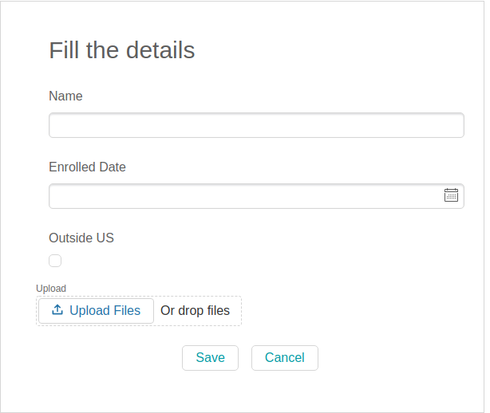
Admin View
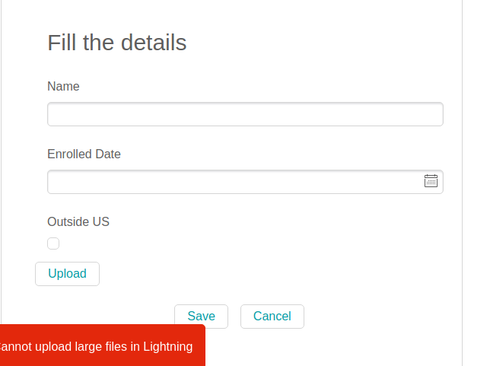
Community User View


2 replies

Forum|alt.badge.img+10
  • Nintex Employee
  • Jul 11, 2024 8:17 PM UTC

Hi Syam,

Please review this section from our documentation on the file upload component. 
https://docs.skuid.com/latest/en/skuid/components/original/file-upload/#file-upload-size-limitations-in-lightning-salesforce-only

I believe your community is similar to a Lightning environment, so you may need to make the considerations mentioned in that article.

Translate

Forum|alt.badge.img+1
  • Author
  • Jul 11, 2024 8:18 PM UTC

Hi Mark,

Thanks for providing me the link to the document.

I’ve gone through the doc but I’m not able to pinpoint the reason behind the issue where my admin user is seeing a different upload button to that of community guest user on the same community page.

Translate
