Nintex Community Menu Bar

ui only field change to not register as model changes

  • July 8, 2024
  • 14 replies
  • 58 views
  • Translate All

Forum|alt.badge.img+20

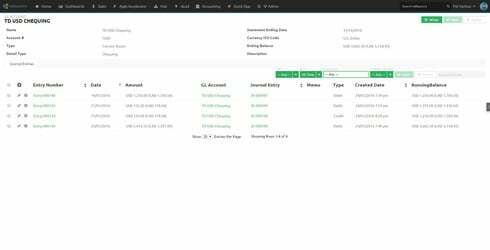
I’ve created a UI Only field called “Running Balance”. Works great except that I have to save the model on page load as the custom field updates the rows in order to display the values.

I’d like the option to exclude the field from registering as a model change.
This topic has been closed for replies.

14 replies

Forum|alt.badge.img+18

YES!

Translate

Forum|alt.badge.img+17
  • Nintex Employee
  • July 8, 2024

Sounds reasonable. 

Translate

Forum|alt.badge.img+20

^^^ experiencing this as an issue once again. bump for votes. ^^^

Translate

Forum|alt.badge.img+20

^^^ and again ^^^

Translate

Forum|alt.badge.img+18

Would that I had another 10 votes for this!

Translate

Forum|alt.badge.img+10

I shall vote with ye

Translate

Forum|alt.badge.img+20

Stumbled upon this work around. If possible, set the UI field to read only. 😉 I’m using js to set a running balance ui only field.

Translate

Forum|alt.badge.img+20

Another situation where this is coming up. Working on another workaround using CSS.

Translate

Forum|alt.badge.img+18

I’ve started running this line of jQuery after pageload or the javascript that changes the fields:

<br>$('.nx-modified').removeClass('nx-modified');
Translate

Forum|alt.badge.img+20

Well #$%. That’s a very simple work around. Why didn’t I think of that.

Translate

Forum|alt.badge.img+9

I’m running this jQuery along with rendering the table. This re-enables filters/search, but when they are used, I get the unsaved changes error:

Uncaught Model 'Products' has unsaved changes. To update this model's data, you must first save or cancel the changes. 

I’m only updating UI only fields. Have you been able to filter or search after modifying UI only fields without saving the model?

Translate

Forum|alt.badge.img+10

Thanks Matt, great idea!

Translate

Forum|alt.badge.img+7

I’m having the same issues but not sure how to implement the solution above.  Can anyone explain for a non-coder?

Translate

Forum|alt.badge.img+10
  • Scholar
  • July 8, 2024

I tried a combination of setting the field to read only and when I update that UI only field via javascript (javascript processing and updateRows after the model has loaded) I then immediately cancel all changes on the model. It seems to work when doing it this way, and prevents issues that might arise from “fake” unsaved changes on the model.

Still, why do we have to go through this crazy workaround for something that should just be an inherent feature? There’s no reason a UI only field that cannot be written to the database should cause the model to think it has unsaved changes.

Translate