

Nintex Community Menu Bar
Question

text area showing as text

  • July 10, 2024
  • 4 replies
  • 18 views

Forum|alt.badge.img+14

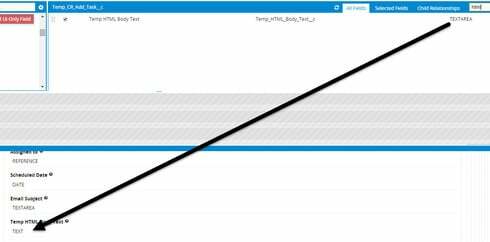
I have a textarea that shows as a texteare in the “Fields List” as in fact a Rich Text Area 5000 characters long.

When I drag onto the page it shows as a Text field and behave like a 1 line text field.
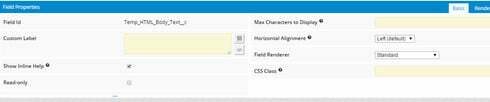
There are no options to state how many rows to display.


4 replies

Forum|alt.badge.img+17

Just an off the cuff guess, but if you switch it to edit mode it will likely display as a text area. It probably tries to conserve space in detail mode so since you only have one line of text, it only displays as one line.


Forum|alt.badge.img+14
  • Author
  • July 10, 2024

It is in edit mode. Still not working.


Forum|alt.badge.img+17
  • Nintex Employee
  • July 10, 2024

We don’t have options to show how many lines the editor should be.  Raymond is right - in read mode we only show the space actually taken (or the max characters defined in the field setup). In Edit mode, if it is anew record,  you will only see one line and the text editor will expand as you continue typing.  Once you click into the field (not just get it into edit mode) you will see the Rich Text editor control. 


Forum|alt.badge.img+14
  • Author
  • July 10, 2024

I do not think that is how it is behaving.  I have shot a video to show how a TextArea behaves vs the RichText behaves.  It would seem the 5000 character field would have the ability to see more than 1 line?

https://drive.google.com/file/d/0B409lhd9sYDcTFhuNEJvRUEtTTA/view?pli=1

