Nintex Community Menu Bar
Question

page title Page Title Snippet arguments

  • Jul 9, 2024 3:05 PM UTC
  • 8 replies
  • 35 views
  • Translate All

Forum|alt.badge.img+20

This topic has been closed for replies.
8 replies

Forum|alt.badge.img+20
  • Author
  • Nintex Partner
  • Jul 9, 2024 4:50 PM UTC

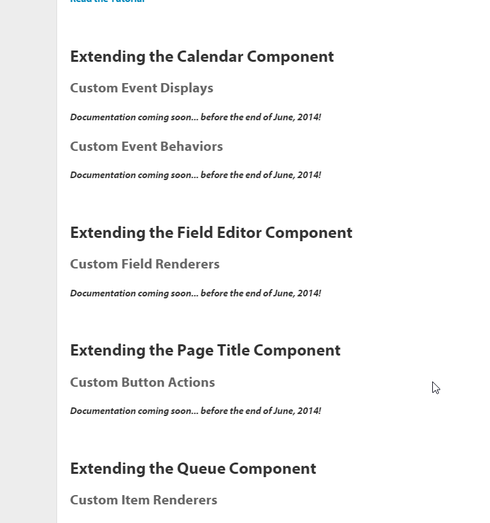
hehehe … lookee lookee. June 2014? 😃

http://help.skuidify.com/m/11720/l/204699-introduction-to-skuid-snippets


Translate

Forum|alt.badge.img+4

There are four properties in arguments[0].

  • button : a jQuery reference to the button clicked
  • component : a jQuery reference to the page title component
  • model : The model of the page title
  • row  : the first row of the model
An easy to see this is by writing console.log(arguments) in the snippet.

Translate

Forum|alt.badge.img+20
  • Author
  • Nintex Partner
  • Jul 9, 2024 4:50 PM UTC

Where did you find that?

Translate

Forum|alt.badge.img+17
  • Nintex Employee
  • Jul 9, 2024 4:50 PM UTC

Yes,  we are late… 

Translate

Forum|alt.badge.img+20
  • Author
  • Nintex Partner
  • Jul 9, 2024 4:50 PM UTC

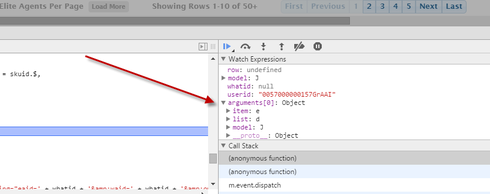
Just figured out that I’m able to look at the Sources and a Watch to the Arguments[0].

Did this for the Row. 

5cb9c1f099b44b1dbff631384f6795dc078dc48c.png

Translate

Forum|alt.badge.img+4

Yes, you can do that as well.

Translate

Forum|alt.badge.img+6
  • Nintex Employee
  • Jul 9, 2024 4:50 PM UTC

Yep… that’s my fault. I was working on those docs, but got pulled off onto another project. My original goals were indefinitely delayed, but I never updated the docs. I’ll do so now.

Translate

Forum|alt.badge.img+17
  • Nintex Employee
  • Jul 9, 2024 4:50 PM UTC

JD has been duly flogged.  Now back to business as usual. 

Translate