Nintex Community Menu Bar
Question

nav bar search menu item background

  • July 10, 2024
  • 7 replies
  • 10 views

Forum|alt.badge.img+20

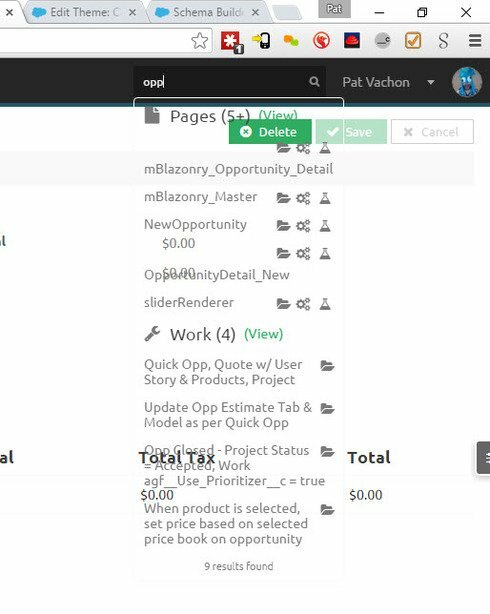
Can’t seem to find the setting to get the background to not be transparent.

7 replies

Forum|alt.badge.img+20

Was able to fix the issue with CSS.

.sk-search-summary, .sk-search-result-header, .sk-search-result.ui-menu-item { background-color:#fafafa; } 


annajosephine
Nintex Employee
Forum|alt.badge.img+18
  • Nintex Employee
  • July 10, 2024

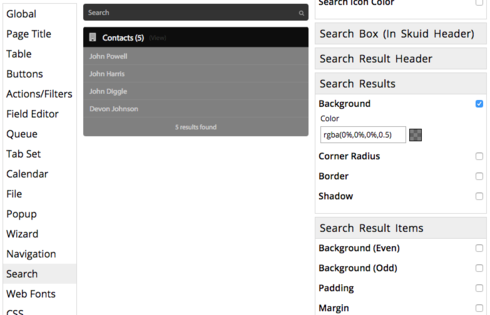
For future reference, the Theme Composer allows you to set this in Search > Search Results > Background, or in Search > Search Result Items > Background, where you can set a different background for odd and even rows of results.


872c4ad044ff35abd157201a0d62f92e3a79facf.png


Forum|alt.badge.img+13
  • Scholar
  • July 10, 2024

Hi,

If I may Hijack the thread, as my problem is similar…

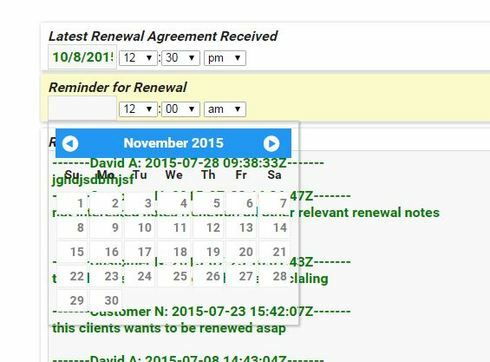
How would I do the same for calendar Popup(calendar popping out when editing a date field)?

Atm it’s transparent and sometimes not very east to see all clearly.

I tried changing in the theme , in Calendar Section, but seems it is is not for the Calendar i’m talking about

I would like to be able to have calendar with a solid backround color

Thank you


annajosephine
Nintex Employee
Forum|alt.badge.img+18
  • Nintex Employee
  • July 10, 2024

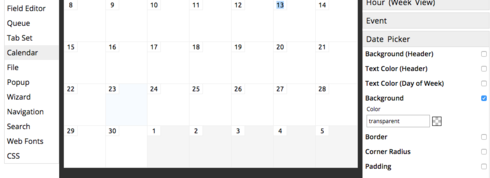
Hijack away! I’ve had that problem before too. It’s under **Calendar > Date Picker > Background

**


Forum|alt.badge.img+13
  • Scholar
  • July 10, 2024

Thank you Anna!


annajosephine
Nintex Employee
Forum|alt.badge.img+18
  • Nintex Employee
  • July 10, 2024

You’re welcome!


Forum|alt.badge.img+8

If you use the Lightning Design theme, the search results change depending on whether or not you are in a tabset. The behavior I’m seeing is:

  • Inside a tab - transparent
  • Outside - white background

Just wanted to leave a note for anyone else running into this issue in the future.