Nintex Community Menu Bar
Question

multi select filter text colour and buttons

  • Jul 11, 2024 6:10 PM UTC
  • 6 replies
  • 62 views
  • Translate All

Forum|alt.badge.img+7

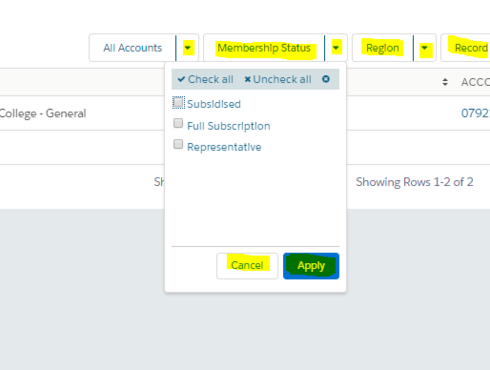
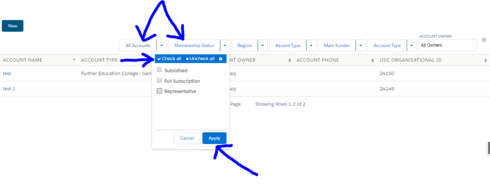
Which setting in the theme editor changes the colours of the items referenced in my screenshot? They should all match the colour of the text in the “All Accounts” filter. The problem only seems to exist for multi-select filter items.
hat

6 replies

Forum|alt.badge.img+6

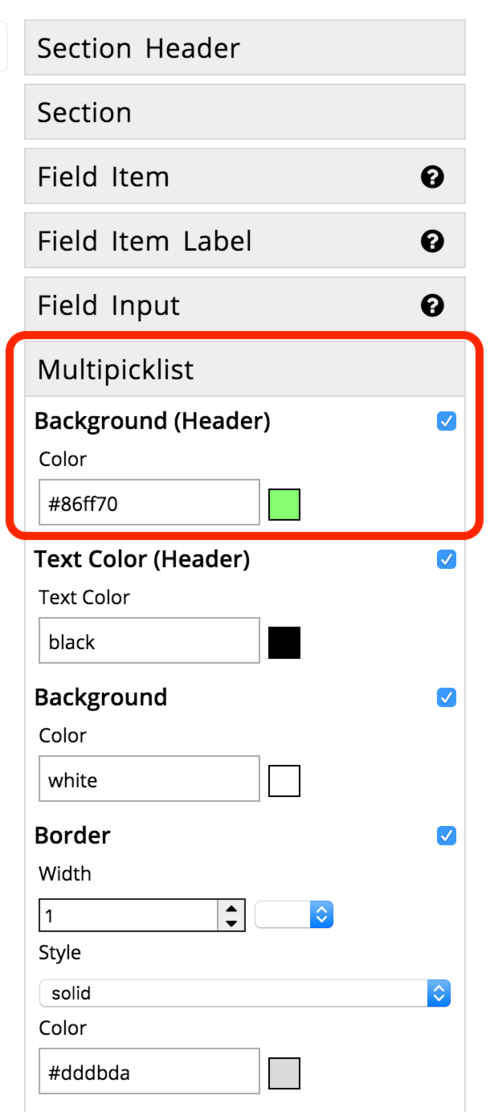
Hi Glenn, the design settings of the multi-select filter are a bit hidden, please check out the Design Theme Editor and go to “Field Editor -> Multiplicklist”. The background of “Check All / Uncheck All” can be changed in “Multipicklist -> Background (Header)”. I’m looking into the two other settings as well.

Translate

Forum|alt.badge.img+7
  • Author
  • Jul 11, 2024 8:16 PM UTC

Hi Luzie

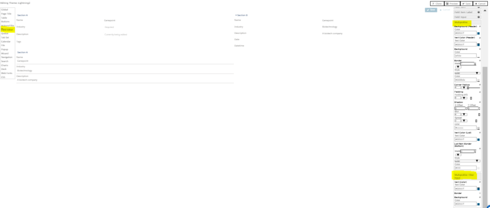
I believe those settings have been checked? See my screenshot

Translate

Forum|alt.badge.img+6

Thank you for the screenshot, I should have included one right away, too 🙂 yours still shows blue for the “Background (Header)”. Please see my screenshot below, I changed it to green, this setting will affect the background color of “Check All / Uncheck All”.


Translate

Forum|alt.badge.img+7
  • Author
  • Jul 11, 2024 8:16 PM UTC

oh ok, i get what you’re saying now. Thanks for this 🙂 I’ll wait for you to get back to me on the settings in this secreenshot

Translate

Forum|alt.badge.img+6

Hi Glenn, unfortunately, I couldn’t find how to change it. I’ll report it to our development team. You might be able to work around with custom CSS for now.

Translate

Forum|alt.badge.img+7
  • Author
  • Jul 11, 2024 8:17 PM UTC

Thanks Luzie!

Translate