Nintex Community Menu Bar
Solved

How to make a border appear around Forms?

  • July 11, 2024
  • 3 replies
  • 52 views
  • Translate All

Forum|alt.badge.img+3

How do I make a border appear around each form in my Skuid page?

Thank you,
Tracey

Best answer by Mark DeSimone

Hi Tracey,

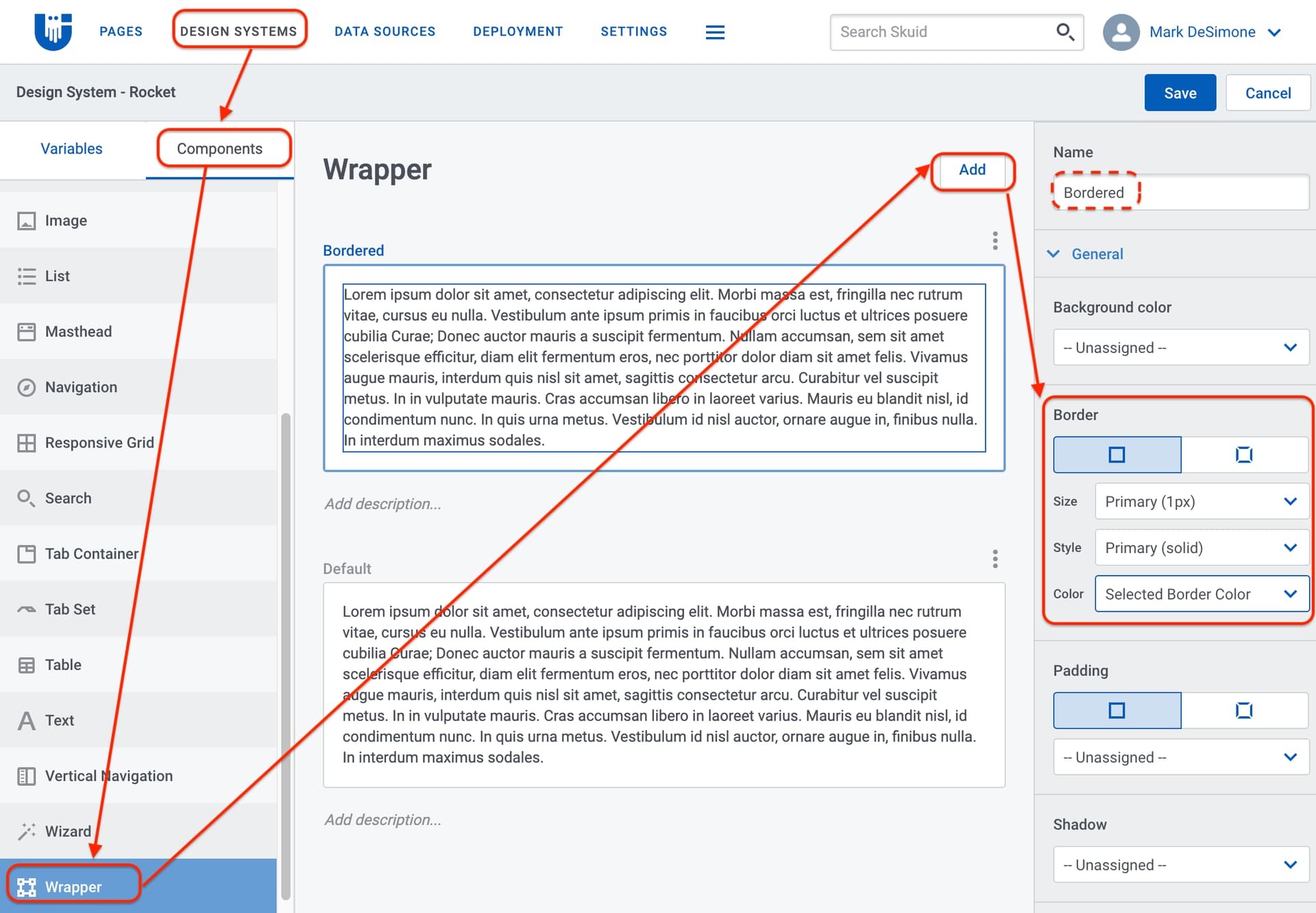
What I would do for this would be to move your forms into wrappers, and add a border to the wrappers. You can either add a border to your default wrapper style variant, or you can create a new one like I did here with one I named “Bordered.” Once you’ve got a wrapper style variant set up with the border you want, then you can return to your page in the editor and set the wrapper to use your new style variant.
View original

3 replies

Forum|alt.badge.img+10

Hi Tracey,

What I would do for this would be to move your forms into wrappers, and add a border to the wrappers. You can either add a border to your default wrapper style variant, or you can create a new one like I did here with one I named “Bordered.” Once you’ve got a wrapper style variant set up with the border you want, then you can return to your page in the editor and set the wrapper to use your new style variant.

Translate

Forum|alt.badge.img+3
  • Author
  • July 12, 2024

Thank you, Mark!

From your notes I was able to create the Bordered wrapper in DSS. I then moved my form into a wrapper. However, I don’t see how to apply the Bordered wrapper to my Skuid page wrapper?

Thank you,
Tracey

Translate

Forum|alt.badge.img+3
  • Author
  • July 12, 2024

Never mind, I figured it out! 🙂

Translate