I’m using the Design System Studio (DSS) and have my field font color set to White. However, a phone number that is appearing as a link (click to dial) is showing up as dark text.
Using the DSS, how do I specify the font color for the link value be a lighter color?
I’m still on Boston, just in case the answer is different in the Chicago release.

Solved
How to change link color in DSS
Best answer by QuinnRyan
Hey @TWyatt_Bluefin,
Quick question, which DSS version(v2 pages or V1 pages) are you using?
If you are using DSS for v2 pages:
- Go to the component’s tab
- scroll down and click page
- click the page preview box and to the right, you should see a links dropdown box.
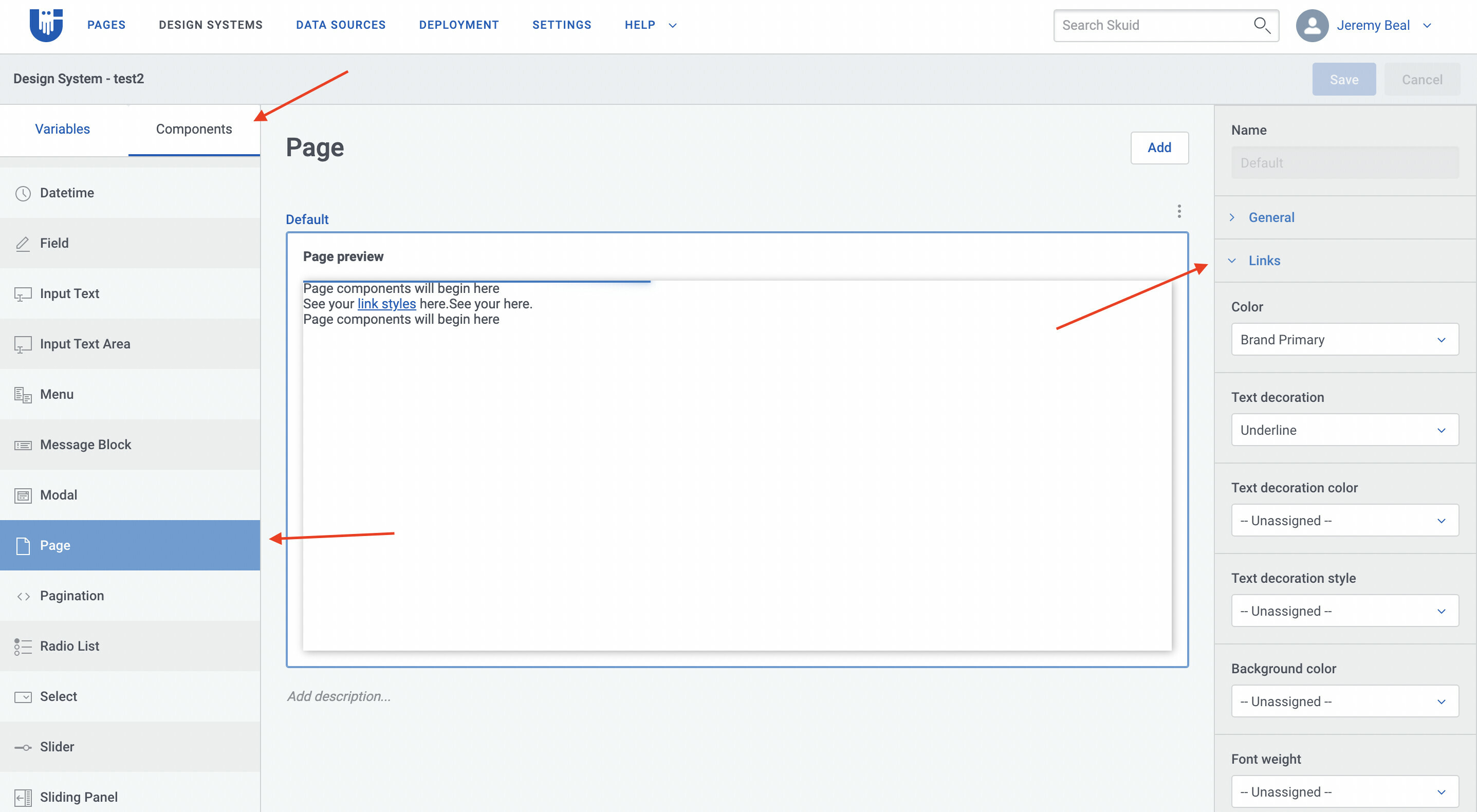
I hope that helps!

Enter your E-mail address. We'll send you an e-mail with instructions to reset your password.