Nintex Community Menu Bar
Question

Embed attached .html file?

  • Jul 10, 2024 12:25 AM UTC
  • 11 replies
  • 82 views
  • Translate All

Forum|alt.badge.img+18

I have users who will be routinely attaching a report that is in .html format to a record.

I can easily build a model to get the file id from the Attachment sObject… but how can I embed/display the html file on screen within skuid? If I visit ‘/servlet/servlet.FileDownload?file={{{Id}}}’ I just get a download of the file, and then I have to open it to view in a browser. I’d like to be able to display the html within the file on the page.

This topic has been closed for replies.

11 replies

Forum|alt.badge.img+18
  • Author
  • Jul 10, 2024 12:50 AM UTC

Any ideas, friends?

Translate

Forum|alt.badge.img+7

You can put a Base64 string as source of an iframe:

<iframe src="data:text/html;base64,Base64content"></iframe> 

I have tested it with a custom renderer and with pdf as attachments, but another type of document should also work

This is the custom renderer:

var field = arguments[0];var value = arguments[1];
$=skuid.$; //Get the Base64 string of the Attachment
var Base64content=value.realBlobValue.asByteArray; //get the contenttype of the attachment
var contenttype=field.row.ContentType;
//we empty the output, we need this because it will create an empty div and we can append to that div the iframe with the document.
skuid.ui.fieldRenderers['TEXT'][field.mode](field,''); //and we append the iframe with the base64 as source
var iframe = $( '<iframe>' ).attr('src','data:'+contenttype+';base64,'+Base64content+'').appendTo(field.element.find('div')); </iframe>

This will only work as custom rendered of the Body field, if you want to use it not with the body field change

var Base64content=value.realBlobValue.asByteArray;

To get the realBlobValue.asByteArray of the Body field

css and a good presentation is up to you 😛

Hope it helps

Translate

Forum|alt.badge.img+7

By the way, now I have this, I have a nice preview of the documents of my orders 😛

Translate

Forum|alt.badge.img+7

A little adjustment, It seems that depending of the filetype the body object is different. so for HTML files the base64 is not in .realBlobValue.asByteArray is in .asByteArray

var field = arguments[0];var value = arguments[1];
$=skuid.$;
var Base64content;
if(value.realBlobValue!==undefined){
    Base64content=value.realBlobValue.asByteArray;}
else{
     Base64content=value.asByteArray;
}
var contenttype=field.row.ContentType;
var show="<iframe src=""data:"+contenttype+";base64,"+Base64content+"""></iframe>";
skuid.ui.fieldRenderers['TEXT'][field.mode](field,'');//empty
var iframe = $( '<iframe>' ).addClass('previewiframe').attr('src','data:'+contenttype+';base64,'+Base64content+'').appendTo(field.element.find('div'));
Translate

Forum|alt.badge.img+17
  • Nintex Employee
  • Jul 10, 2024 12:50 AM UTC

Thanks Pablo.  That is a sweet solution.  Thanks for sharing it here.  I’m sure others will find it useful.  Preview of documents, in thier various formats, is a common request. 

Translate

Forum|alt.badge.img+7

Glad to be helpful

Translate

Forum|alt.badge.img+18
  • Author
  • Jul 10, 2024 12:50 AM UTC

Pablo,

Awesome work.

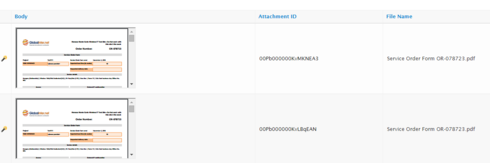
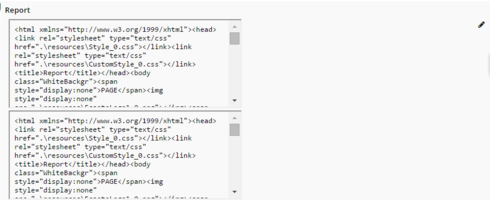
This is what I’m getting when I try to use your script in a field renderer:

The iframe is duplicated (and I can “edit” the first one, which returns a text box… the blank

).
And the html is not rendered as expected.

Translate

Forum|alt.badge.img+18
  • Author
  • Jul 10, 2024 12:50 AM UTC

Ahh, changing the field editor to read only eliminates the duplication.

But how do I get the iframe to render the html?

Translate

Forum|alt.badge.img+7

Weird, for me it works perfectly.

The file attached is .HTML or .htm and it does not have a textarea surrounding the html code?

Are you on edit mode? (If yes try showing the field in readonly)

Can you paste the snippet an the content type that salesforce detects of your ?

Translate

Forum|alt.badge.img+18
  • Author
  • Jul 10, 2024 12:50 AM UTC

Hahaha.
Looks like I just had to add the “ContentType” field to the model.

Thanks for your help!

Translate

Forum|alt.badge.img+7

Ahhh fields not in the model, my old nemesis xD

Translate