Nintex Community Menu Bar
Question

Customizing the New button on the Salesforce1 Recent Accounts view

  • July 10, 2024
  • 2 replies
  • 13 views

Forum|alt.badge.img+2

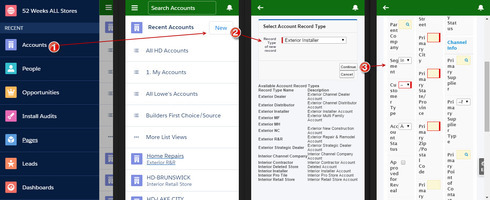
Hey everyone, looking to see if anyone has been able to customize the New button on the Salesforce1 Recents Account’s view (please see image below, screen #2). 

We’ve attempted to create a Visualforce page to create a picklist of our account record types (screen #3), then go onto another VF page (screen #4), but we lose all integrity in consistent UI design. 

Can anyone provide some feedback on the best way to get this done in Skuid? Or if anyone has successfully created a VF page like this?

28ec85789c29ed460640b5bc47f3e58ea9bccf73.jpg

This topic has been closed for replies.

2 replies

Forum|alt.badge.img+17
  • Nintex Employee
  • July 10, 2024

A few things come to mind. 
- You can create a new record page that integrates the record type selection into a single page.   This would eleminiate one of your page hops here. And keep everyting in a nice skuid page (YAY)
- Override the “New” button with a page specifically designed for SF1.  (Make sure the VF page used to carry out the override and wrap the skuid page is mobile enabled).  Then make the desktop environment use a new button that goes to a specific url so that you can make different experiences for the different environments.  


Forum|alt.badge.img+1

@rob Hatch - Can you override SF1 button with skuid? Is that what I’m reading?!?!?



