




Issue
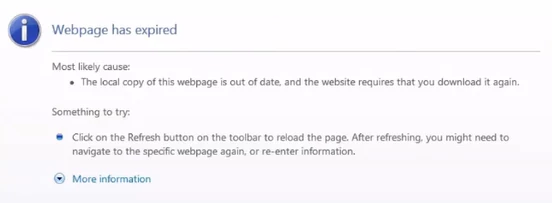
When running through a botflow, Fiserv changes to a page that says Webpage has expired.
Error Code
Resolution
It could be that RPA is interacting with a field or multiple fields too fast and too often. We already know that RPA moves faster than Fiserv most times. Slowing down the botflow so that it is not running at speed 12 will help.
When using a Send action, it is a best practice to slow down the action. When on the details screen, change the speed to Very Slow (see below).
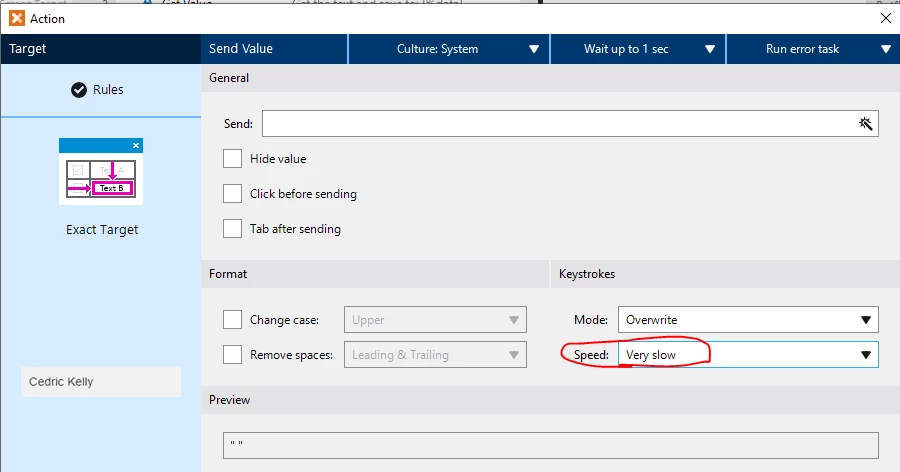
Also, if you are are using the Send action to clear out a field, instead of sending a blank, which looks like this in the preview at the bottom, "", use a space, which looks like this, " ".
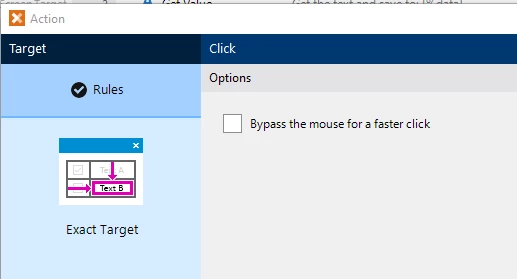
If using a Click action, do not check the box that says, "bypass the mouse for faster click."
If you notice that RPA is interacting with a field multiple times, this may be the reason Fiserv Navigator changes the page to the Expired page. It may be a security default. Then you have to log back in and it is checking to make sure you are supposed to be working in the app.