




Issue
If there is a need to install or upgrade Nintex RPA/RPACentral “silently,” this is how it would be done.
Resolution
For the RPA Central part, there is a PowerShell script to install RPAC but then any SQL Server set up, License Set up and the selection of a certificate would need to be done manually if you are doing a clean install.
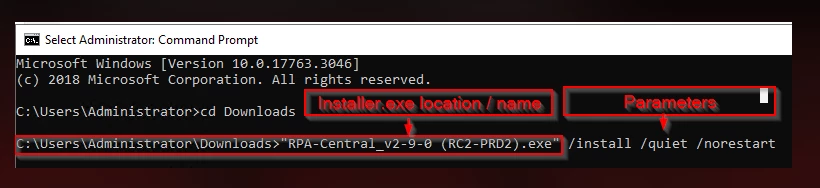
The PowerShell command line is:
"RPA-Central_v2-9-0.exe" /install /quiet /norestart
For the Bot side, use the MSI found under “Repackaging” on the Release Notes page below to install Bot and then deploy a FTSessionControl.cfg to all the Bots with the RPA Central URL pre-filled. That way the Bot service would automatically request access to RPA Central.