




Topic
If using Foxtrot RPA, v15.1.13 and below, and you can step through the script but if you click run, one of these errors appear:
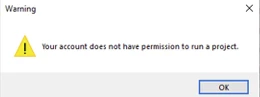
or
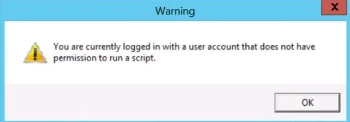
Please see the information below.
Instructions
If the customer can step through the script manually but gets this error when clicking the Run button (You are currently logged in with a user account that does not have permission to run a script):
There are different levels of users that are set in Foxtrot Admin and they are as follows:
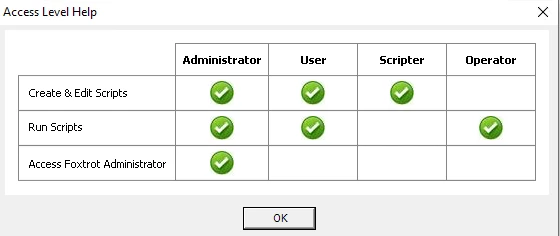
If the user is a scripter they cannot run scrips but then can create and step through them.
To check the users actual permissions:
- Go to Foxtrot Admin.
- Click on security on the left pane.
- Look for the User that you are using and check the second column, 'Permission Level,' to see if it needs to be changed or the bot is not reading them correctly. To create and run, the user needs to be have User permissions. The user you are using may only have Scripter permissions.
If the user you are using has the User permissions in Foxtrot Admin, but you are receiving this message, please take a screenshot of Foxtrot Admin and send it to support@nintex.com and let us know that you tried the steps in this article. We will be happy to assist.