




Topic
If the Bot is missing the target, such as a checkbox or a textbox, the first thing to check is if the browser page is maximized. For some reason, in the new Premier platform, the page needs to be maximized to capture the target, otherwise it will miss.
Instructions
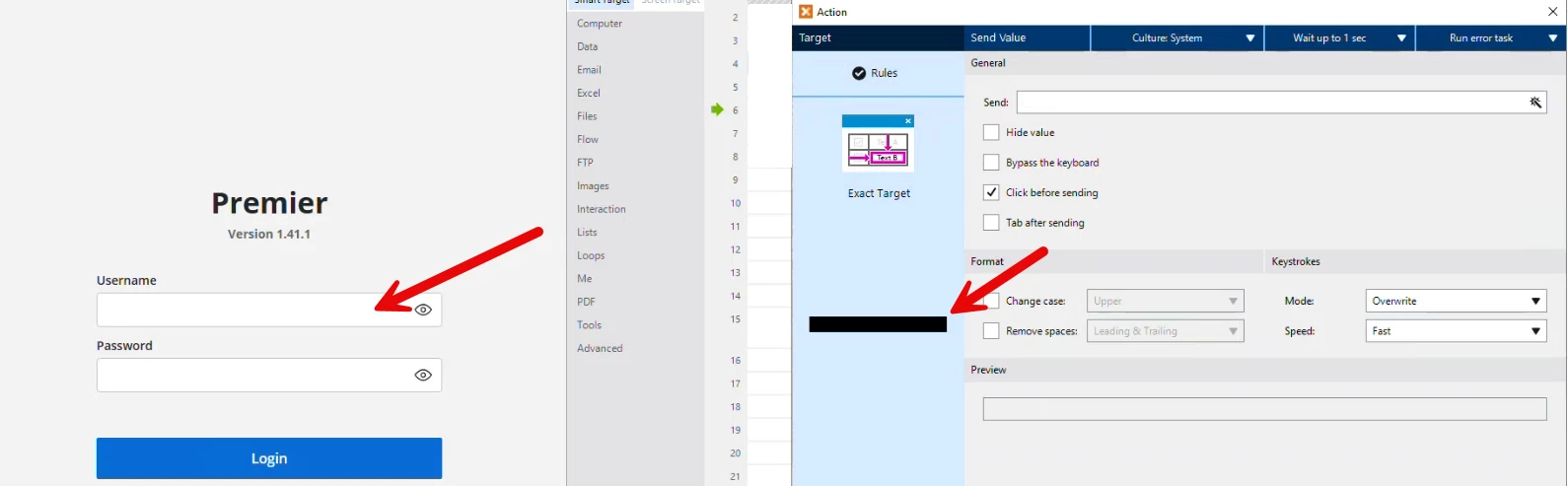
You can see it in the target preview on the action set up page. For example, if when targeting the username on the login page, the target preview in the action setup page is a black rectangle as shown below, the Bot is missing the element.
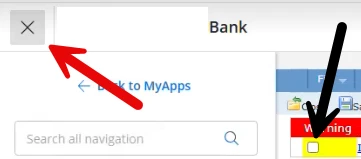
If the Bot is missing the checkboxes in the Warning section (see below) first, make sure that the browser screen is maximized. Then make sure that the side menu is collapsed. This can be achieved by first targeting the large X above the menu and sending a Click action.
If the action worked before with the menu open and the screen Not maximized, the action may need to be recreated.
Additional Information
If you are still encountering issues after trying the above, please open a case by emailing Support@nintex.com and in the subject line write Foxtrot RPA and a brief message such as targeting issue. In the body of the email let us know that you tried the steps in this article and we will be happy to assist.