



Topic
How to use the REST Action.
Instructions
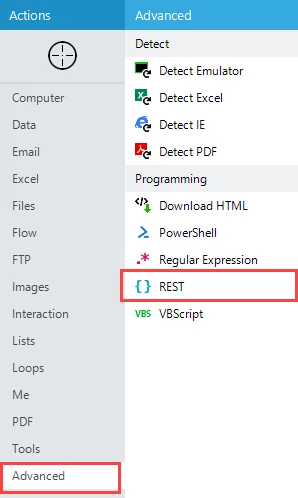
Select the Advanced action group, then select the REST action to display the Action Builder. This action will only appear if you're in Expert mode.
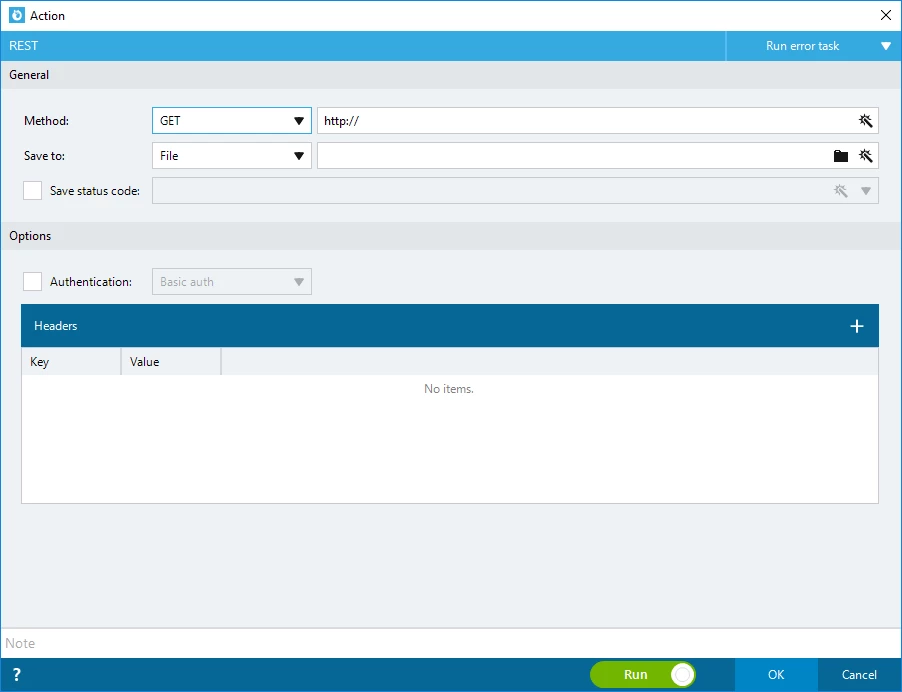
- Specify the URL (with https format) and enter the remainder of the web address.
- Choose the HTTP Method you want to use to invoke the web service.
- If relevant, specify the body of the request that will be sent to the web service.
- Select whether to save the response to a:
- File
- Variable
- If File is selected, you must enter the File path with extension. If Variable is selected, you must specify where the results should be stored.
- Click the OK button to save the Action.