



Topic
After upgrading to RPA version 21.X, all services are running but post installation Console and User management tool show “Page not found error” as shown below:
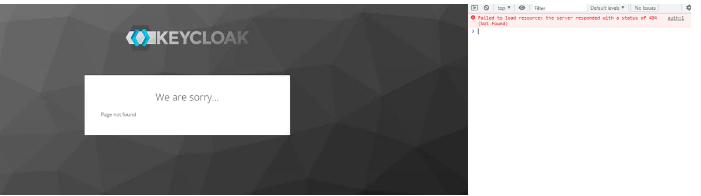
The cause is a missing realm.
Instructions
1. Open master authadmin page on RPA Application Server:
https://localhost:5698/auth
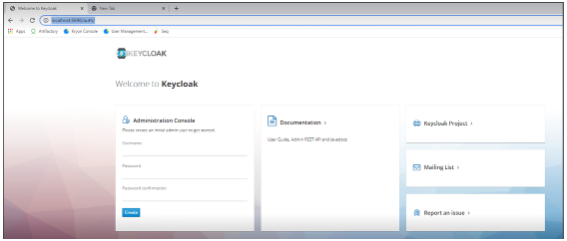
2. Create a REALMADMIN user:
Username: realmadmin
Password: Kryon123!
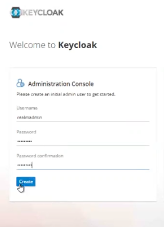
IMPORTANT: You won't be able to change that password afterwards, save and remember the one that has been set
3. Now click on Administrative console:
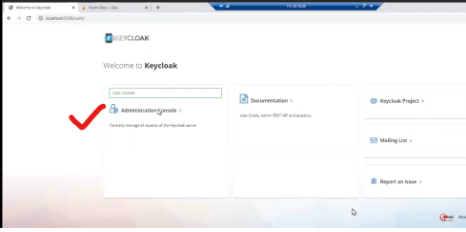
It will take you to realmadmin login page, so login with credentials mentioned above:
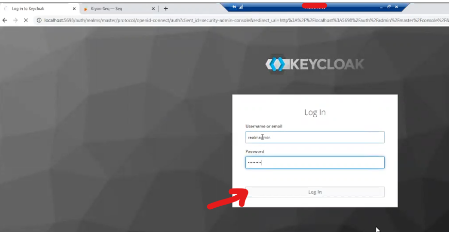
4. Click on Aerobase and Add Realm:
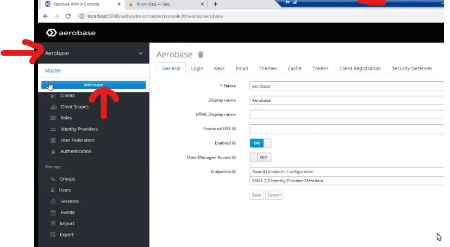
5. Click on Select File:

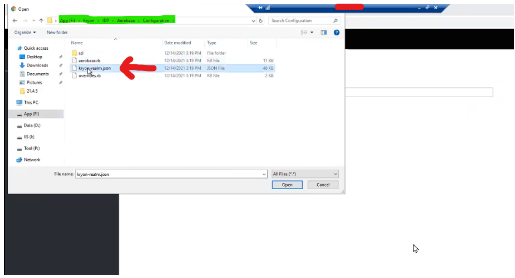
6. Select Kryon-Realm.json file from below highlighted path & Hit 'create' button in next step:
7. Finally Console login Page up and running:

Additional Information
21.4 and higher