


Topic
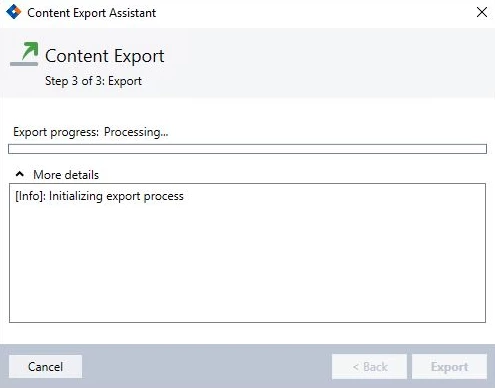
The following article will include instructions on how to check and possibly resolve the behavior when attempting to export a wizard from the Nintex RPA Studio, Content Export is stuck on the "Processing..." phase.
Instructions
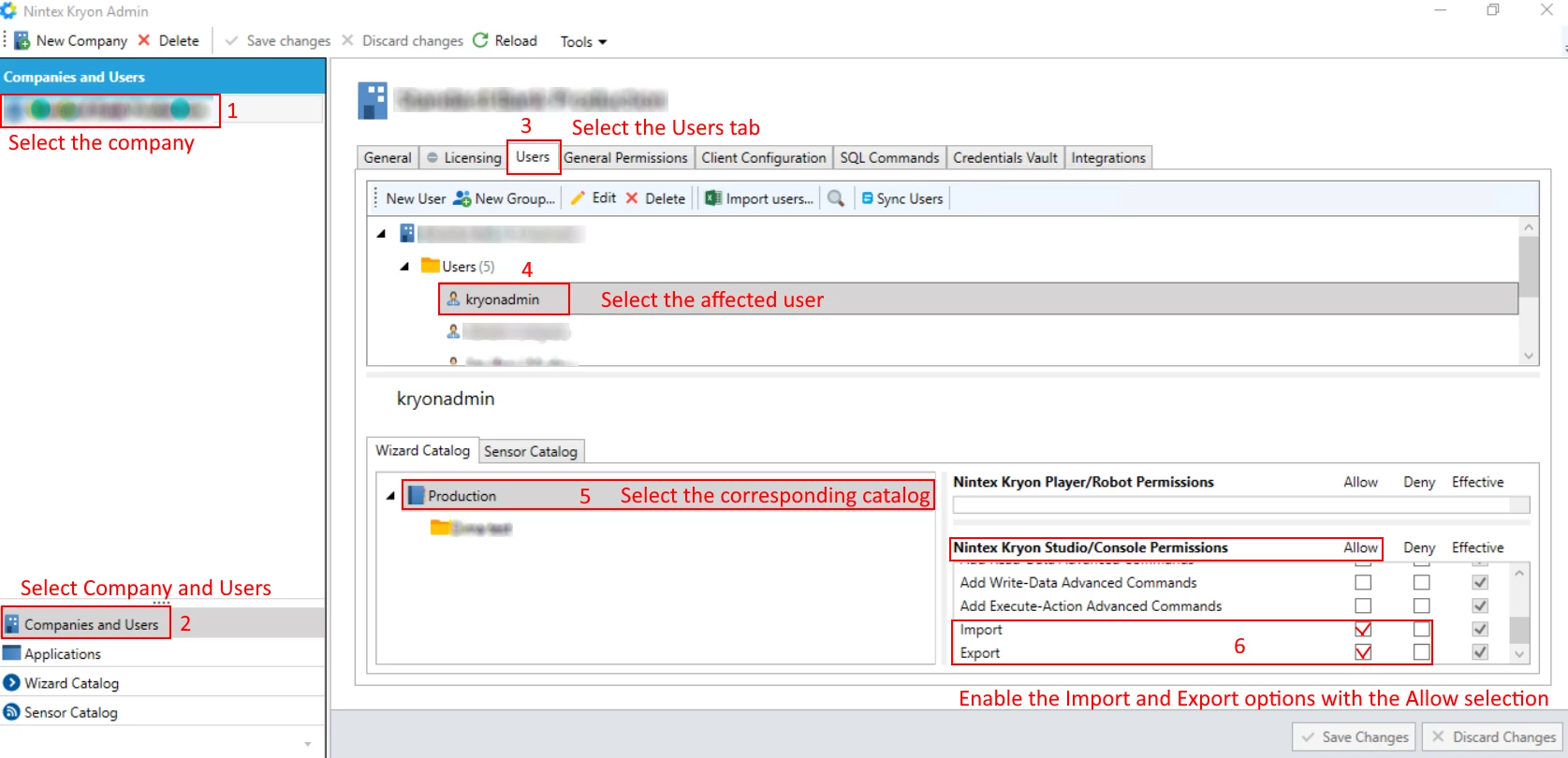
1. Open the Nintex Admin Tool.
2. Navigate to the Company.
3. Select the "Companies and Users" options in the left panel.
4. Once the company has appeared, select the "Users" tab.
5. Select the affected user.
6. Select the corresponding "Wizard Catalog" (make sure that the catalog is selected and not the separate folders).
7. In the right side panel, you will see "Nintex Studio/Console Permissions".
8. Make sure the user has "Import/Export" permissions set to "Allow".
9. Make sure the save the changes before exit.
For a visual representation, please check the screenshot attached.