



Issue
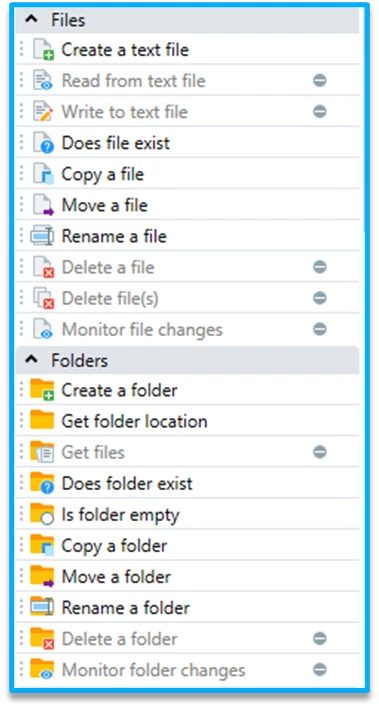
When trying to add Advanced Commands to a Wizard, certain Advanced Commands are disabled.
Cause
Missing Permissions in Admin Client.
Solution
-
Login Nintex Admin.
-
Click on your company in the left-hand pane.
-
Go to “Users” tab and locate the desired user.
-
In the bottom section of the page, click on the Wizards Catalog for this user.
-
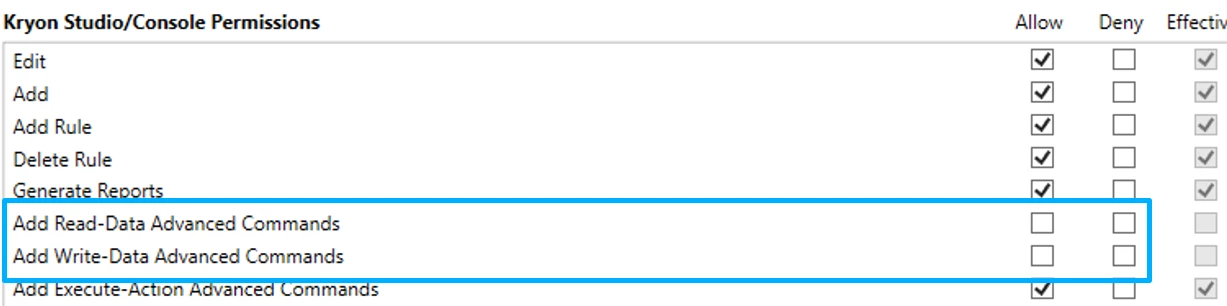
In the right-hand side of the screen, check boxes under “Allow” in the “Add read-data advanced commands” and “add write-data advanced commands” lines.
-
Save the changes and reload Nintex Admin.