


Topic
The Robot and Trigger tabs are not loading with fresh installation, and all services are up and running.
Instructions
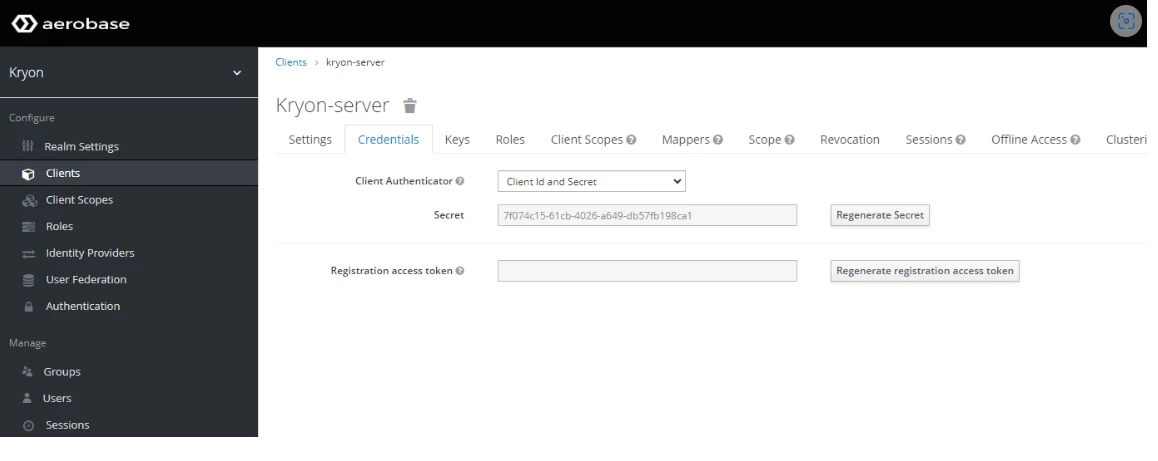
- Open Aerobase.
- Click Clients on the left toolbar.
- Click the Credentials tab on the right.
- Take note of the secret key for Kryon-server client.
- Open the
Keycloak-token.jsonfile.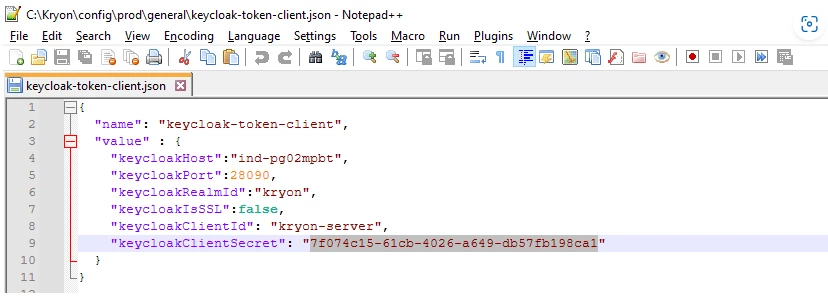
- The keycloakClientSecret number should match the Aerobase Client Credentials tab in the secret key.
- If they do not match, update the keycloakClientSecret and restart the service.