Topic
When an environment, system, and/or internet connection takes more time to load, it can be helpful to increase the timeout threshold so that the system provides enough time for the customer to access Keycloak without timeout messages or issues.
Instructions
NOTE: Be VERY careful when adjusting the tokens, as these apply globally.
You must have Keycloak Admin Access to perform these instructions.
- Login to Keycloak.
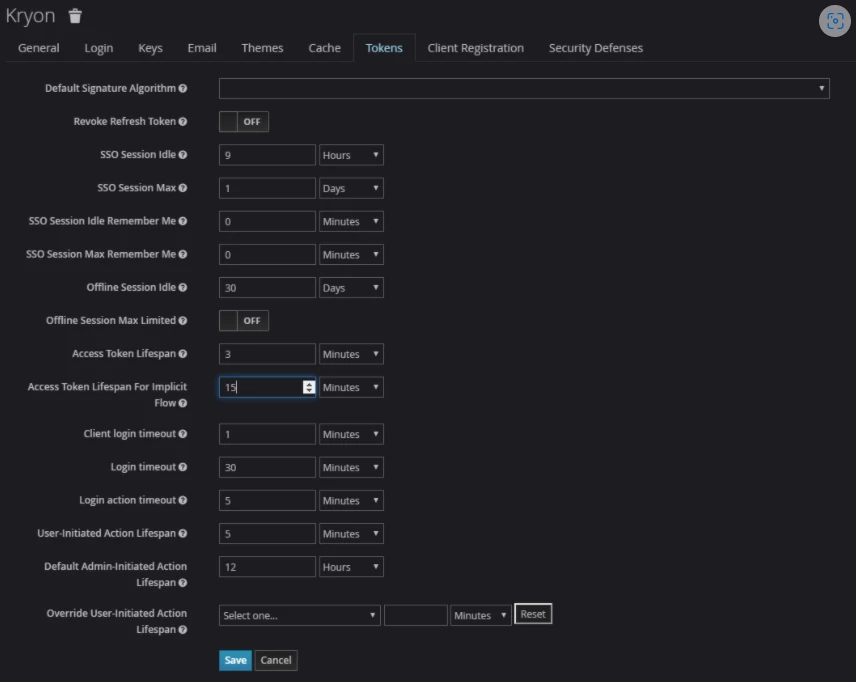
- Navigate to Realms (default landing page) and select Kryon.
- From the tabs, select the “Tokens tab”.
- Locate the “Access Token Lifespan for Implicit” field and select the most appropriate method and time.