Topic
Identifying your Outlook Server Address.
Instructions
-
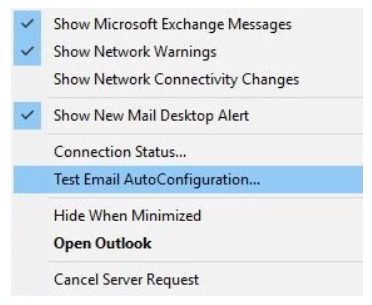
Find Outlook icon in systray, hold the CTRL button on the keyboard and Right Click the icon.
-
From the menu, choose Test Email AutoConfiguration
-
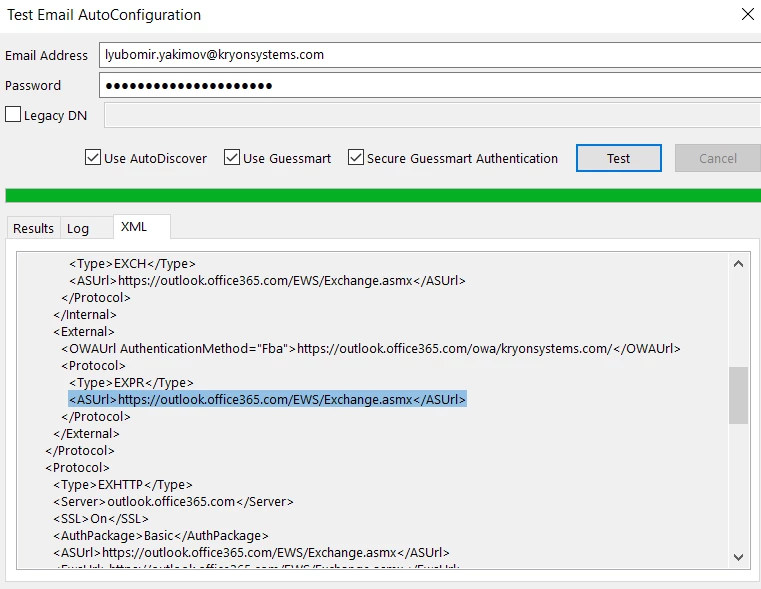
Supply your email and password and click Test
-
Move to the XML tab (so you can copy and paste the text) and search for the field ASUrl