Topic
This article contains information related to Global Functions, where to find information on how many Global functions are being used and which wizards are using them.
Instructions
Method 1: SQL Query
The easiest way to obtain the information is to run the following query on the Nintex database:
SELECT WizardName, GlobalFunctionName
FROM
(
SELECT A.CalledBy AS ScriptID, B.Title AS WizardName, C.LibraryID AS WizardLibrary, A.GlobalFunctionId, D.Title AS GlobalFunctionName, E.LibraryID AS GlobalFunctionLibrary, G.Name AS LibraryName2, E.FullPathNames AS FunctionPath
FROM LeoGlobalFunctionLookup A,
LeoScripts B,
LeoLibrariesCategoriesTree C,
LeoScripts D,
LeoLibrariesCategoriesTree E,
LeoScriptsLibraries G
WHERE A.CalledBy = B.ScriptID
AND B.CategoryID = C.CategoryID
AND A.GlobalFunctionId = D.ScriptID
AND D.CategoryID = E.CategoryID
AND E.LibraryID = G.LibraryID
)A
WHERE WizardLibrary = GlobalFunctionLibrary
Method 2: Manual navigation
You can navigate to the location on the database.
| Note: Results are not detailed and only display the Wizard ID and Function ID. |
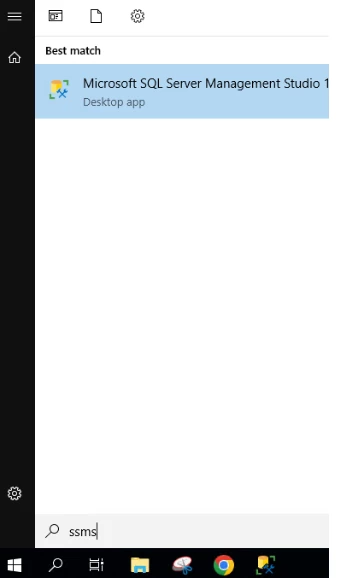
1. Open the SSMS application and access the Database.
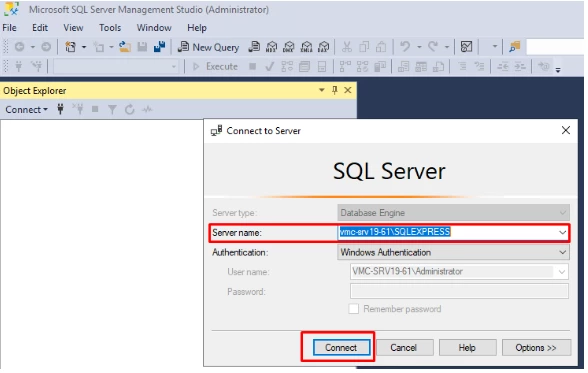
2. Locate and navigate to the RPA database (Depending on your naming convention. Default being Nintex).
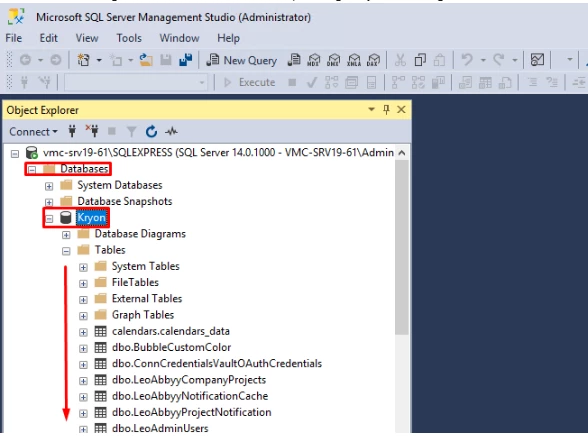
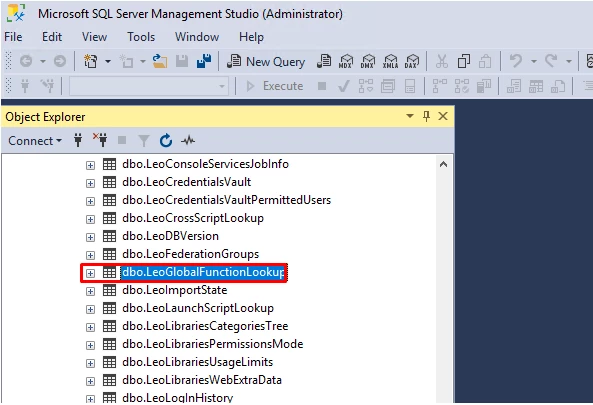
3. Once located, expand the tables folder and locate the dbo.LeoGlobalFunctionLookup table.
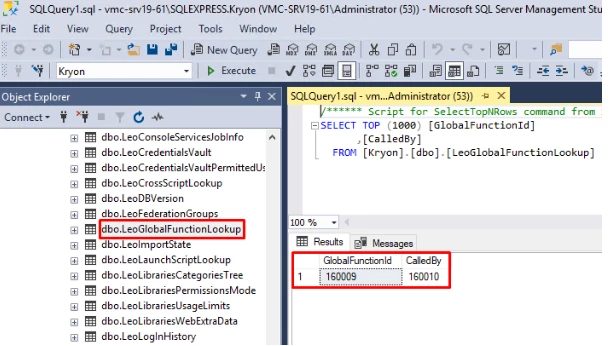
4. Right click and "Select Top 1000 Rows".
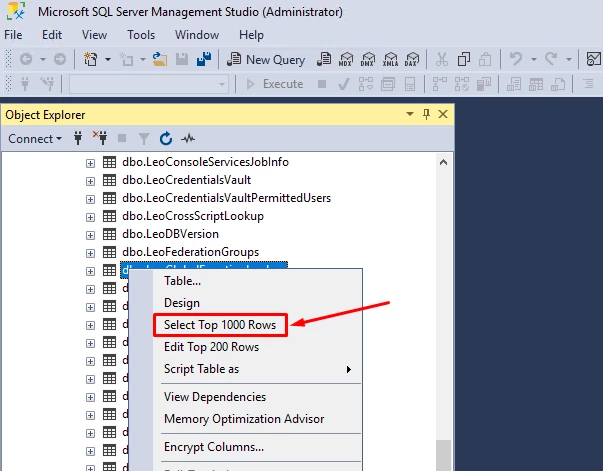
5. Having done so, in the results section you will be able to see how many Global functions are being used and which wizards are using them.