




Product: Kryon RPA
Product Version: 20.3.4 or below
Components: Kryon Studio
Article Contributors: Darren Cheng
Prerequisites: n/a
Symptom: When the X in a bubble is clicked, the wizards ends
Cause: This behaviour is due to a default setting and can be configured to behave differently as per this article's solution.
Resolution: By default, clicking the X of a bubble will end the wizard. However, this behaviour can be changed to instead show a prompt asking the user whether they wish to end the wizard or not.
In your Kryon Studio appSetting.config file, normally located in "C:Program FilesKryon StudioConfigappSettings.config" add the following key:
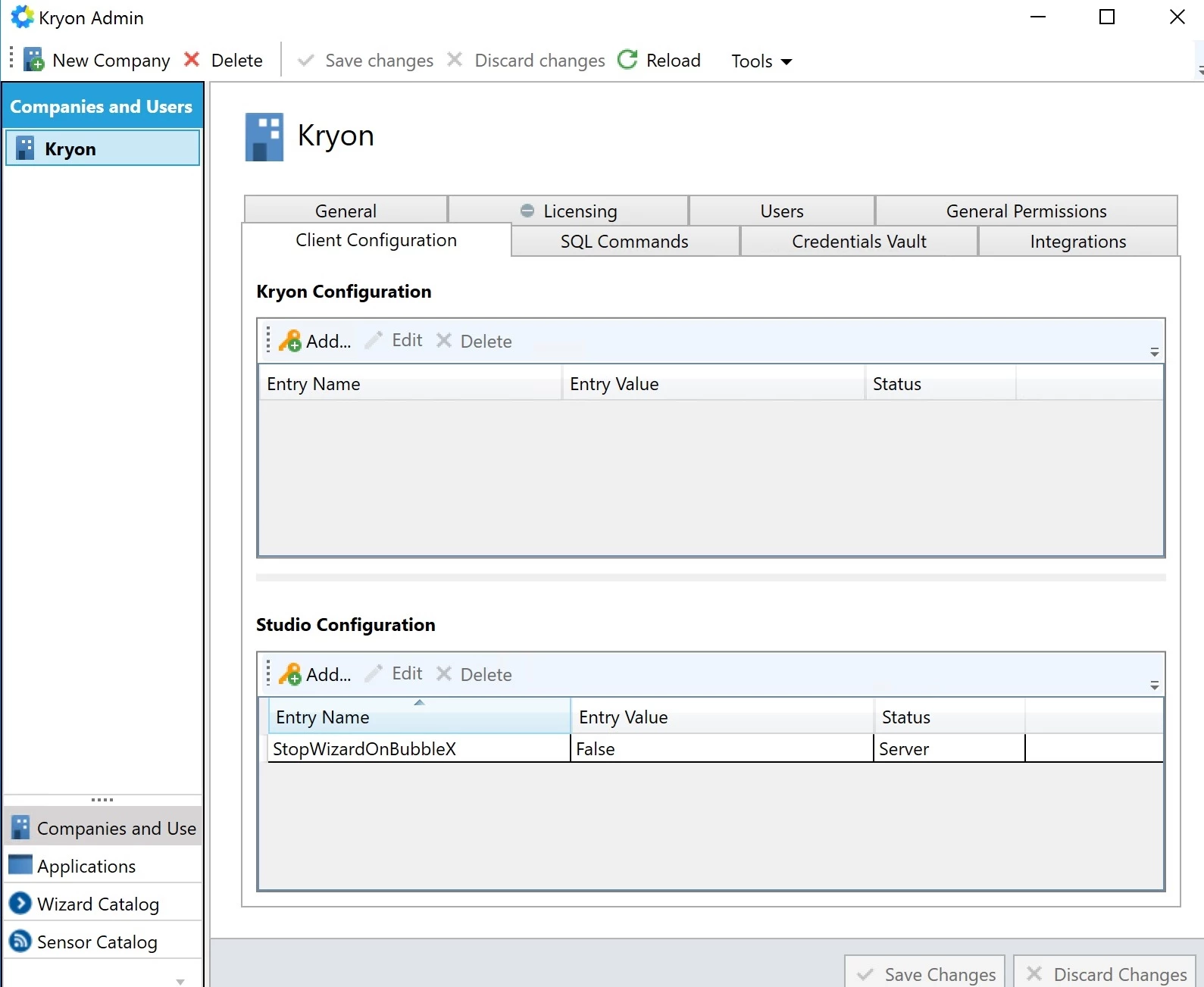
You can also apply this setting to all Studio clients via Kryon Admin under Studio Configuration (see example below).
In your Kryon Studio appSetting.config file, normally located in "C:Program FilesKryon StudioConfigappSettings.config" add the following key:
<add key="StopWizardOnBubbleX" value="False" />Save the file and restart Studio if it is open.
You can also apply this setting to all Studio clients via Kryon Admin under Studio Configuration (see example below).
Workaround: n/a
More Information: n/a