




Topic
How can all Suggested Processes be viewed in one location?
Information
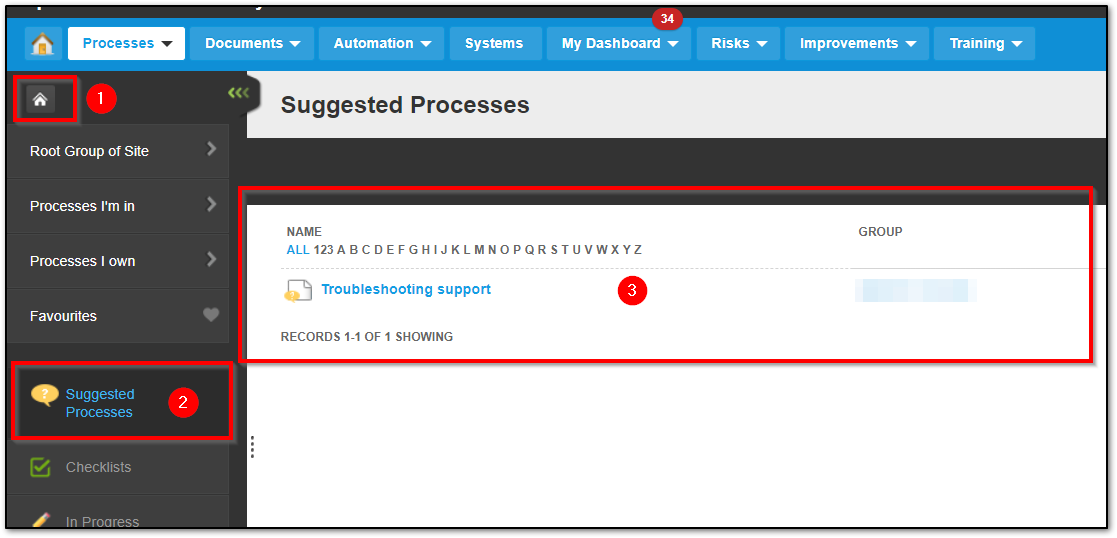
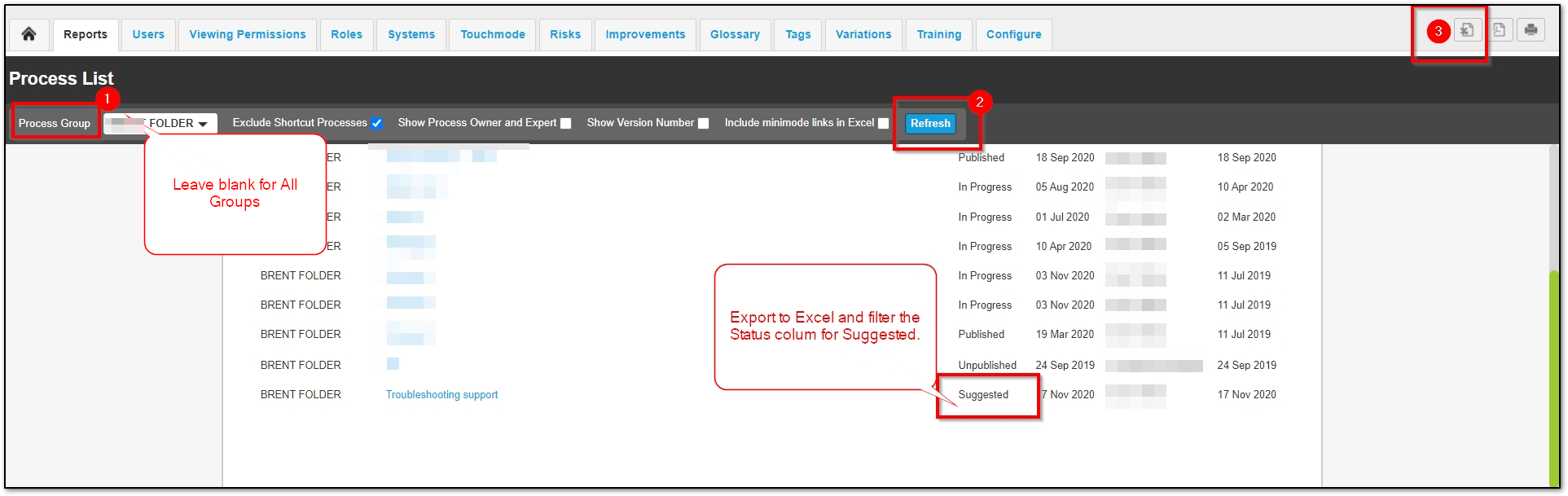
There are two options to see all the Suggested Processes in one location:
1. In the home button, select the Suggested Processes section on the list:
2. Run the Process List Report, export to Excel, filter the Excel Status column for "Suggested".
Related Links
Suggested Process Help: https://help.nintex.com/en-US/promapp/Processes/SuggestProcess.htm