



Question
When do Processes show on the 'My Reviews' Dashboard?
Answer
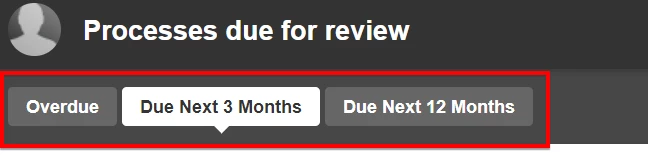
The filter selected will determine what Processes are shown in the 'My Reviews' dashboard.
 My Reviews Status:
Green - Review is not due yet - Not included in the red bubble count.
Orange - When there is 10% of the set review frequency remaining. e.g. when the review frequency is set to 12 months the Review will show as orange when there is 36 days remaining. This is included in the red bubble count.
Red - Once the review date has past, the review is considered overdue. This is included in the red bubble count.
My Reviews Status:Green - Review is not due yet - Not included in the red bubble count.
Orange - When there is 10% of the set review frequency remaining. e.g. when the review frequency is set to 12 months the Review will show as orange when there is 36 days remaining. This is included in the red bubble count.
Red - Once the review date has past, the review is considered overdue. This is included in the red bubble count.
Additional Information
When Explicit Process reviews are set ON, Reviews cannot be marked as reviewed more than 2 months prior to their due date.
Where the review frequency is set to a long time, e.g. 48 months. The review may show as the orange 'Due' status, however the review may not be able to be marked as reviewed as it will be shown as orange more than 2 months prior.
Where the review frequency is set to a long time, e.g. 48 months. The review may show as the orange 'Due' status, however the review may not be able to be marked as reviewed as it will be shown as orange more than 2 months prior.