




Topic
Deleting images from Nintex Promapp environment
Instructions
Steps to delete:
- Navigate to your Documents tab
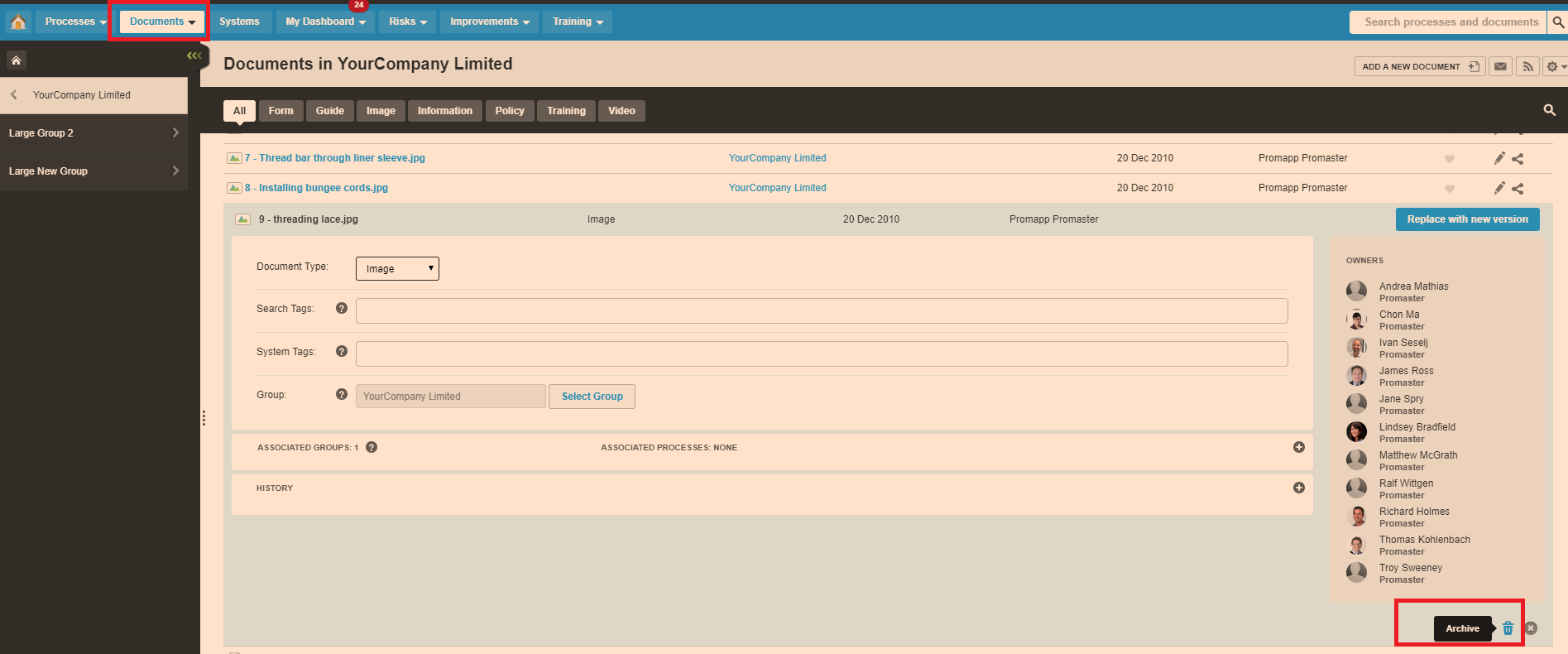
- Select the "Pencil" icon next to the Image you'd like to Delete.
- Select the "Trash" icon. Attached is a picture of this.
- Select Ok
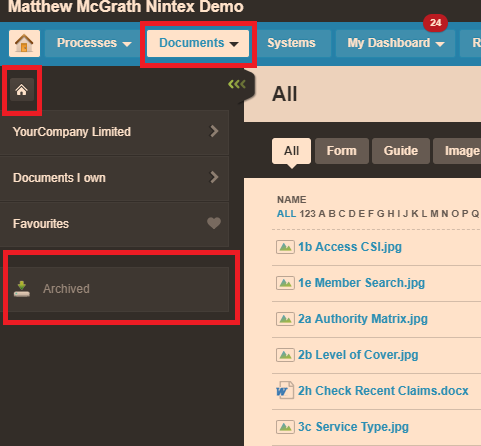
- Your Image has now been archived. Navigate to your Archived folder. Picture attached.
- Find the Image and select the Trash icon to delete.
- Navigate to your Documents tab
- Select the "Pencil" icon next to the Image you'd like to Delete.
- Select the "Trash" icon. Attached is a picture of this.
- Select Ok
- Your Image has now been archived. Navigate to your Archived folder. Picture attached.
- Find the Image and select the Trash icon to delete.