



Topic
Nintex Automation Cloud: SharePoint App Upgrade
Minimum permissions required: Tenant Administrator or SharePoint Administrator
Instructions
- Go to your SharePoint Admin Center
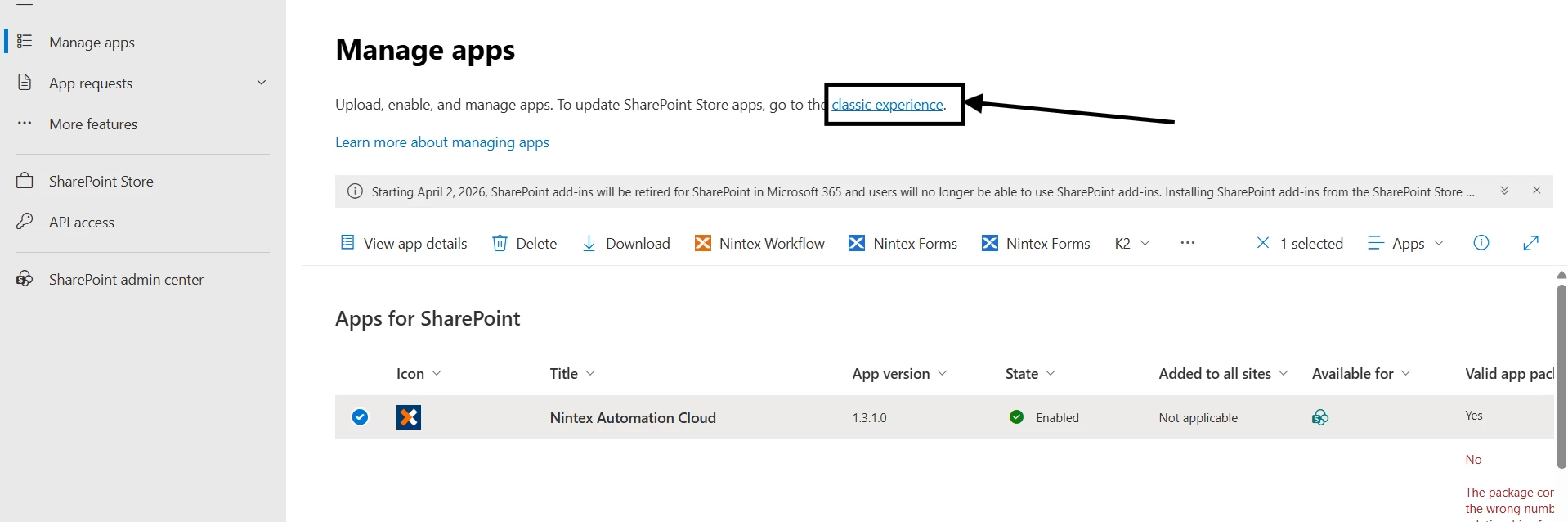
- Select More Features from the Left Menu. Then, in the Apps Section from SharePoint Admin, click Open.
- Switch to Classic Experience
- Search for Nintex Automation Cloud App
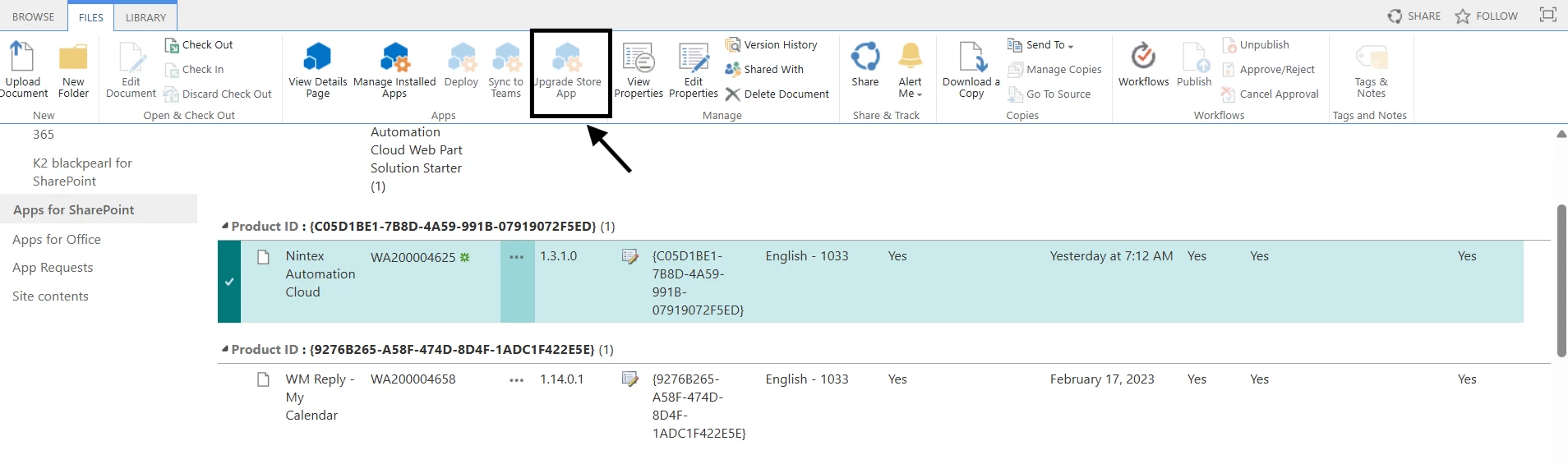
- Go to Files tab as shown below
- Click the Upgrade app to get to the latest version.
Note: Refer to the latest Nintex Automation Cloud release notes here to make sure you are on the latest App version.
https://help.nintex.com/en-US/platform/ReleaseNotes/NintexWorkflowCloud.htm