Nintex Community Menu Bar
Question

Workaround to disable ability to delete or add rows in repeating section on task?

  • May 27, 2026 5:36 PM UTC
  • 7 replies
  • 103 views
  • Translate All

Forum|alt.badge.img+15

Is there a workaround (rules or something) to disable ability to add/remove rows in a repeating section after default has been set? We just need people to add additional information to existing rows, not add/remove anything.  Please advise! 

7 replies

Forum|alt.badge.img+11
  • Nintex Employee
  • May 27, 2026 9:31 PM UTC

Hi Brandi,

You can accomplish something like this by using custom CSS.  I added the following and it hid the add new row and delete row buttons:

.btn-repeating-section-new-row {visibility: hidden;}

.ntx-repeating-section-remove-button {visibility: hidden;}

If you want to you can get more in depth to target specific repeating sections by using custom CSS classes as well.

Translate

Forum|alt.badge.img+15
  • Author
  • Nintex Partner
  • May 28, 2026 12:22 AM UTC

Bless you Brent, appreciate the quick response and solution on this! On the off chance we need to only do this on specific sections, how would one do that for isolated sections?

Translate

Forum|alt.badge.img+11
  • Nintex Employee
  • May 28, 2026 7:51 PM UTC

Hi Brandi,

For a targeted approach you’d add a custom CSS class to the repeating section and then use a descendent combinator in the CSS.  For example if I added a CSS class of myCssClass the CSS would become:

.myCssClass .btn-repeating-section-new-row{visibility: hidden;}

.myCssClass .ntx-repeating-section-remove-button{visibility: hidden;}

Translate

Forum|alt.badge.img+15
  • Author
  • Nintex Partner
  • Oct 14, 2026 1:41 AM UTC

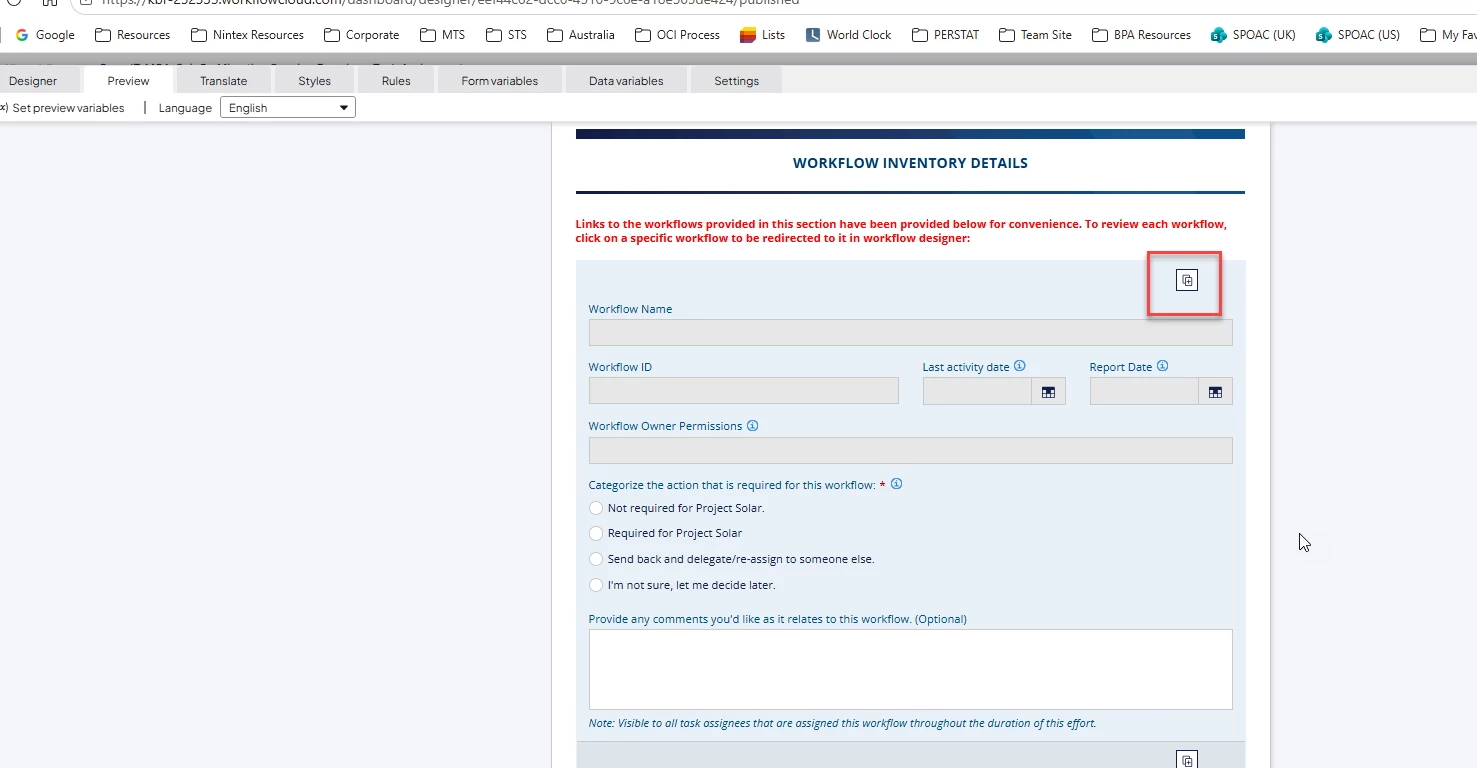
For some reason this code isn’t working anymore on our forms. Any idea why?


Translate

Forum|alt.badge.img+15
  • Author
  • Nintex Partner
  • Oct 14, 2026 2:30 AM UTC

For some reason this code isn’t working anymore on our forms. Any idea why?


​@brent_read I see now - it’s a duplicate button. How can I hide this? I tried this instead, and no luck.
 

.btn-repeating-section-new-row {visibility: hidden}

.ntx-repeating-section-remove-button {visibility: hidden;}

.btn-repeating-section-duplicate-button {visibility: hidden;}

Translate

Forum|alt.badge.img+15
  • Author
  • Nintex Partner
  • Oct 14, 2026 2:43 AM UTC

​@brent_read  Disregard - I think I got it. Adding overlay so the container is hidden as well - in case new buttons are added in the future.
 

.btn-repeating-section-new-row {visibility: hidden}

.ntx-repeating-section-duplicate-btn {visibility: hidden;}

.ntx-repeating-section-remove-button {visibility: hidden;}

.ntx-repeating-section-overlay {visibility: hidden;}

Translate

Simon Muntz
Nintex Partner
Forum|alt.badge.img+23
  • Nintex Partner
  • Oct 14, 2026 9:26 PM UTC

I use:


.btn-repeating-section-new-row {    
display: none !important;
}

.ntx-repeating-section-overlay {
display: none !important;
}


Translate