Nintex Community Menu Bar
Solved

Unauthenticated Users Selecting Person from People Control on NAC Form

  • Aug 7, 2024 11:39 PM UTC
  • 3 replies
  • 168 views
  • Translate All

Forum|alt.badge.img+1


We’re very new to NAC and have a situation where some of our employees don’t have work email addresses and will remain unauthenticated users.

When they submit an expense reimbursement claim, we need them to select an approval manager but because they are unauthenticated, they cannot select a name from the people control on the form.



I’m wondering if there is another way we can have unauthenticated employees submit a claim form and select their approval manager where it triggers a task email for a manager to approve?

Thank you.
Best answer by Deon

Hello @tasweeney1 ,


One way to achieve this is to use a Choice Single control, bound to a Data Source Variable based on an AAD (Entra ID) Data source.

Depending on the size of your org, you might need to add some kind of filtering on some property to prevent 10,000 users in the drop-down.

Before you can create a Data Source you will need to create an AAD Connection if you don’t already have one.

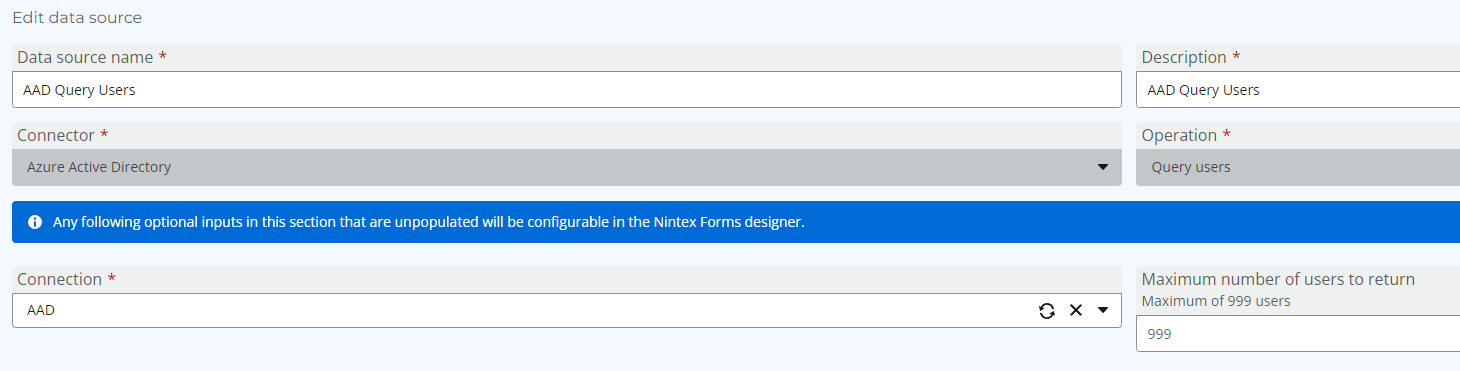
The Create a Datasource:


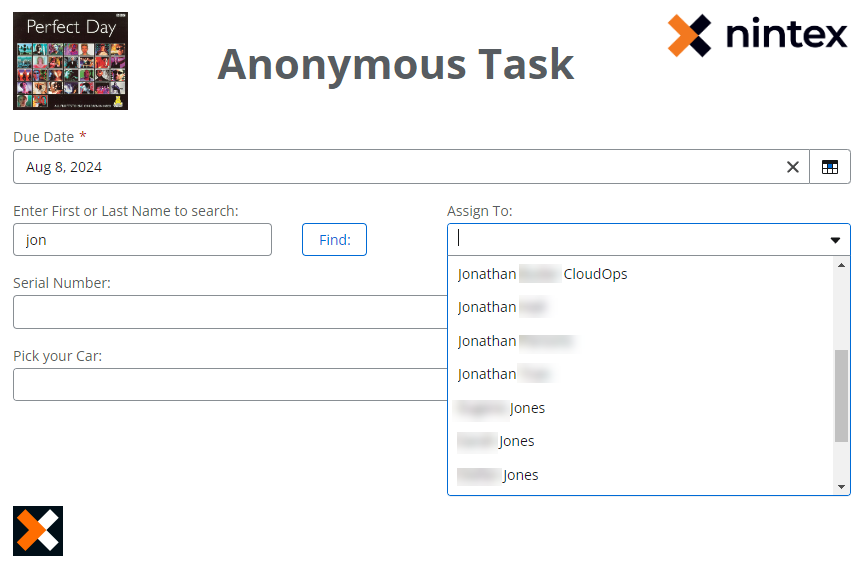
On the Form, add a filter/search condition e.g. First Name or Last Name and a Single Choice (Dropdown) Control:


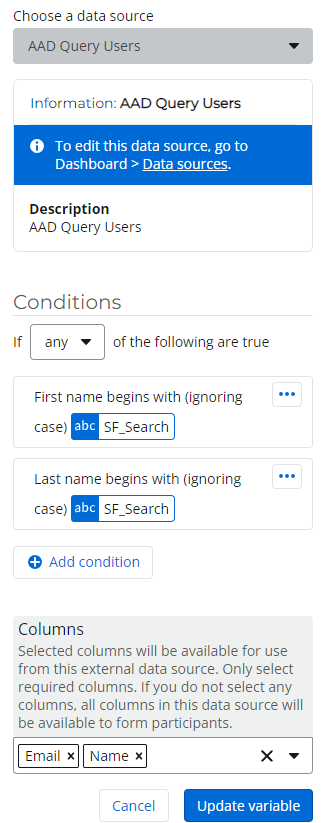
On the Form, create a Data Source Variable and if needed some filtering condition:


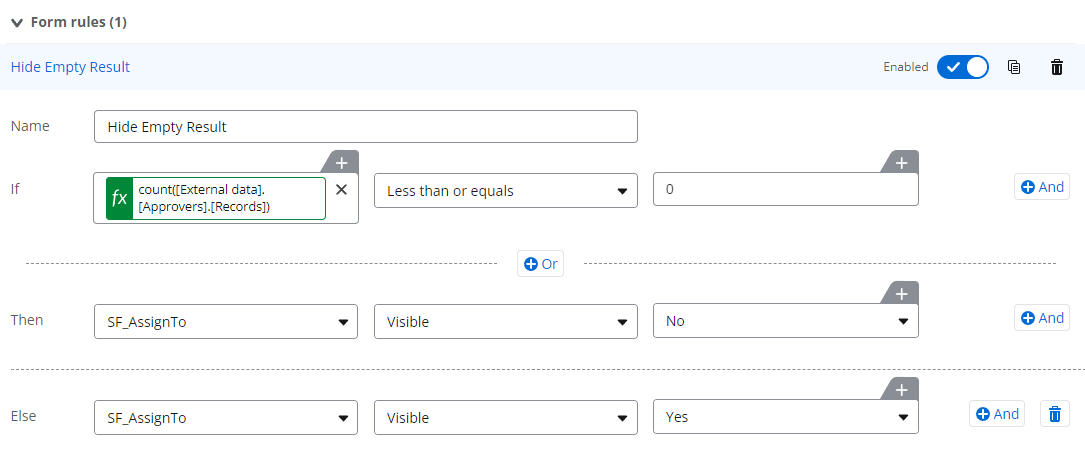
Add a Form Rule to hide data source error when result set is empty:


End Result:


View original

3 replies

Deon
Forum|alt.badge.img+10
  • Rookie
  • Answer
  • Aug 8, 2024 6:44 AM UTC

Hello @tasweeney1 ,


One way to achieve this is to use a Choice Single control, bound to a Data Source Variable based on an AAD (Entra ID) Data source.

Depending on the size of your org, you might need to add some kind of filtering on some property to prevent 10,000 users in the drop-down.

Before you can create a Data Source you will need to create an AAD Connection if you don’t already have one.

The Create a Datasource:


On the Form, add a filter/search condition e.g. First Name or Last Name and a Single Choice (Dropdown) Control:


On the Form, create a Data Source Variable and if needed some filtering condition:


Add a Form Rule to hide data source error when result set is empty:


End Result:


Translate

Forum|alt.badge.img+1
  • Author
  • Rookie
  • Aug 11, 2024 9:47 AM UTC

Hi @Deon,

Thank you for your help, much appreciated.

I have seen the AAD Connection and will speak with our IT Team and discuss AAD. Longer term I am keen to achieve this using AAD.

I wondered if it was possible to do this without using AAD and if you could recommend something?

Thank you.

Translate

Deon
Forum|alt.badge.img+10
  • Rookie
  • Aug 11, 2024 10:12 PM UTC

Hello @tasweeney1 , 


what do you mean by “without using AAD” ?


The people control which are used on non-anonymous start forms, uses AAD.

Do you know if you have SSO enabled?


Translate