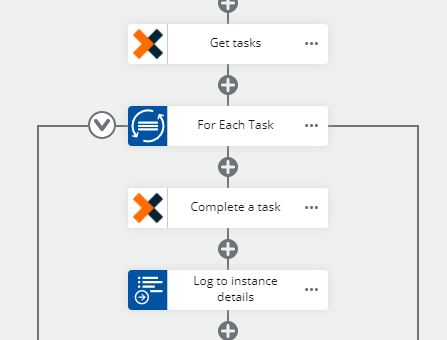
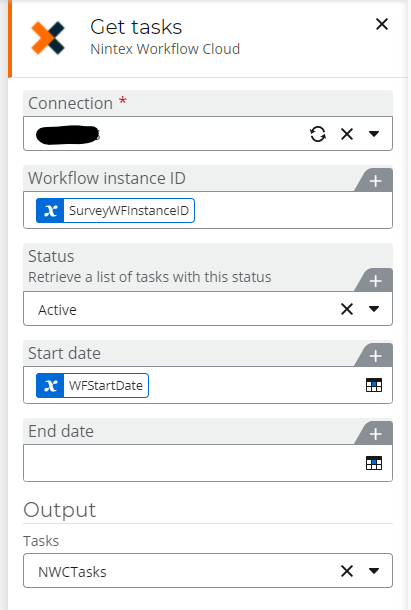
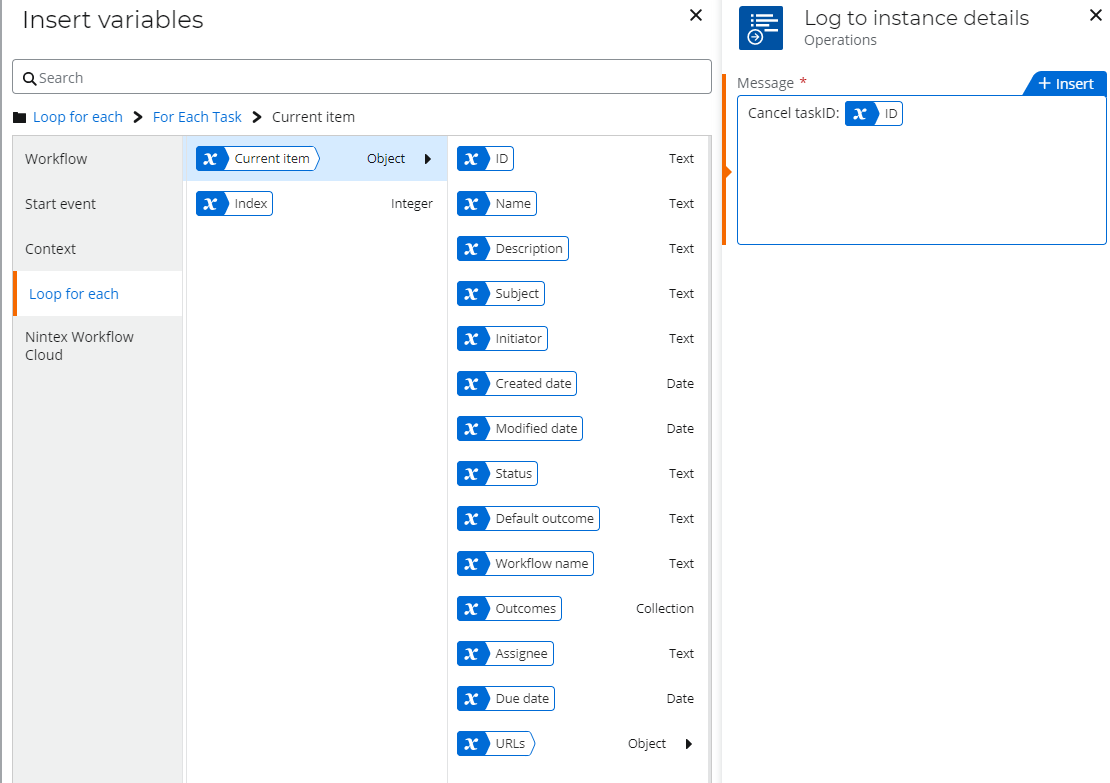
I have a workflow where I added a Get Tasks action on a parallel path with Assign Task action. The Get Task action stores the results in an Object data type. I can access Object.Tasks, but I cannot figure out how to get individual properties of each task. If I use Get Item from Collection action, that stores the results in a Text type, so then I cannot get to individual properties.
I need to know how to access the ID, Name etc properties of each task.
I am new to this forum, so I am still not able to navigate comfortably here. Thank you very much for your quick reply. I was amazed how quickly you sent me a solution that I was struggling with for a couple of days already. First I only saw an email with the partial text of your reply and I jumped to try it, but still was struggling until I returned to the forum and saw your screenshot. I greatly appreciate the amount of detail you put in.
Regarding your note about the date range, I also noticed that if I use current date as a Start Date, the response object will return empty. I had to set the Start date to one day prior current date in order to see the latest Assign Tasks. Do you have a suggestion about how to properly set the date range to get the latest Task?
Thank you for the tip. I did not realized that the date range was optional. I took that out and it is working fine. One other issue I am facing now is that Date Created is returning as a string and I cannot see how I can select the latest Task from the list. If that was a date, I could have compared the Date Created values. There is no action to convert a string to a date. Best Regards.
Hi @Gavin-Adams, I need to make sure that I am selecting the latest Assigned task from the the collection. If the latest is always on the top, then I don't need to worry about comparing dates.
The assign a task action only creates a single task within that workflow instance. (unless you have the Assign a task action within a for each loop or some other logic action)
Just not understanding why you have multiple tasks. In the get tasks action if you pass in the workflow instance ID, it will return a collection but there should be only 1 task within that collection.
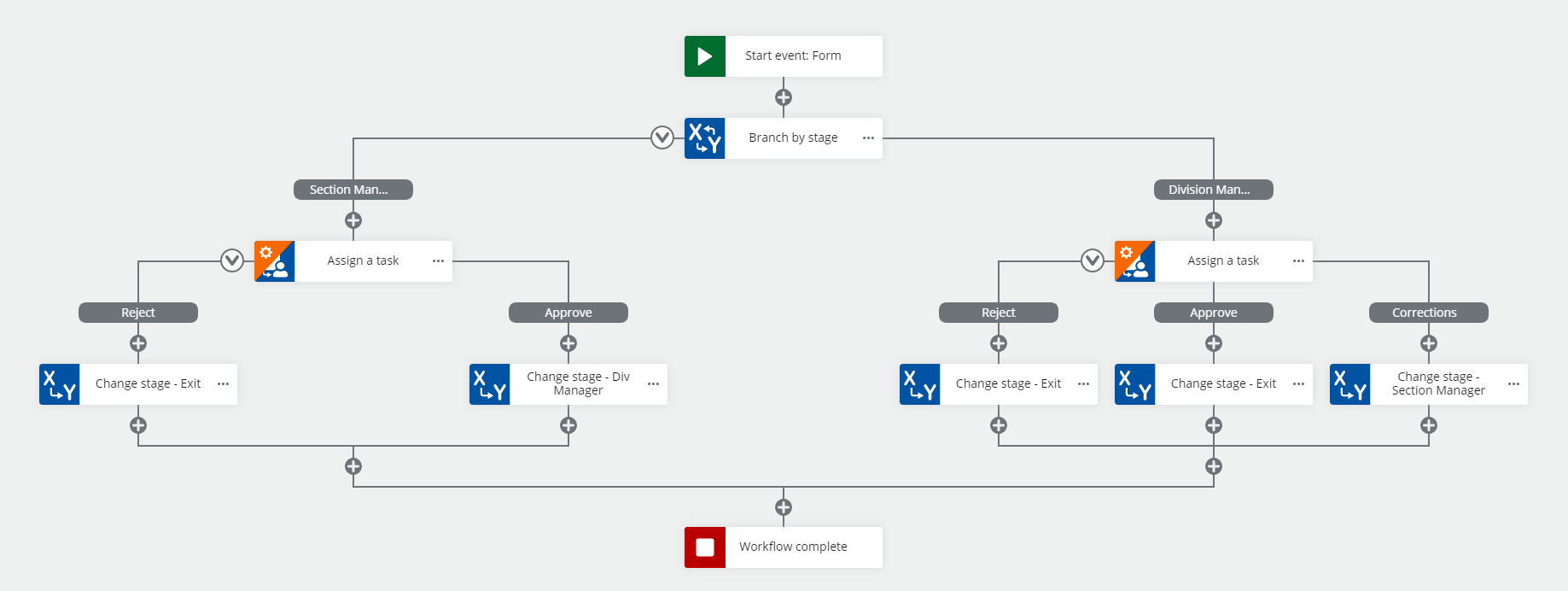
Thank you for being so patient. In my workflow I have multiple approval levels. First it goes to the Section Manager, and then it goes to Division Manager. Also, there is a chance that it will be returned to the Section Manager for corrections. At any point I have to get the correct Task. If I knew that the latest Task is always on the top of the collection, meaning that it has Index 0, then I have no worries - just pick up the top Task at any point and you have the correct URL. Just guessing. That is my workflow. Best regards.
On the assumption that you are not here are my notes on this concept:
I think you can avoid the get tasks by using a branch by stage logic.
Based on the outcome of the task you can use the change stage action to move non-sequentially through the workflow.
You can add a 3rd outcome to the div manager task for corrections and send the workflow back to the section manager to do it again. (would probably add in an email before the change stage on the corrections outcome to let the section mgr know what they have to do)
Check out the help file for the action
Also in the learn.nintex.com (Nintex University) check out the course 'Automating Complex Processes - Nintex Workflow Cloud'. It has some training exercises on branch by stage.