Nintex Community Menu Bar
Solved

Start WF based on Modified document in a SP library

  • Sep 22, 2025 2:46 PM UTC
  • 5 replies
  • 83 views
  • Translate All

Forum|alt.badge.img+11

Hi!

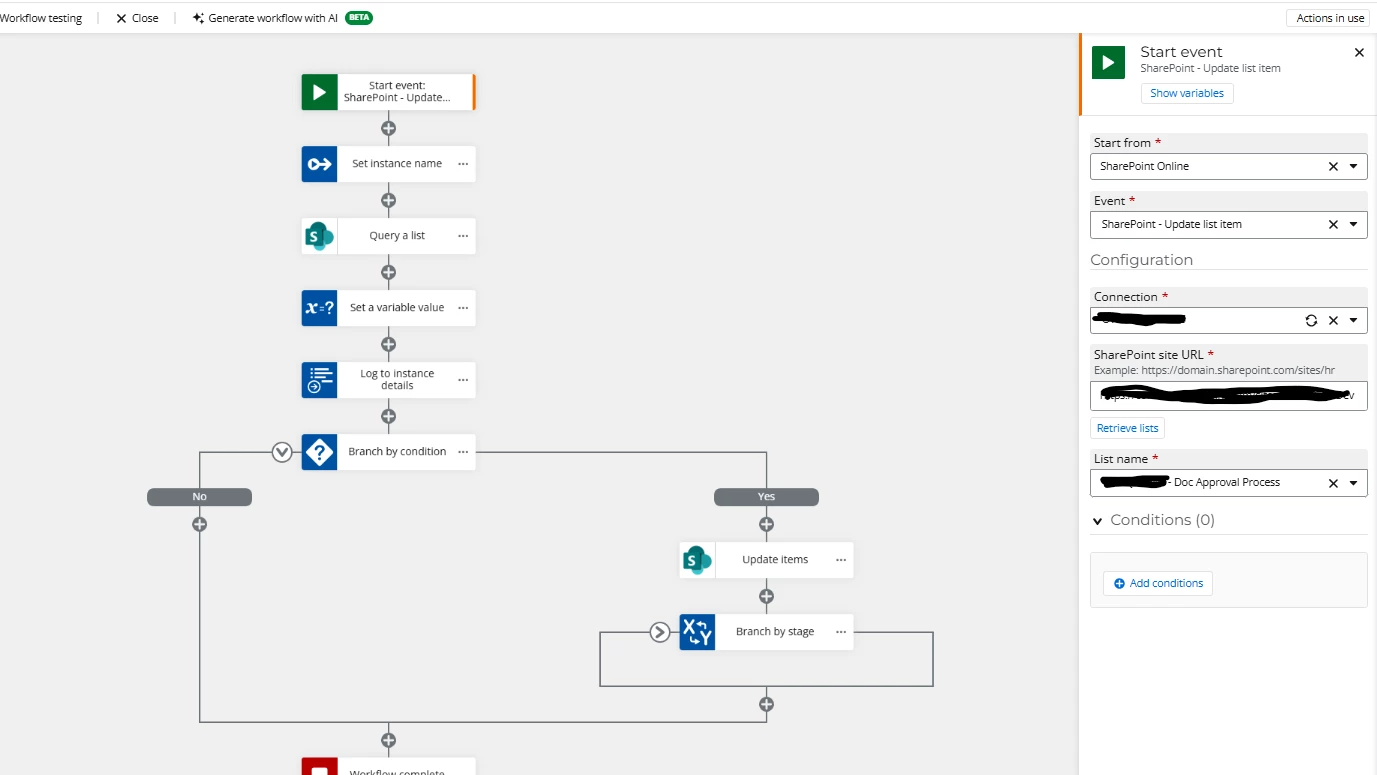
I am trying to start a workflow in NAC based on if a file in a document library has been modified. I have the start event to equal “update list item” but when I go in to modify anything in the library, the workflow does not kick off…


Can a workflow be able to detect if a file has been modified in a SharePoint library?

Best answer by brent_read

Hmm, in that case I’d recommend reaching out to support to take a look.

View original

5 replies

Forum|alt.badge.img+11
  • Nintex Employee
  • Sep 22, 2025 3:40 PM UTC

Hi ​@jpacheco 

Can you share what the configuration you have on your start event is?  I tried running this in SPO and the update to the document triggered the workflow as expected.

Translate

Forum|alt.badge.img+11
  • Author
  • Scout
  • Sep 22, 2025 3:52 PM UTC

​@brent_read ,


Hi and thanks for your quick response! This is what I currently have… So when a user goes in to edit a file, I figured it would be detected that a item in the library was modified based on the event.


Translate

Forum|alt.badge.img+11
  • Nintex Employee
  • Sep 22, 2025 4:33 PM UTC

Hi ​@jpacheco 

That’s how I set mine up and the workflow did trigger when I modified the file.  Do you have Check out or document approval required on the library?  I didn’t check against those cases but that could be having an effect.


Translate

Forum|alt.badge.img+11
  • Author
  • Scout
  • Sep 22, 2025 5:50 PM UTC

​@brent_read ,

I don’t have those options required… weird. I just trying to setup where the WF detects the change and fires off the WF. That's what that start event should do, correct? I’ve tried checking against the version and modified date but nothing is starting it for some reason...

Translate

Forum|alt.badge.img+11
  • Nintex Employee
  • Answer
  • Sep 22, 2025 5:52 PM UTC

Hmm, in that case I’d recommend reaching out to support to take a look.

Translate