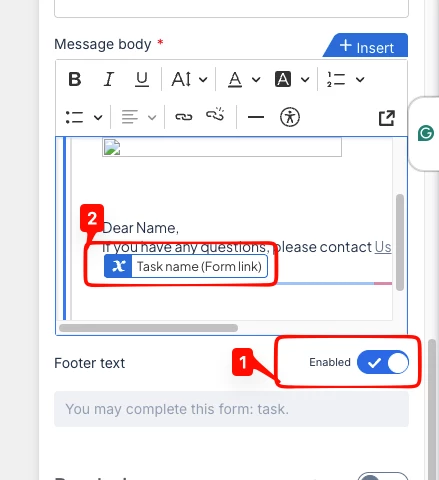
Simply said, I want to use a template to format my Nintex Workflow emails, so that all emails sent by Nintex will be easily and visually recognizable by the whole organisation.
With base64 encoding I can include a logo and with the following code I can center my email message in a nice bordered section. However, whenever the email is a task email it will have a link at the bottom of my email which will be outside of my template and not centered. Which kind of ruins the whole idea.
Is there any way to apply custom CSS or a template to the Task emails and preferably by all emails from the Nintex Workflow Cloud?
Example HTML code to center emails (cross compatible with Outlook):
<div style="margin-top:60px;text-align:center;">
    <table width="600" style="border:2px solid #dddddd;text-align:left;width:600px;" class="table">
        <tbody>
            <tr>
                <td style="padding:30px;">
                    <p>
                        <img height="78" width="240" alt="" src="" class="image-inline">
                    </p>
                    <p>
                        Dear Name,
                    </p>
                    <p>
                        If you have any questions, please contact <a href="email:email@email.com">Us</a>.
                    </p>
                </td>
            </tr>
        </tbody>
    </table>
</div>