
I have a Nintex Workflow online start form that has a People control set to allow multiple selections. Submitting the form kicks off a workflow that has a “Assign a task to multiple users” action. I would like to pre-populate a People control in the workflow task form with the selections from the People control on the start form. Anyone have a solution for this?

Solved
Pre-Populate Task Form People Control with Start Form People Control


 +15
+15- Nintex Partner
Best answer by bamaeric
I figured this out.
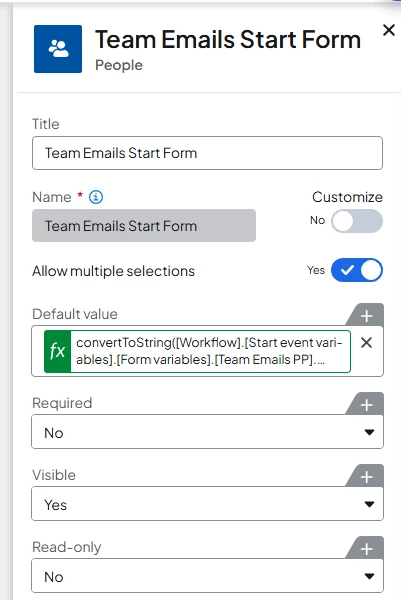
You can set the Default Value of the People control on a task form to the start form People control, which is a collection variable. The trick is you have to convert the start form People control collection to a string. Here’s how I did it.
- Open up the control configuration panel in the People control on the task form.
- Select the Insert link on the Default Value setting.
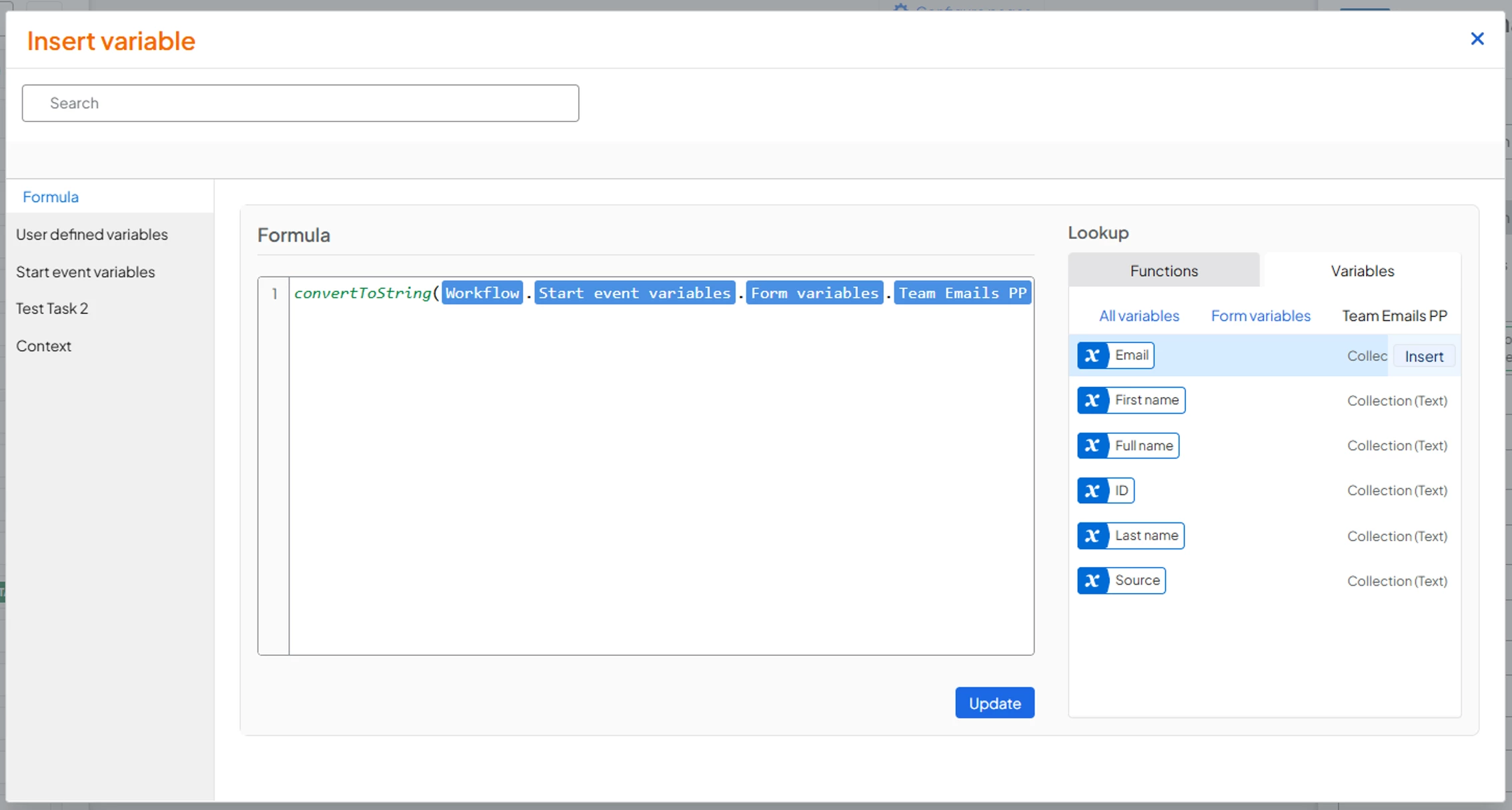
- In the Formula tab, add the convertToString() function and then find the “Form variables” object in the Start Event Variables section.
- Expand that object, find and expand the collection of the People control from the start event, and then insert the Email collection inside the convertToString() function.
- Click the Update button to save that to the control’s Default Value.
Enter your E-mail address. We'll send you an e-mail with instructions to reset your password.