Nintex Community Menu Bar
Solved

Nintex workflow: is there any way to "catch" an exception?

  • July 14, 2026
  • 4 replies
  • 35 views

Forum|alt.badge.img+5

I was hoping that NAC had something equivalent to “try/catch” blocks in C++ or Java.

I’ve reviewed the Nintex documentation and several Nintex Community articles, but I haven’t found any way to “catch” an exception.  For example, I’d like to be able to capture the error text and send an email.  Before the workflow dies.

Q: Is there any way to accomplish this in Nintex Automation Cloud?

Best answer by Chris_Ben

Hi Paul,

Check out these help articles:


4 replies

Chris_Ben
Nintex Employee
Forum|alt.badge.img+14
  • Nintex Employee
  • Answer
  • July 14, 2026

Hi Paul,

Check out these help articles:


Forum|alt.badge.img+5
  • Author
  • Nintex Partner
  • July 17, 2026

Thank you, Chris_Ben.
I was familiar with most of the links you cited … but I HADN’T considered Nintex “alerts” yet.
I tried configuring an alert … and I can’t get them to work:

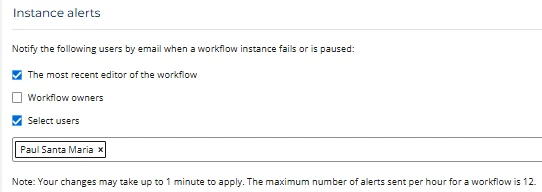
  1. Settings > Tenant > Alerts > Instance Alerts >
      The most recent editor of the workflow=Y, Select Users= Paul Santa Maria, [Save]


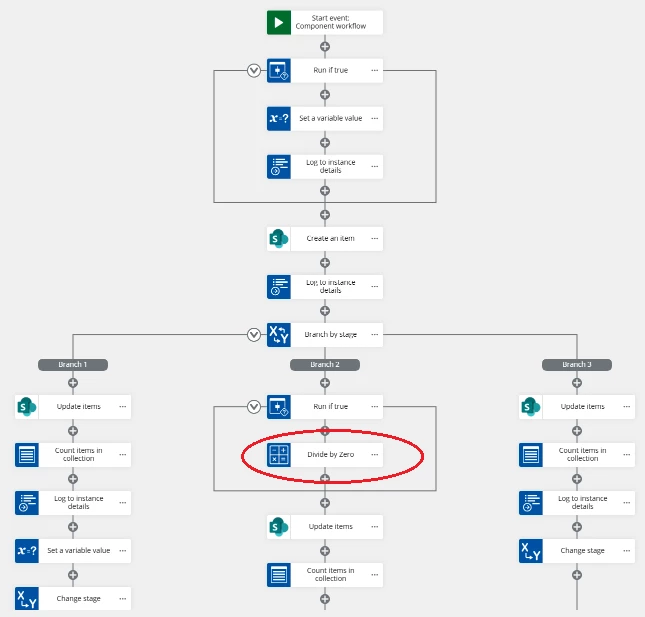
  2. Manually run my test workflow with the “divide by zero” action:


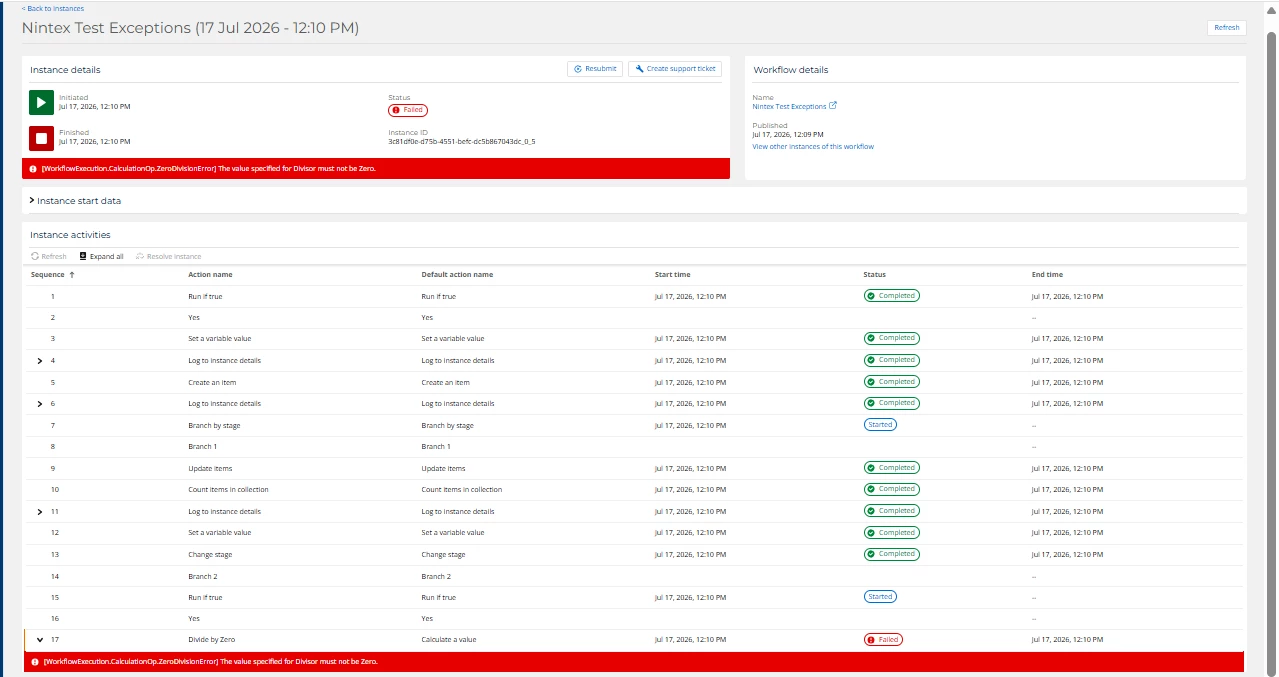
  3. Check “instances”, verify the exception occurred:


  4. Wait patiently for the “alert” email that never arrives :(

I checked my “Spam” folder, and I re-tried running the workflow several times over the last few days - all to no avail.

Q: Any suggestions?


Chris_Ben
Nintex Employee
Forum|alt.badge.img+14
  • Nintex Employee
  • July 19, 2026

Hi Paul, just make sure your workflow has been published in production mode.  If it’s published in “development” mode, you won’t receive an alert.


Forum|alt.badge.img+5
  • Author
  • Nintex Partner
  • July 19, 2026

Yup - that was the problem.  I  published as “Development” (vs. “Production”).  Once I republished as “Production” - I started receiving email alerts.
Thank you!