Nintex Community Menu Bar
Solved

Nintex workflow: How do I upload a file in my start form, and save it to SharePoint Online?

  • July 7, 2026
  • 2 replies
  • 30 views

Forum|alt.badge.img+4

This should be really simple:

  1. I’m starting my workflow with a form.
        The form has a “File Upload” control, for the user to upload an Excel file.
        I save it to form variable “Excel file”, and click [Submit]
  2. Next, I call SharePoint Online, Store a File.
  3. For SPO.Store a file “Source file”, I HOPED I could just use “Start event > Form variables > Excel file”.

PROBLEM:

No such luck.

SPO.Source file wants a Nintex “File” object; Form variables.Excel file is a Nintex “Collection object”, and I can’t see any way to copy the upoaded Excel file to SharePoint Online:
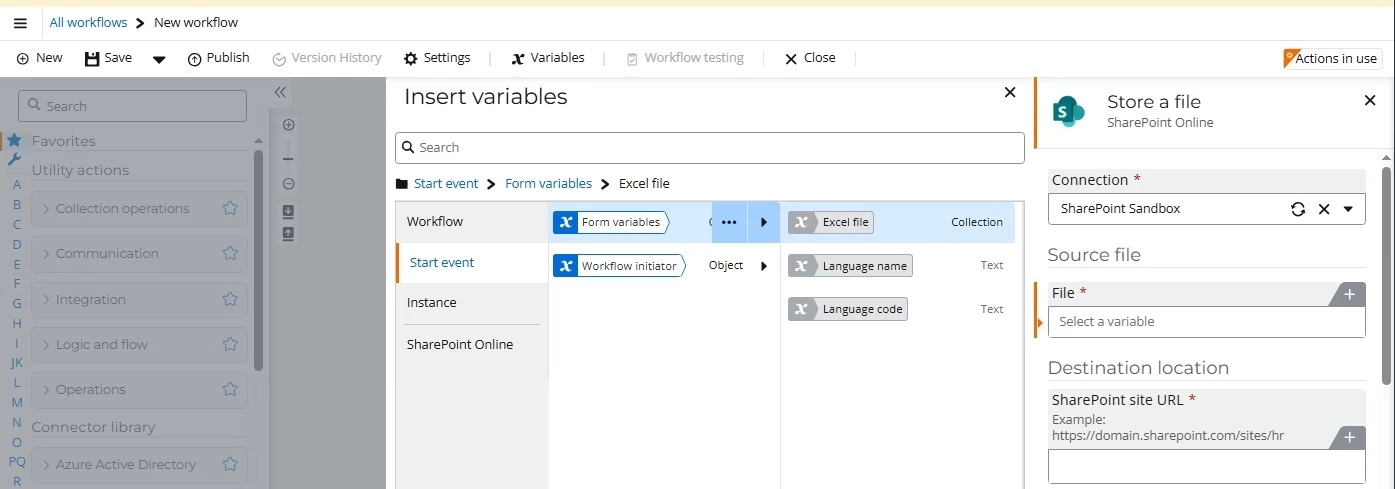
 

Q: What should I do to copy an Excel file from Nintex workflow to SharePoint?
Best answer by BarryCairns

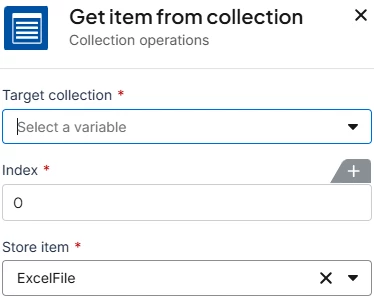
If you know there is only one item in your file upload control, you can use Get item from collection for Index zero, storing the item in a variable of type file:


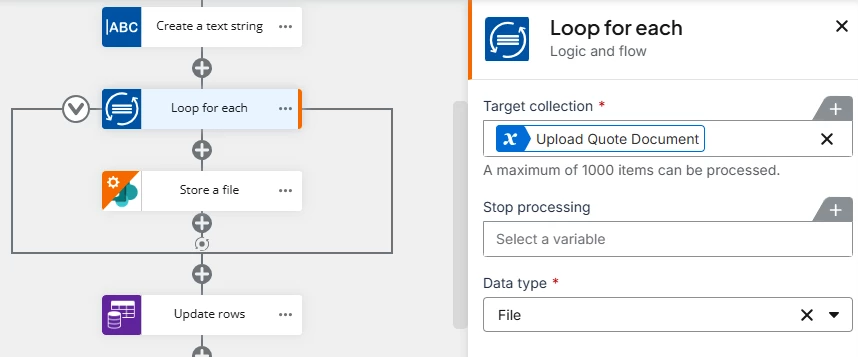
Alternatively, if your file upload control contains one OR MORE files, place Store a file inside a loop for each (with Data type: File) that processes the files in turn.


2 replies

Forum|alt.badge.img+3
  • Nintex Employee
  • Answer
  • July 7, 2026

If you know there is only one item in your file upload control, you can use Get item from collection for Index zero, storing the item in a variable of type file:


Alternatively, if your file upload control contains one OR MORE files, place Store a file inside a loop for each (with Data type: File) that processes the files in turn.


Forum|alt.badge.img+4
  • Author
  • Nintex Partner
  • July 7, 2026

Thank you, Barry Cairns!
Your solution worked like a charm!