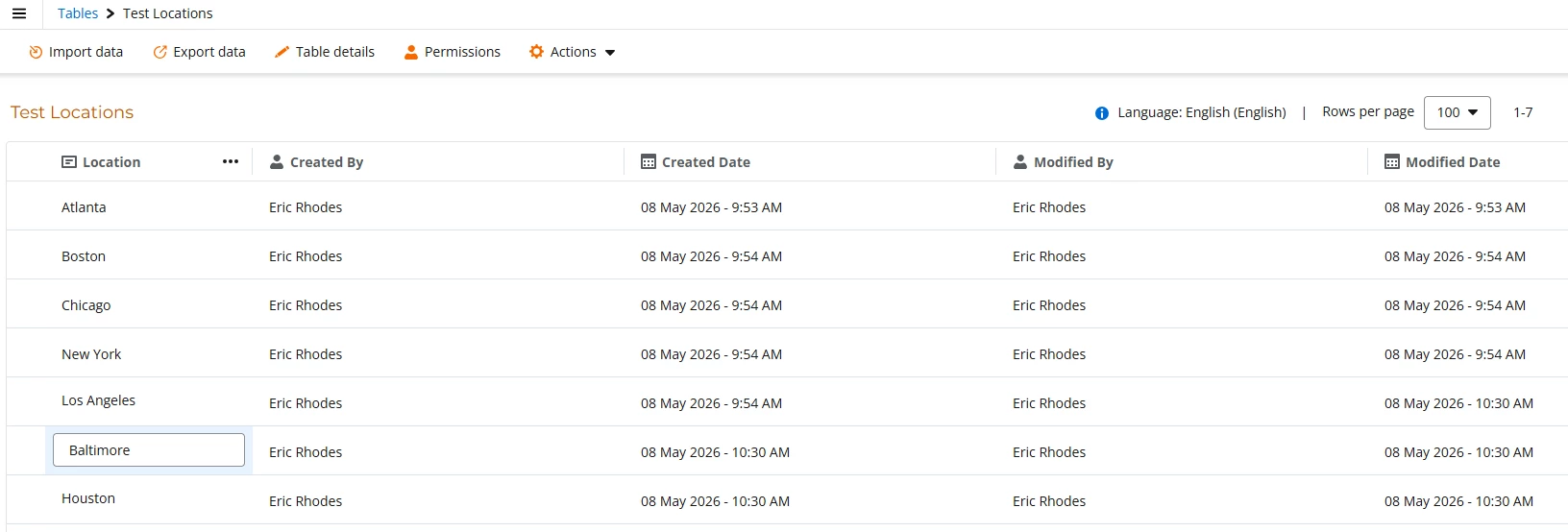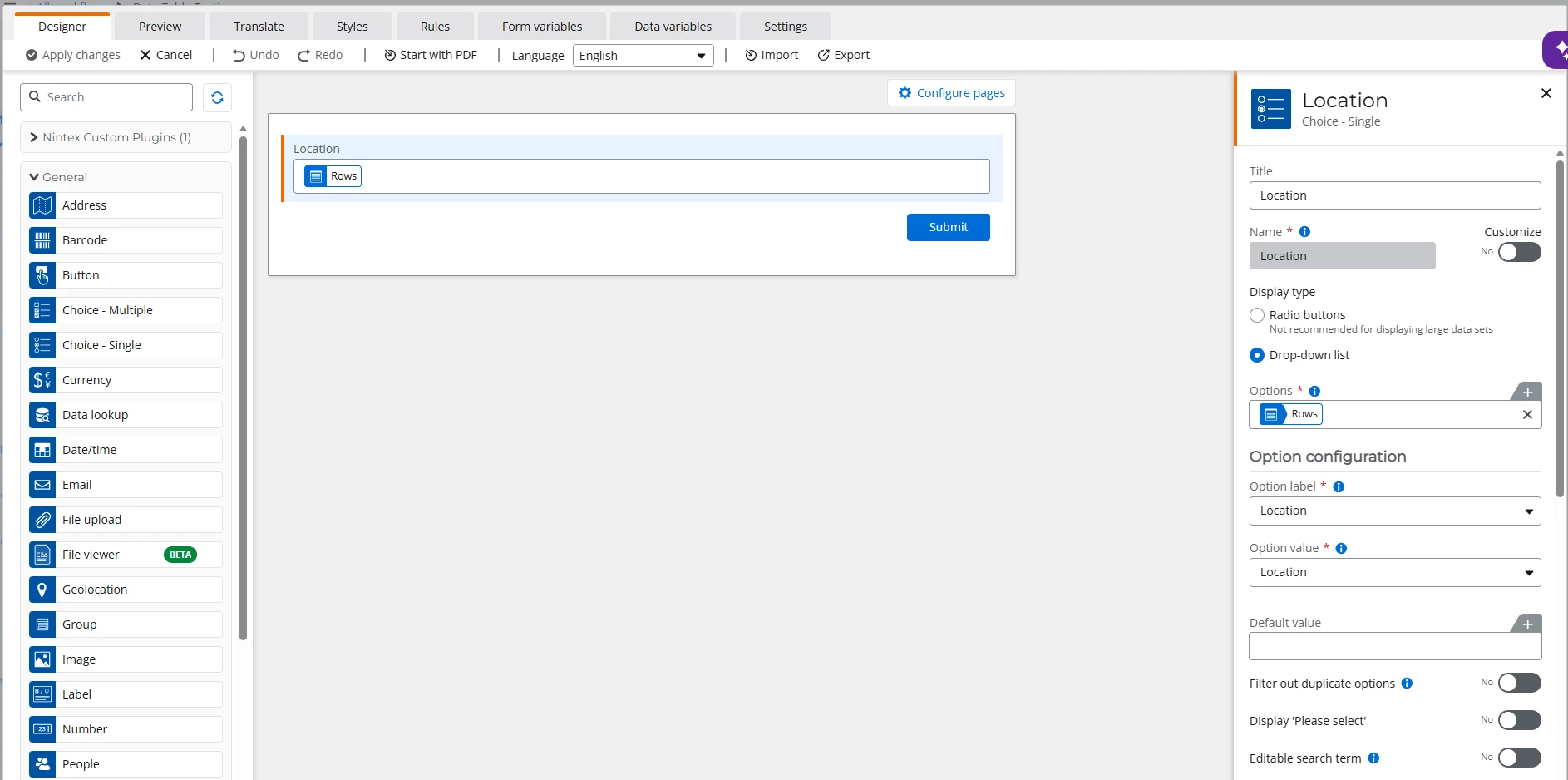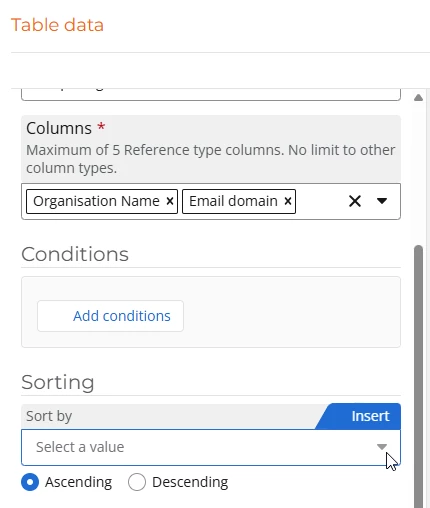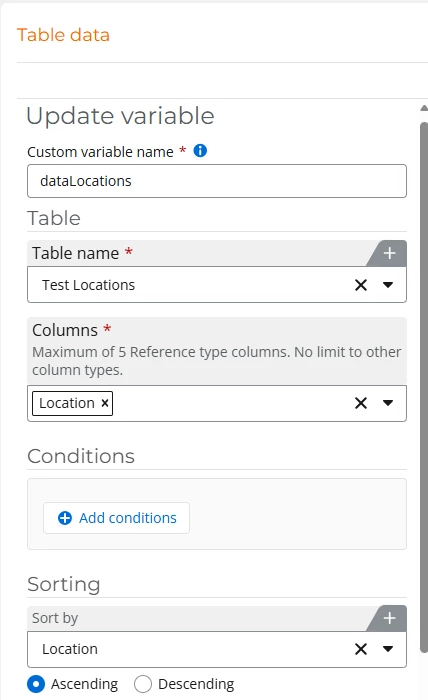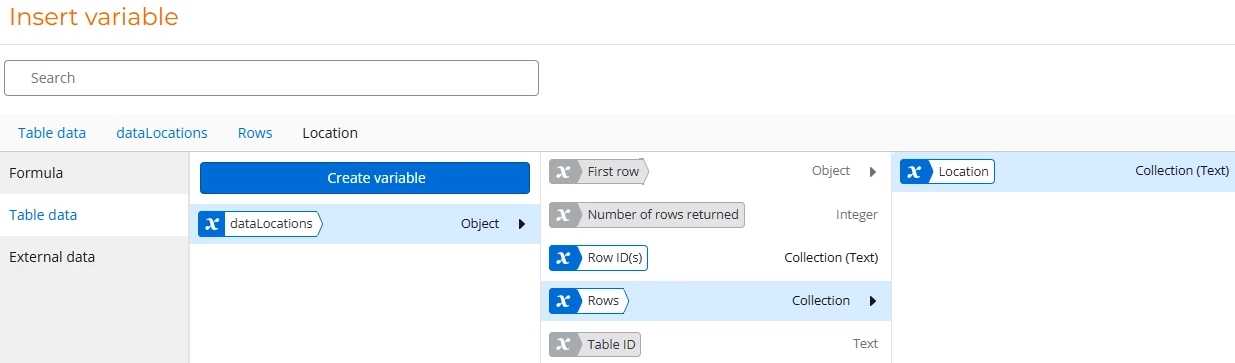



I have a Nintex Workflow online start form with a Choice - Single control set as a drop down. The Options setting in the control is set to use a Table Data variable to get values for a Data table. The column in the Data table is a Location name (which are City names).
Locations were initially added to the Data table with those values being in alphabetical order. New rows were added in table, but those values appear at the bottom of the table and are not in alphabetical order.
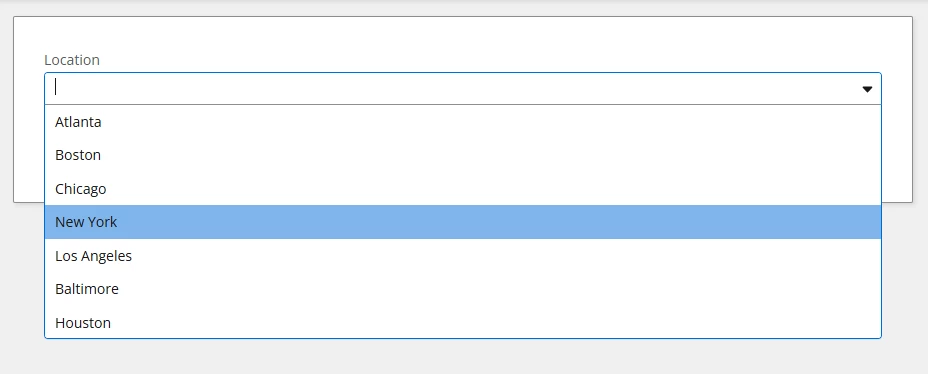
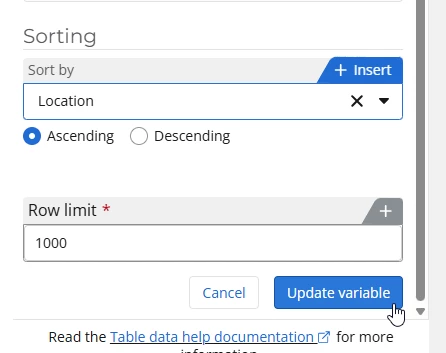
On the form, the values in the Choice - Single form control appear in the order that they were entered and not in alphabetical order. I am looking a way to sort the choices alphabetically in the Choice - Single dropdown control. Is there a way to do this?
Order of rows entered into the Data table and how they display in the choice drop down control on the form:
Atlanta
Boston
Chicago
New York
Los Angeles
Baltimore
Houston
Desired way for then to display in the choice drop down control on the form (in alphabetical order):
Atlanta
Baltimore
Boston
Chicago
Houston
Los Angeles
New York