Nintex Community Menu Bar
Question

How to update a location field in Sharepoint?

  • February 4, 2026
  • 7 replies
  • 10 views

Forum|alt.badge.img+4

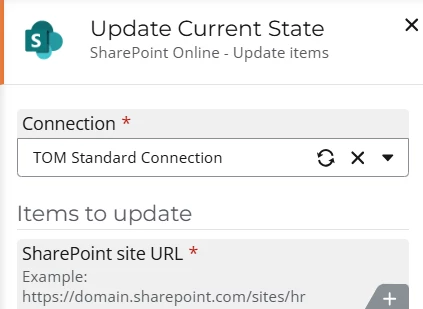
How do you update a location field in Sharepoint from Nintex workflow clould? When trying to add the field into the ‘Sharepoint Online: Update items’ control, it’s not available even through it’s on the Sharepoint list. Is there something special that needs to be done to get it to show up as a field in Update Items?

7 replies

Forum|alt.badge.img+4
  • Rookie
  • February 4, 2026

Hi Luke,


You may need to refresh the SharePoint connection. If you create the Column while the workflow is still open, it may not pull through the update.


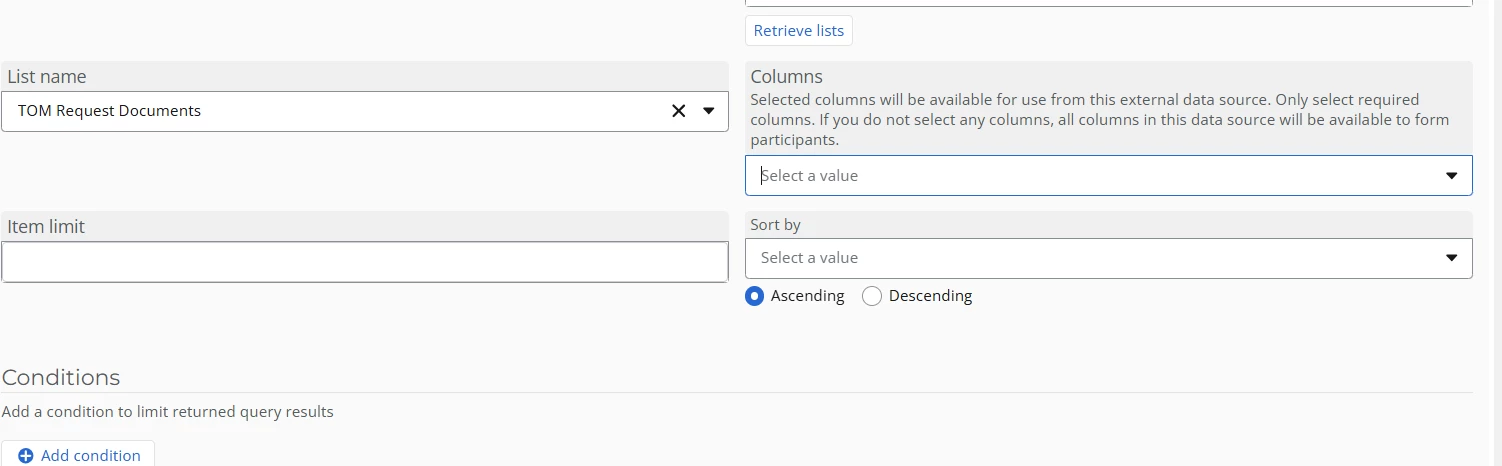
If that doesn’t work try going to the Data Lookup itself and make sure you haven’t filtered it to only bring back specific columns


Cheers

Marc


Forum|alt.badge.img+4
  • Author
  • Rookie
  • February 4, 2026

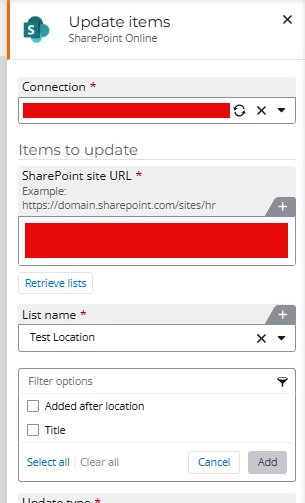
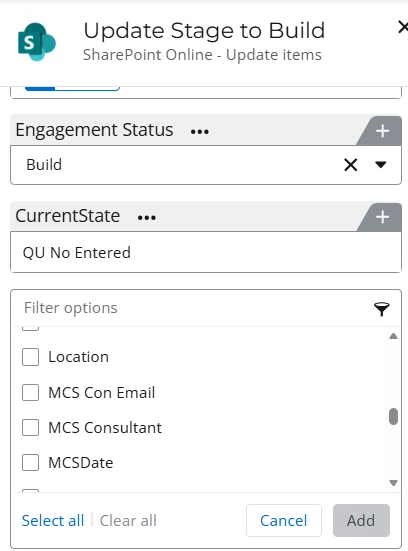
Thanks for the response, ​@marcwibbs . However, the list was created before the Nintex action was added and location still does not show. I even added another field ‘Added after location’ to show that the fields were updated in Nintex after the location field was added. There should be a field called ‘Location’ in the list of fields. Can anyone verify that they can see a Sharepoint location field in a Nintex Sharepoint action?


Forum|alt.badge.img+4
  • Rookie
  • February 5, 2026

Is it a single line text column?


Forum|alt.badge.img+4
  • Rookie
  • February 5, 2026

@LukeR  i just added a location column and it updated straight away.

Have you tried deleting the column and trying again?


Forum|alt.badge.img+4
  • Rookie
  • February 5, 2026

Sorry :Luke I see what you mean now, I’m intrigued as to why this wouldn’t work as well.

I’ll do some digging :-)


Forum|alt.badge.img+4
  • Author
  • Rookie
  • February 5, 2026

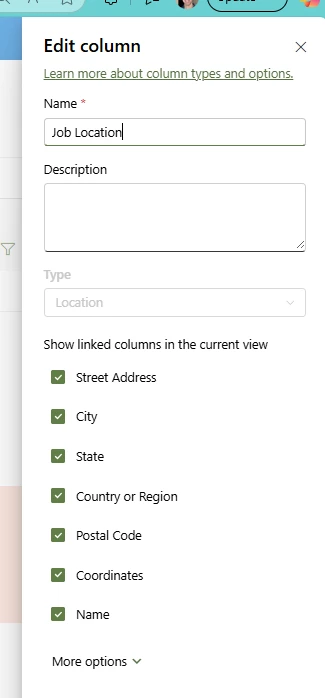
It’s a Location field in SPO. Here’s a pic of it.


I’m now trying with the ‘Call a SharePoint web service’ action… I’ve got the GET working with it, but not the MERGE yet. Hopefully I’ll get it figured out today.


Forum|alt.badge.img+4
  • Author
  • Rookie
  • February 6, 2026

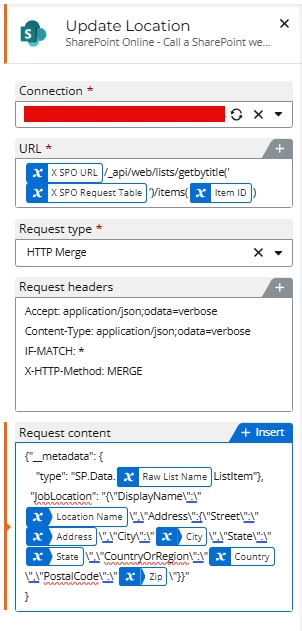
I ended up having to update it via the ‘Call a SharePoint web service’ action. Here’s a pic of the config used to update my location field called ‘JobLocation’.