Nintex Community Menu Bar
Question

Getting detail from multiple lookup

  • May 13, 2026
  • 15 replies
  • 81 views

Forum|alt.badge.img+5

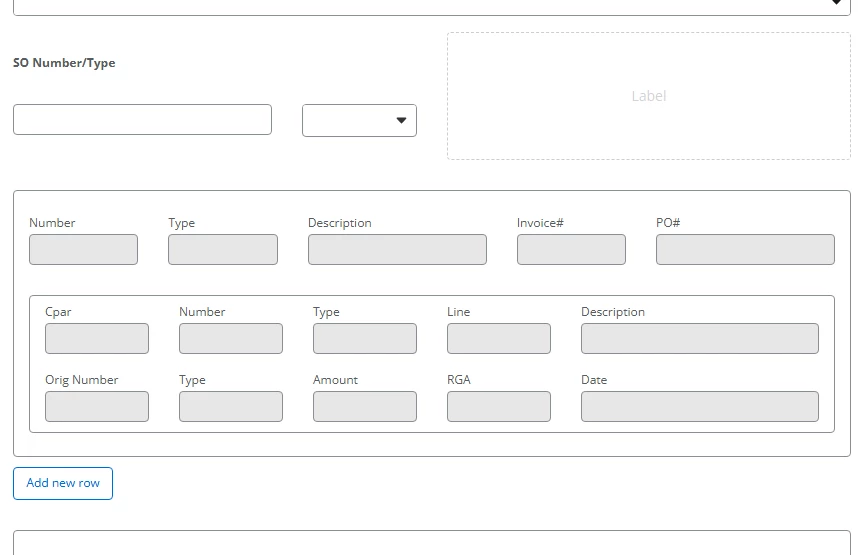
so we have a current onprem that take a SO# and type and get the detail from ERP system

the question is if I use a data lookup, how to hold multiple SO#/Type and then to put the detail to a repeating section.   I know a little bit about xtensions, but not sure if the forms itself can do it.

15 replies

Simon Muntz
Nintex Partner
Forum|alt.badge.img+23
  • Nintex Partner
  • May 14, 2026

Hi ​@RC1101,

Please clarify the environment and Nintex products being used.
You mentioned on-premise. Are you using Nintex on-premise, or are you using Nintex workflow cloud (the forum section you have posted in) via gateway to on-premise?  You mentioned a repeating section, which is the Forms product, and you also mentioned Xtensions, which is primarily for workflow but can be used as a data source for a form.

Please provide a bit more information about the solution you are trying to build, and users on the forum may be able to assist more.


Forum|alt.badge.img+5
  • Author
  • Scholar
  • May 14, 2026

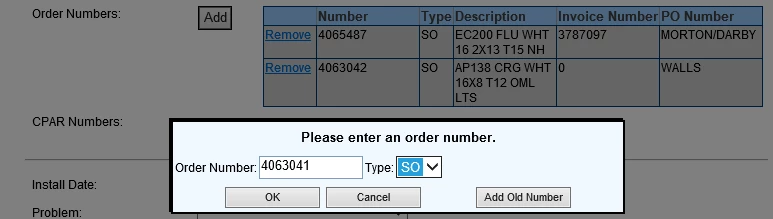
Sorry. the screenshot is from the current onprem k2 blackpearl that we are upgrading to the cloud. that is what we do today using MS .net,  not sure can it be done on the cloud.


Simon Muntz
Nintex Partner
Forum|alt.badge.img+23
  • Nintex Partner
  • May 14, 2026

Hi ​@RC1101,

Thank you for the clarification.
In this case, you will need to create an Xtension that connects to SAP.
The Xtension can be used to create a connection and then be used as a data source.
If the data is in JSON format, it can be fed straight into the default value field of a repeating section control.

Connection dependencies:
You can install Nintex Gateway in the on-premise environment and configure your Xtenstion to use the gateway. https://help.nintex.com/en-US/xtensions/03_Advanced/06_OnPremises/PRC_04Gateway.htm?tocpath=Connect%20and%20authenticate%7C_____8


An alternative would be to use SAP’s gateway to connect from SAP cloud to on-premises.
https://help.sap.com/docs/integration-suite/sap-integration-suite/on-premise-connectivity-plan?locale=en-US


Forum|alt.badge.img+5
  • Author
  • Scholar
  • May 15, 2026

We have JDE.

how does it keep track of multiple SO?


Simon Muntz
Nintex Partner
Forum|alt.badge.img+23
  • Nintex Partner
  • May 17, 2026

@RC1101,

I am not overly familiar with JDE, but as long as the ERP’s API returns each SO in a JSON object, a Nintex Repeating section will add a row for each one.


Forum|alt.badge.img+5
  • Author
  • Scholar
  • May 18, 2026

I would have 1 input for sales order number and another one for sales order type.

how would it know to add a new row every time I put in a different sales order number.


Simon Muntz
Nintex Partner
Forum|alt.badge.img+23
  • Nintex Partner
  • May 18, 2026

@RC1101,

The default value field of the repeating section will look at the JSON object returned when you call the ERP API.
For each key-value pair, it will create a new row. Ensure that the control name matches the key on the JSON for the value to appear in the control.
For example, in the below JSON, three rows will be created.

[
{
"salesOrderNumber": "SO-1001",
"salesOrderType": "Standard"
},
{
"salesOrderNumber": "SO-1002",
"salesOrderType": "Express"
},
{
"salesOrderNumber": "SO-1003",
"salesOrderType": "Backorder"
}
]


See the help files and the video below for more information.
https://help.nintex.com/en-US/nwc/Content/Designer/FormControls/Repeatingsection.htm


Forum|alt.badge.img+5
  • Author
  • Scholar
  • May 19, 2026

it will return 1 record for each SO#, SO Type. not sure how it would return multiple record


Simon Muntz
Nintex Partner
Forum|alt.badge.img+23
  • Nintex Partner
  • May 20, 2026

@RC1101,

Thank you for the clarification.
You create an Xtension that queries your ERP for a list of SO’s.
You then create a data lookup using the Xtension as a connector.
 

You add the data lookup to a repeating section.
Then add a label control that looks at the datalookup control for the current row.
For the data lookup configuration, the label will be the SO, and the Option value will be the Order type.
You select your SO, and the Order type will autopopulate in the label control
You click the new row and repeat for as many rows as you need.


Forum|alt.badge.img+5
  • Author
  • Scholar
  • May 22, 2026

I was thinking of something like this. User enter the SO# and SO type. data lookup the info. and then the user can add another SO# and SO type. and it will add a new row by itself.

or do I have to have the SO#, type “input” in each row.


Simon Muntz
Nintex Partner
Forum|alt.badge.img+23
  • Nintex Partner
  • May 23, 2026

Hi ​@RC1101,

As your API only returns 1 SO at a time once it’s looked up, you would need to have the SO lookup on each row.


To achieve what you want to do, you would need to create your own form plugin.


Forum|alt.badge.img+5
  • Author
  • Scholar
  • May 29, 2026

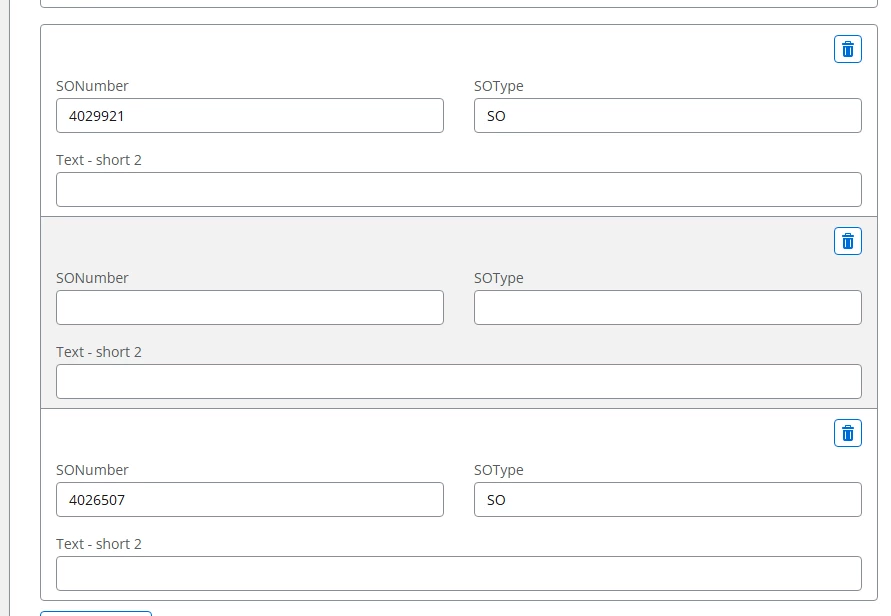
Changed to use SO lookup on each row. now another issue. try to pass the repeating section to another task   

read this 

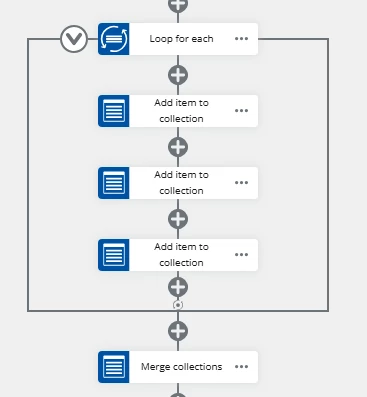
try to create multiple collection for each input on the repeating section, loop on the repeating section, add item to collection  and then merge them. didn’t work.


and default value the https://help.nintex.com/en-US/nwc/Content/Designer/FormControls/Repeatingsection.htm

haven’t have any luck on getting it to show up on the next Assign a task to multiple users


Simon Muntz
Nintex Partner
Forum|alt.badge.img+23
  • Nintex Partner
  • May 30, 2026

Hi ​@RC1101,

This user had the same issue, displaying repeating section data on a task form.
 

The key is to match the internal field names from the start form on the task form.


Forum|alt.badge.img+5
  • Author
  • Scholar
  • June 1, 2026

that help. ran into 3 issue

I save the values from the start form to a collection, because we might edited it on a loop.

issue1, on the first task blank row.


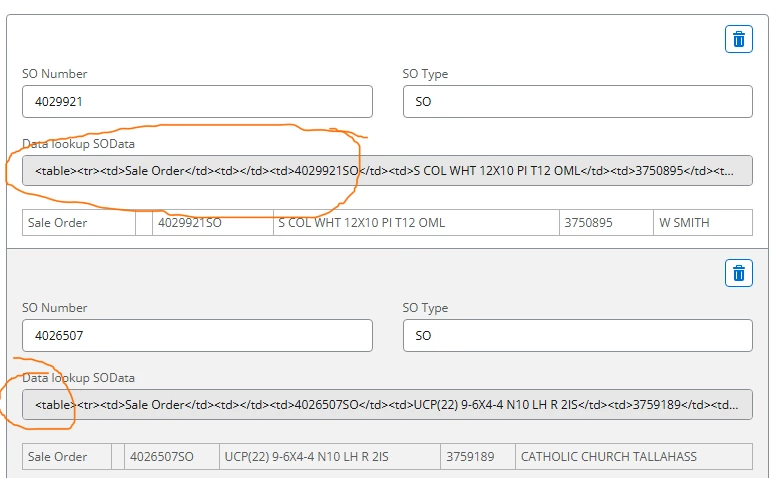
issue 2, first task, the text-short2 suppose to be lookup data but it is null on the data. as I want to display it in a label, but when I change the lookup visible to false, it doesn’t save. and getting null

"se_repeating_section_1_8AnGi65oIg": [
      {
        "se_text_short_2_iJdqBSvks9": "4029921",
        "se_text_short_1_FUbjZ1IW6s": "SO",
        "se_data_lookup_1_eL5vwdX5fF": null
      },
      {
        "se_text_short_2_iJdqBSvks9": "4026507",
        "se_text_short_1_FUbjZ1IW6s": "SO",
        "se_data_lookup_1_eL5vwdX5fF": null
      }
    ],

issue3. if I have another task(task 2) that use repeating section data from task 1.

everything is now blank. it is like the name “se_text_short_2_iJdqBSvks9” from start form is different then the first task name.


Forum|alt.badge.img+5
  • Author
  • Scholar
  • June 1, 2026

so I’m trying to solve issue 1 and 3 from above.

by doing each input by itself. then merge it

which have a consistence fieldname  mc1_SOType,mc0_SONumber, etc


issue#2 using css to hide the datalookup. seem to be working