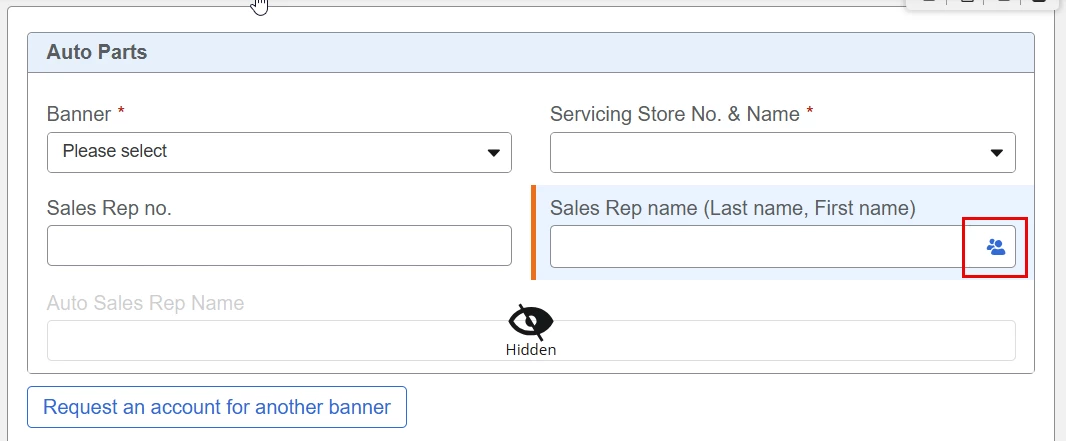
In my start form, I have a repeating section with several fields, including a “People” field (Sales Rep Name)
I want to generate a document that includes the details from this repeating section, including the Sales Rep Name. Example of my generated document:
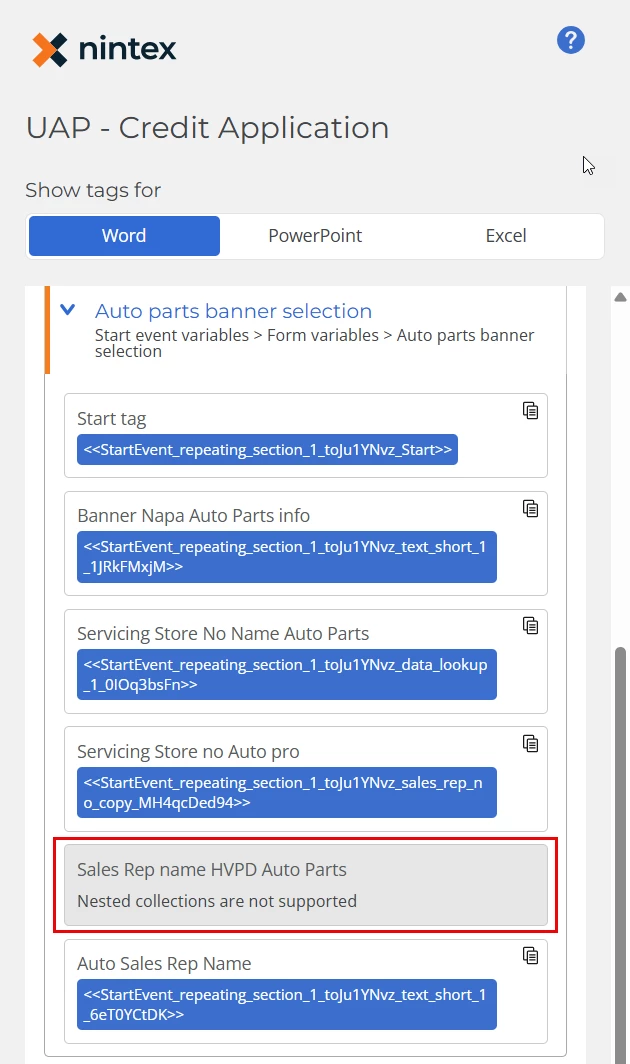
In my Generate Document action, I added the repeating section collection under “Repeating Data”. However, in the Document Tagger, I cannot access the Sales Rep Name.
How can I include the Sales Rep Name in the repeating section of my generated document?
Best answer by Simon Muntz
Hi @poirisop,
A people picker is a collection that contains first name, last name, full name, etc so you will need to pull out what you need.
I personally would rebuild the repeating section collection.
Loop through the repeating section and pull each field out. When you get to the people picker, add a loop inside the loop that pulls out the full name from the people collection. Create a string based on all the variables for the fields extracted, and then add that back into a new collection variable using the Add Item to collection action. Then use the new collection in the document generation action.
When creating your string, don’t forget to add the curly brackets and quotes to reconstruct the JSON key-value pair object.
Alternatively, you could loop through the repeating section and create a collection for each field and then merge all the collections. This would save you from having to create your own JSON object.
A people picker is a collection that contains first name, last name, full name, etc so you will need to pull out what you need.
I personally would rebuild the repeating section collection.
Loop through the repeating section and pull each field out. When you get to the people picker, add a loop inside the loop that pulls out the full name from the people collection. Create a string based on all the variables for the fields extracted, and then add that back into a new collection variable using the Add Item to collection action. Then use the new collection in the document generation action.
When creating your string, don’t forget to add the curly brackets and quotes to reconstruct the JSON key-value pair object.
Alternatively, you could loop through the repeating section and create a collection for each field and then merge all the collections. This would save you from having to create your own JSON object.