


Hi Team,
I noticed that with testing a process, odd behaviour shows.
Example form scenario.
I have a form whereby a data lookup is present.
The field requires a ‘clinic code’ to be provided to then interrogate the connected SQL table and retrieve key data points to show on the form.
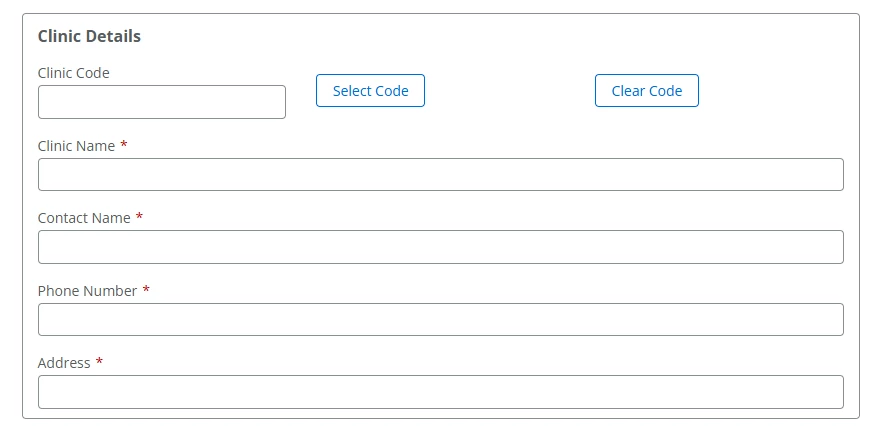
I noticed the following behaviour in 2 different ways to show said data.
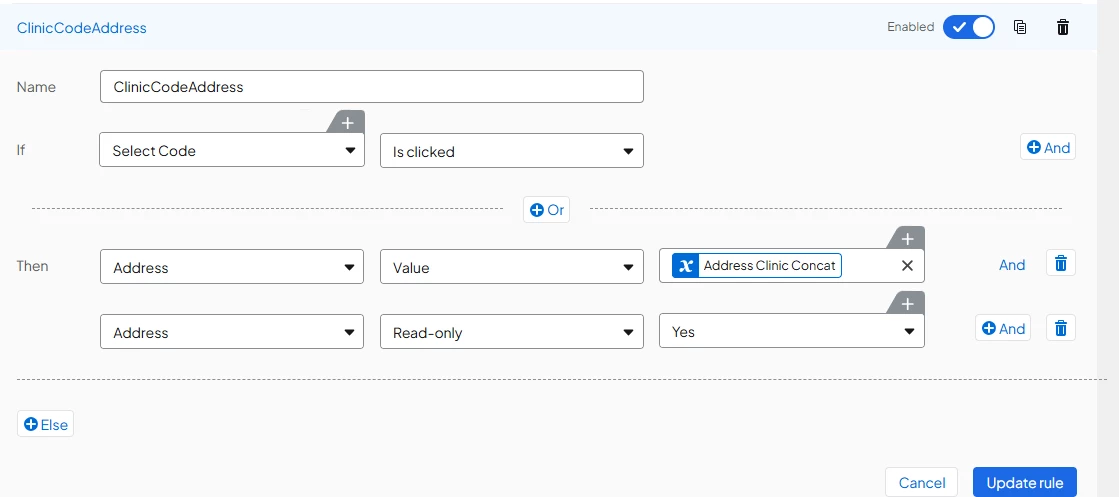
- Have the rules dictated by a ‘rule-trigger’ button
- When Clinic Code was filled, I had a rule to pull data points when ‘Select Code’ button was clicked.
-
-
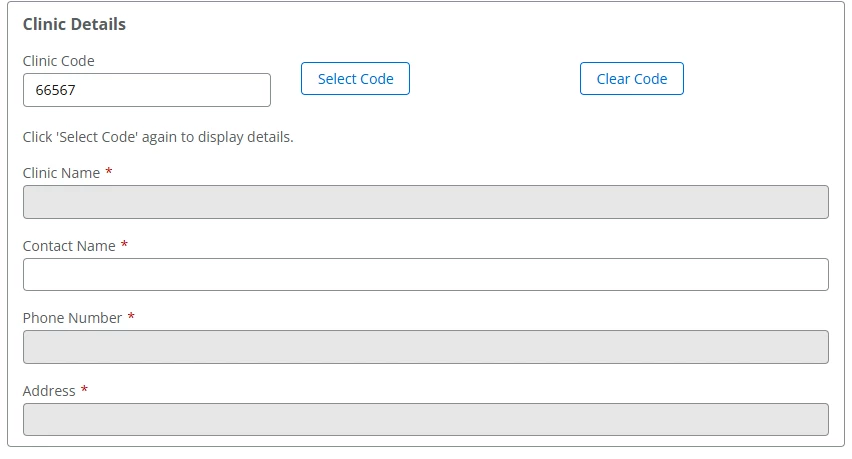
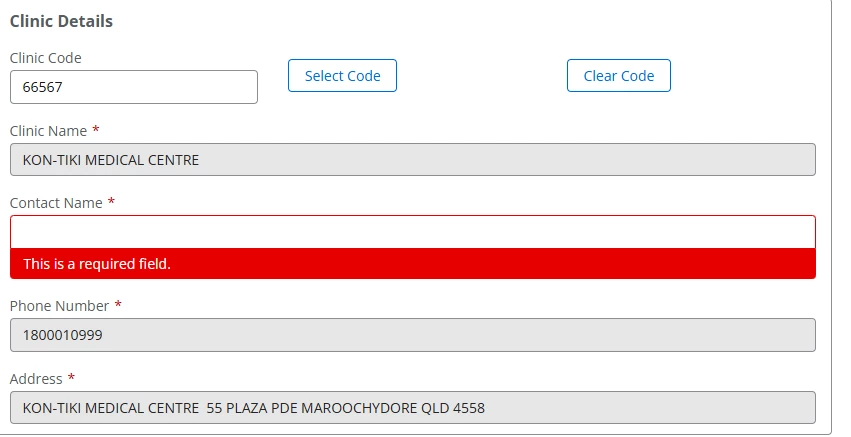
- This shows that using the button as a rule trigger is not instant and then when you Click the button as per the label, all information appears fine but this should not be the case as it forces users to essentially click x2 for data.
-
- Change the ruleset to simply start when the ‘Clinic Code’ is entered
-
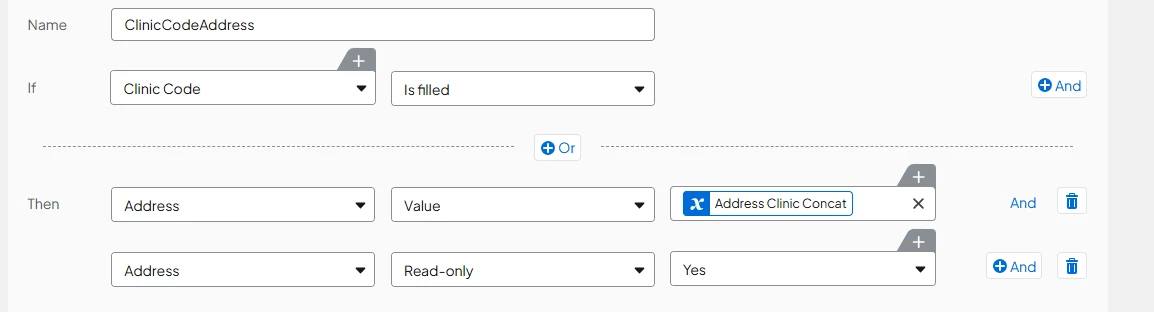
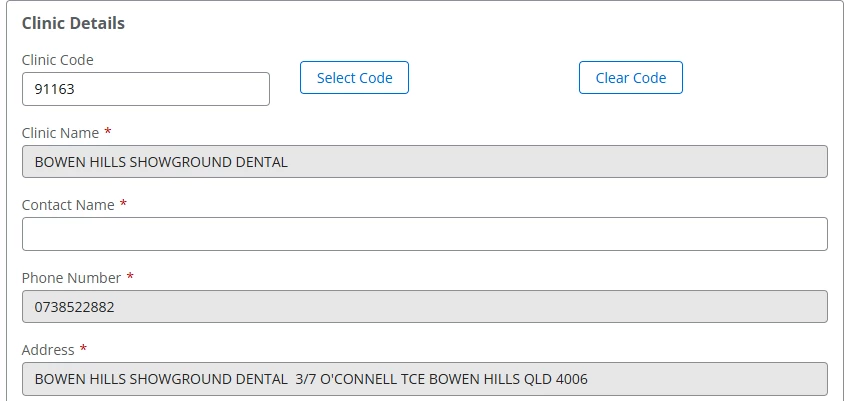
- Immediately works once the Clinic Code data is entered especially clicking the ‘Select Code’ button Or anywhere else on the form. This shows there is some sort of form runtime process which means you need to force the user to click something hence now a redundant inactive button gives the illusion of it working without issue
-
-
Is there something that I am doing different as i would have thought a button on a form would be instance especially if rule-triggered? Or do you need to create a rule for that to then action each item / field?
Currently after this finding (after days of troubleshooting) I will make the ‘Select Code’ button a defunct action simply to make the runtime on the form appear to magically make code content appear.



