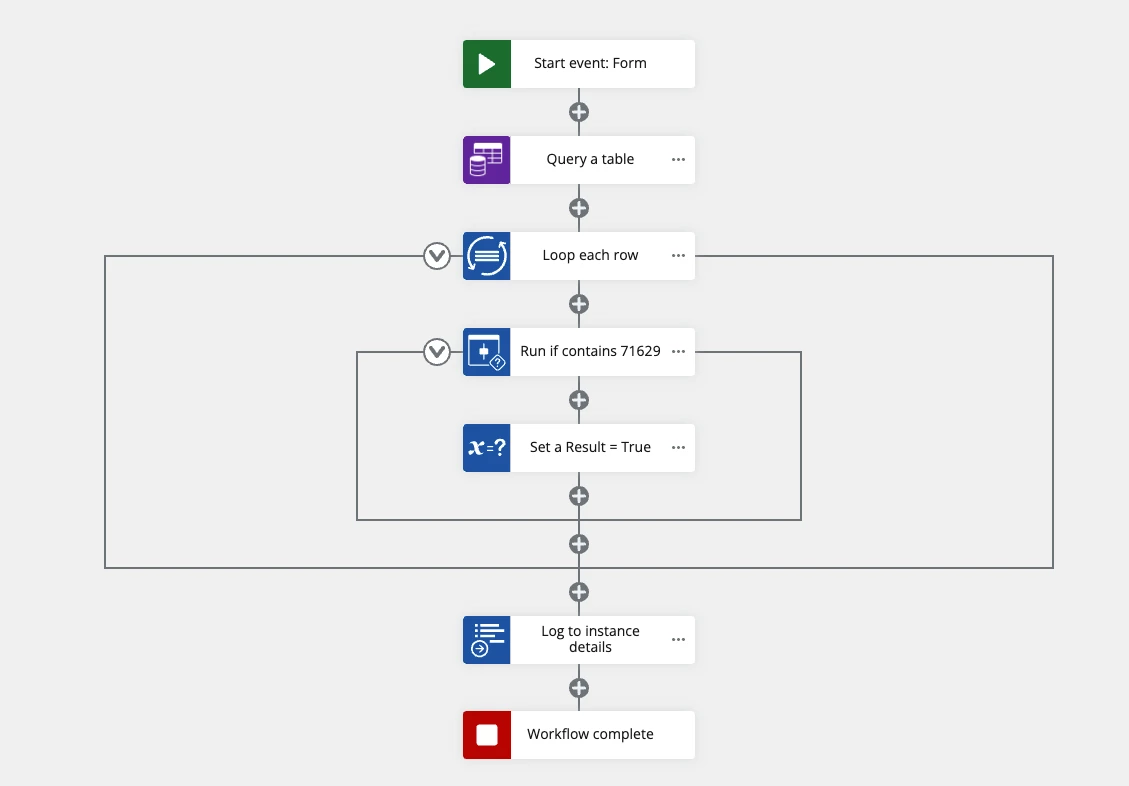
I’m working on a flow to update a Nintex Table from a report retrieved from our ERP. Part of the flow requires that it compare a ticket number from each row of the report to what’s already in the table, so it will only add new rows.
The approach I’m using is to use a Query a Table action to generate a collection of only the ticket numbers (i.e. theTableResult>Rows) then using a Check If Item Exists in Collection action from a ticket number in the report, to see whether a given ticket number is in the collection and hence in the table.
The snag I’ve run into is that the Check action doesn’t seem to be correctly evaluating whether the supplied value is found in the collection. This is what the collection looks like in Log to Instance Details, along with the raw result of the Check action for ticket 71629 (supplied as a default text variable):
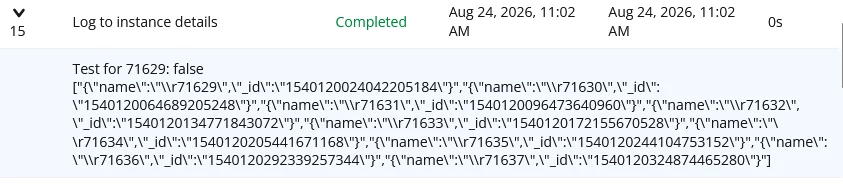
Logging the First Row from that same table query appears to show the value correctly:

In other words, it seems to work fine showing the info directly from the query but not from the resulting Object and its rows.
The ticket numbers are stored as text and the variables I’m using are formatted as text as well, so I don’t think it’s a type mismatch.
Suggestions?? Thank-you!
Chris