

Nintex Community Menu Bar
Question

Carry attachment from one approval task to the next

  • February 26, 2026
  • 3 replies
  • 26 views

Forum|alt.badge.img+11

HI!

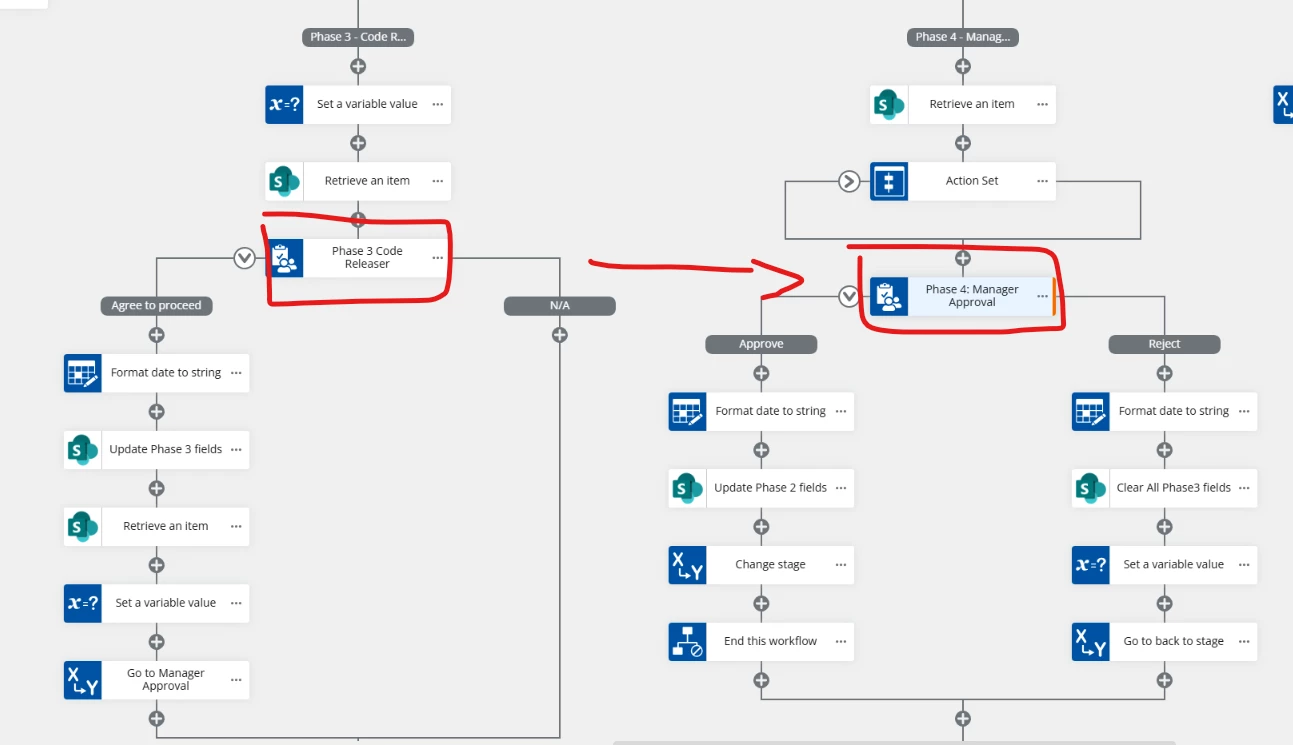
I have a workflow where I need to be able to carry over an attachment (or two). I have a section where in one approval task (phase 3) you can upload an attachment and once its ready to go to the next approver (phase 4), the attachment carries over to be viewed. Is that possible? If so, how does one approach this? I have been trying for hours and unable to find anything on attempting this, help?


Upload attachment in Phase 3 and carry over to Phase 4:


3 replies

Simon Muntz
Nintex Partner
Forum|alt.badge.img+23
  • Nintex Partner
  • February 26, 2026

Hi ​@jpacheco,

There is no way to configure a default attachment in the file upload control on a form.
The only way to pass the attachment from task form 1 to task 2 is to attach it to task 2's email.

An alternative approach would be to store the attachments and then add the URL(s) to the task 2 form that point to the attachments.


Forum|alt.badge.img+11
  • Author
  • Scout
  • February 27, 2026

@Simon Muntz ,


Thank you so much for your response! As for the alternative… I was looking to see how that would be possible too but couldn’t see how to store the attachments.


What is the process in storing the attachments and then adding a URL to the task form??


Thanks in advance!


Simon Muntz
Nintex Partner
Forum|alt.badge.img+23
  • Nintex Partner
  • March 2, 2026

Hi ​@jpacheco,

I would host the files in a SharePoint library or OneDrive, depending on the user assigned the second task's access.
Then use a label control to display the URL’s on the second task form.



